)
Best Tools for Creating Graphs in 2026: AI, Python & BI Platforms

TL;DR
There's no shortage of tools that produce a chart. The question is whether the chart is reproducible, whether it can be updated when the data changes, and whether anyone can defend the choices behind it. This guide covers the graph-making tools that earn a permanent place in a data team's stack, grouped by how they fit into the rest of the analytical workflow. A graph is the final 5% of an analysis. Getting it to look right matters, but it matters less than where the data behind it came from. The tools that earn a permanent spot in a data team's stack are the ones that connect the visualization back to the work that produced it.
What you will learn
The best tools for creating graphs in 2026, grouped by workflow type
How code-based libraries, drag-and-drop tools, and AI graph generators differ
Which graph-making tools fit which kind of work
How to evaluate a graphing tool beyond what it can render
Where graphing fits in the broader data analysis workflow
How to evaluate tools for creating graphs
Almost every graphing tool can make a bar chart that looks fine. The differences show up when the data updates, when someone else needs to edit the chart, or when the same chart needs to appear in three places.
Can the chart be regenerated when the underlying data changes?
Will someone else be able to modify it, or is it locked to the original author?
Does the output match the level of polish your final destination needs?
How does the tool handle large datasets or messy ones?
Is there a clear path from quick exploration to production-quality output?
Does it slot into your existing data workflow or require a separate one?
Code-Based Graphing Libraries
The libraries here are the foundation that most production analytical work sits on. Code-based means slower for the first chart, faster for the hundredth, and reproducible by default.
Matplotlib: The Python Default
Matplotlib has been the default plotting library in Python for over a decade, and the reason hasn't really changed. Every other Python visualization tool either builds on it or measures itself against it. The trade-off is verbosity — basic charts are quick, but customization can be a long, fussy session of styling parameters.
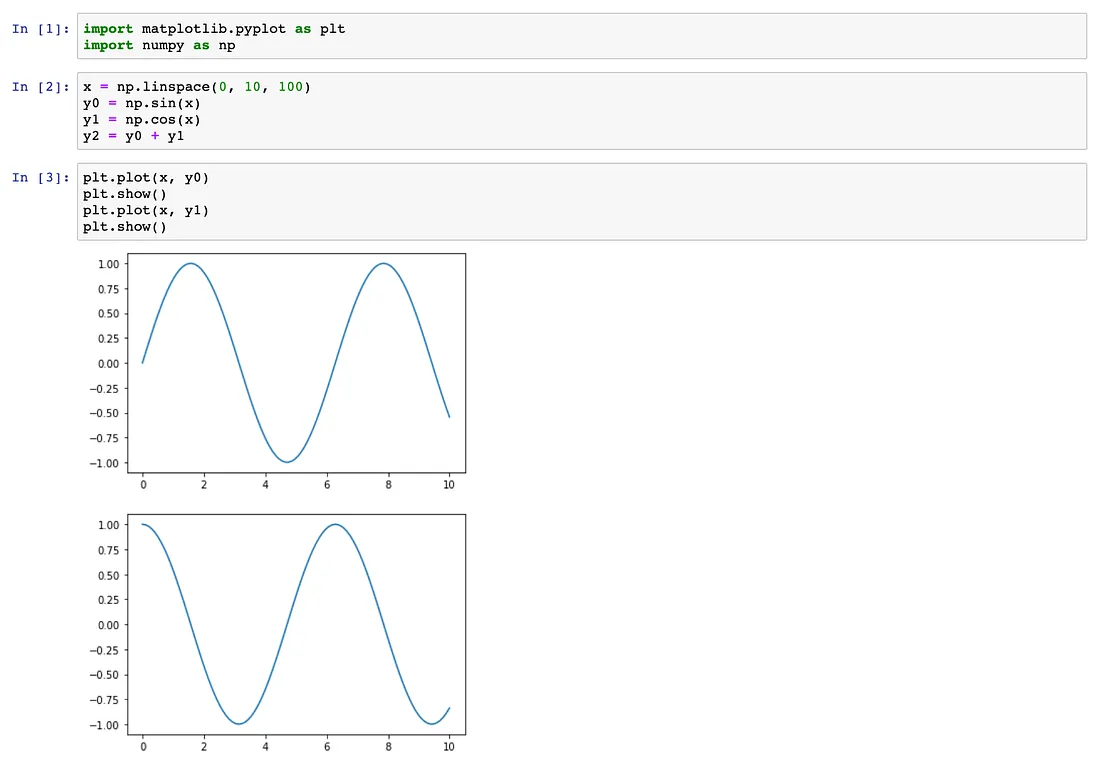
Default plotting library across the Python ecosystem
Highly customizable but verbose for complex charts
Output is reproducible by definition
Best for analysts already working in Python notebooks
Seaborn: Statistical Graphics on Top of Matplotlib
Seaborn is a higher-level layer on Matplotlib that handles statistical visualizations — distributions, regressions, multi-variable comparisons — with much less code. Most Python data scientists use Seaborn for the analytical chart and Matplotlib when they need to fine-tune the output.
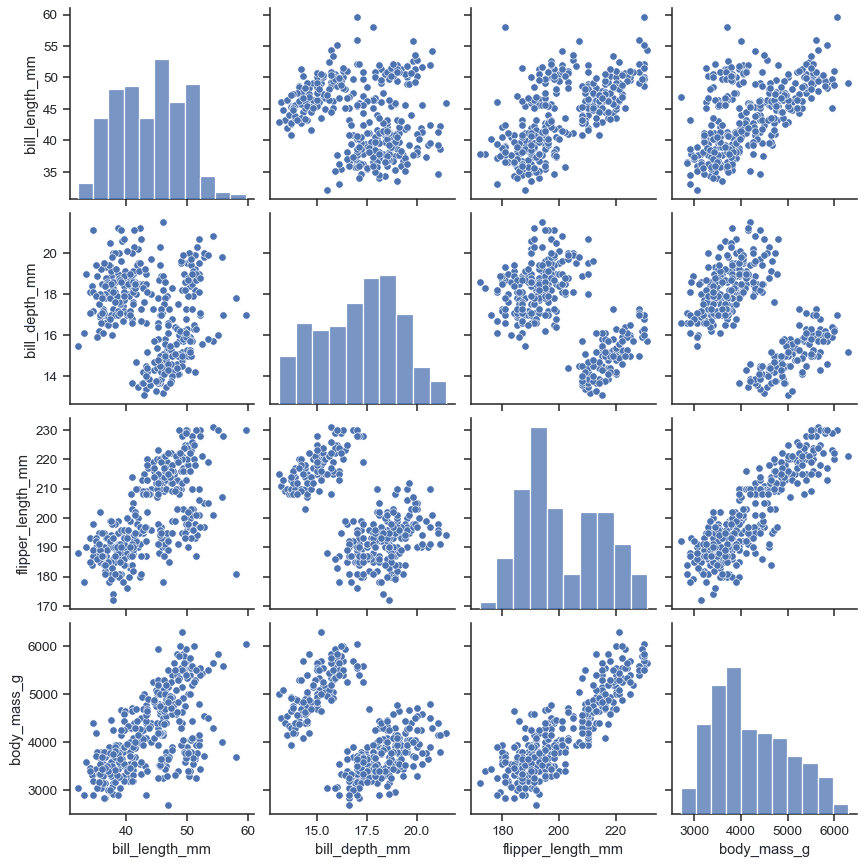
Built specifically for statistical visualization
Sensible defaults for distributions, regressions, and comparisons
Sits on top of Matplotlib, so the customization layer is the same
Strong fit for exploratory data analysis
Plotly: Interactive Charts for the Web
Plotly's pitch is interactivity. The same code produces a chart that can be embedded in a notebook, a dashboard, or a web application, with tooltips, zooming, and panning out of the box. Dash, the related web framework, lets analysts ship full interactive applications from the same chart code.
Interactive output by default — works in notebooks, web, and Dash apps
Strong for charts that need to be explored, not just viewed
Available in Python, R, and JavaScript
Higher overhead than Matplotlib for static one-off charts
ggplot2: The R Standard
ggplot2 implements the Grammar of Graphics, which is a specific theory of how visualizations should be constructed — layers, mappings, geometries, scales. It's the dominant plotting library in R and arguably produces the most consistently good-looking default output of any code-based library.
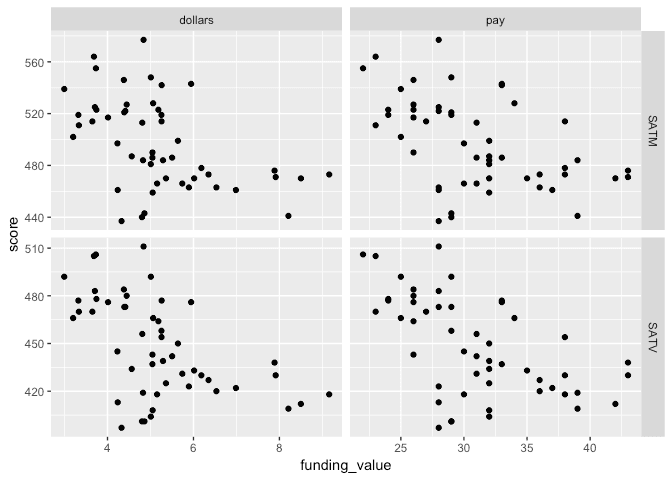
Cleanest default output of any major plotting library
Based on a coherent theory (Grammar of Graphics) that scales to complex charts
The standard for academic and statistical R work
Less suited to interactive web output than Plotly
D3.js: Web-Native, Maximum Control
D3 is the foundation underneath most custom web-based visualization. It's not really a charting library so much as a toolkit for building one. The cost is steep learning; the benefit is you can build anything you can imagine, including the kind of bespoke visualizations that show up in The New York Times.
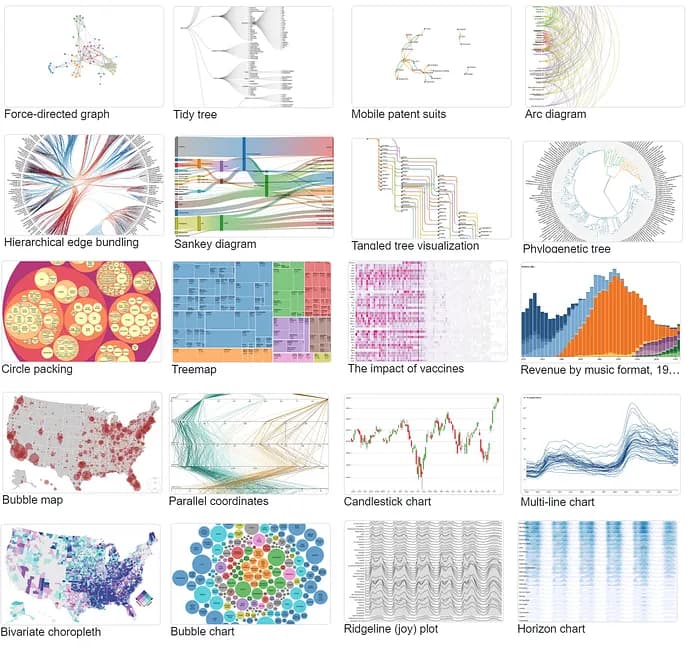
Maximum flexibility for custom web-native charts
Powers most high-end editorial and product visualizations
Steep learning curve compared to higher-level libraries
Best for engineering teams shipping visualizations into product
Analytical Platforms with Built-In Charting
These are the tools where the chart is part of a broader analytical workflow. The graph isn't the deliverable — it's a byproduct of the analysis, and the platform's job is to keep the chart connected to the data and code that produced it.
Zerve: Charts Inside a Reproducible Workflow
Most charts in a data team's life don't need to be art — they need to be defensible. Zerve supports Python and R in the same environment, which means Matplotlib, Seaborn, ggplot2, Plotly, and any other library work natively, but each chart is attached to the analysis that produced it. When the data changes, the chart updates. When someone else opens the work, they can see exactly how the chart was built.
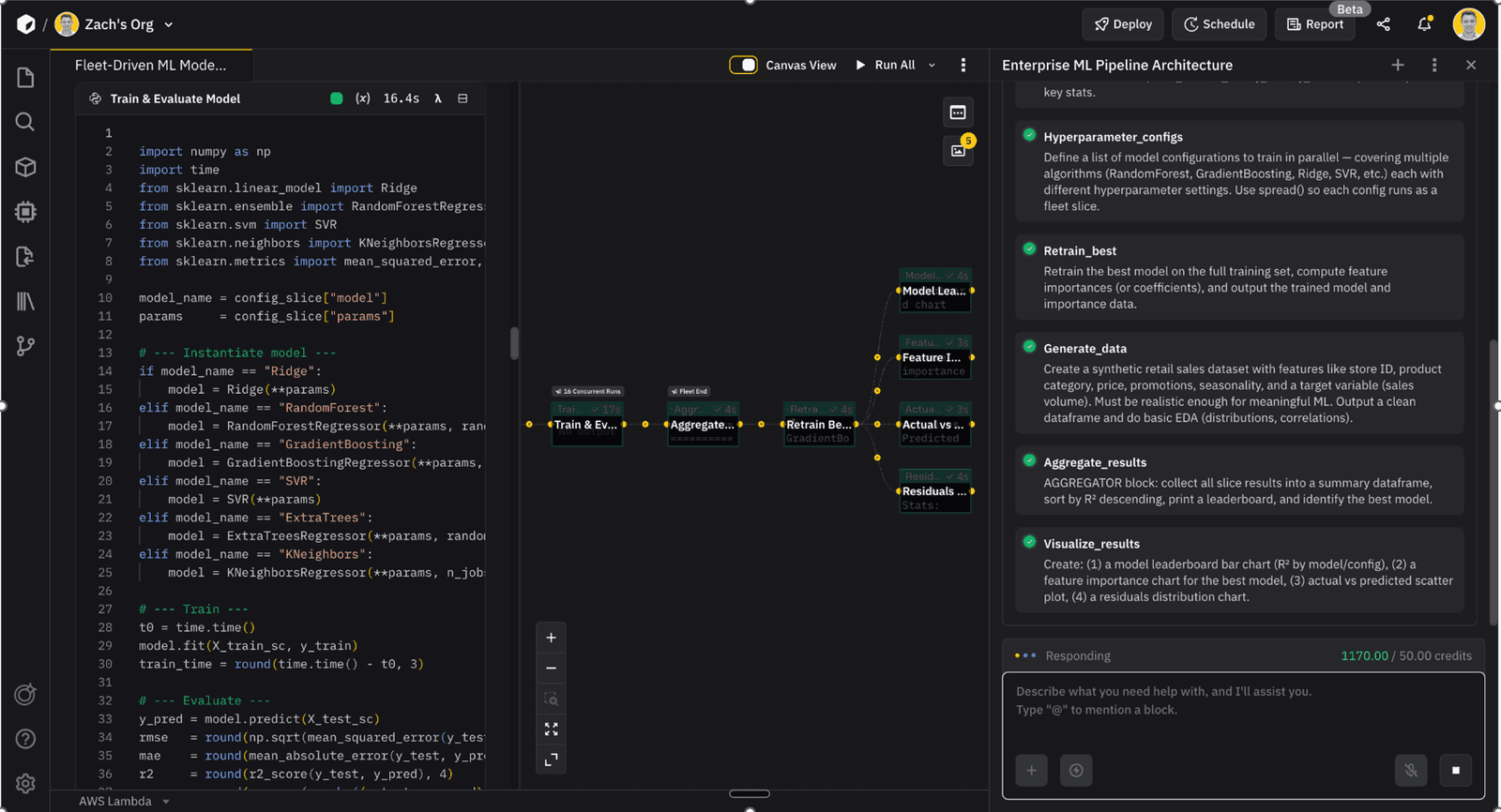
That matters most for analysis that's going to get reused. A chart that ships in a stakeholder report this quarter and a regulatory document next quarter should be the same chart — generated from the same code, traceable to the same dataset. Conversational reports take this a step further, letting stakeholders query the underlying analysis directly rather than asking the analyst for a new version of the chart every time the question shifts.
All major Python and R libraries are supported natively
Charts attached to the analysis and data that produced them
Conversational reports let stakeholders explore the underlying work
Institutional knowledge layer captures methodology alongside the chart
Tableau: The Visualization-First Platform
Tableau has been the gold standard for drag-and-drop data visualization since long before "AI" was part of the pitch. Tableau Agent now handles natural language requests inside the workspace, and Tableau Pulse delivers metric alerts and plain-language summaries to Slack or email. For teams whose primary job is producing dashboards and visualizations, Tableau is still the benchmark.
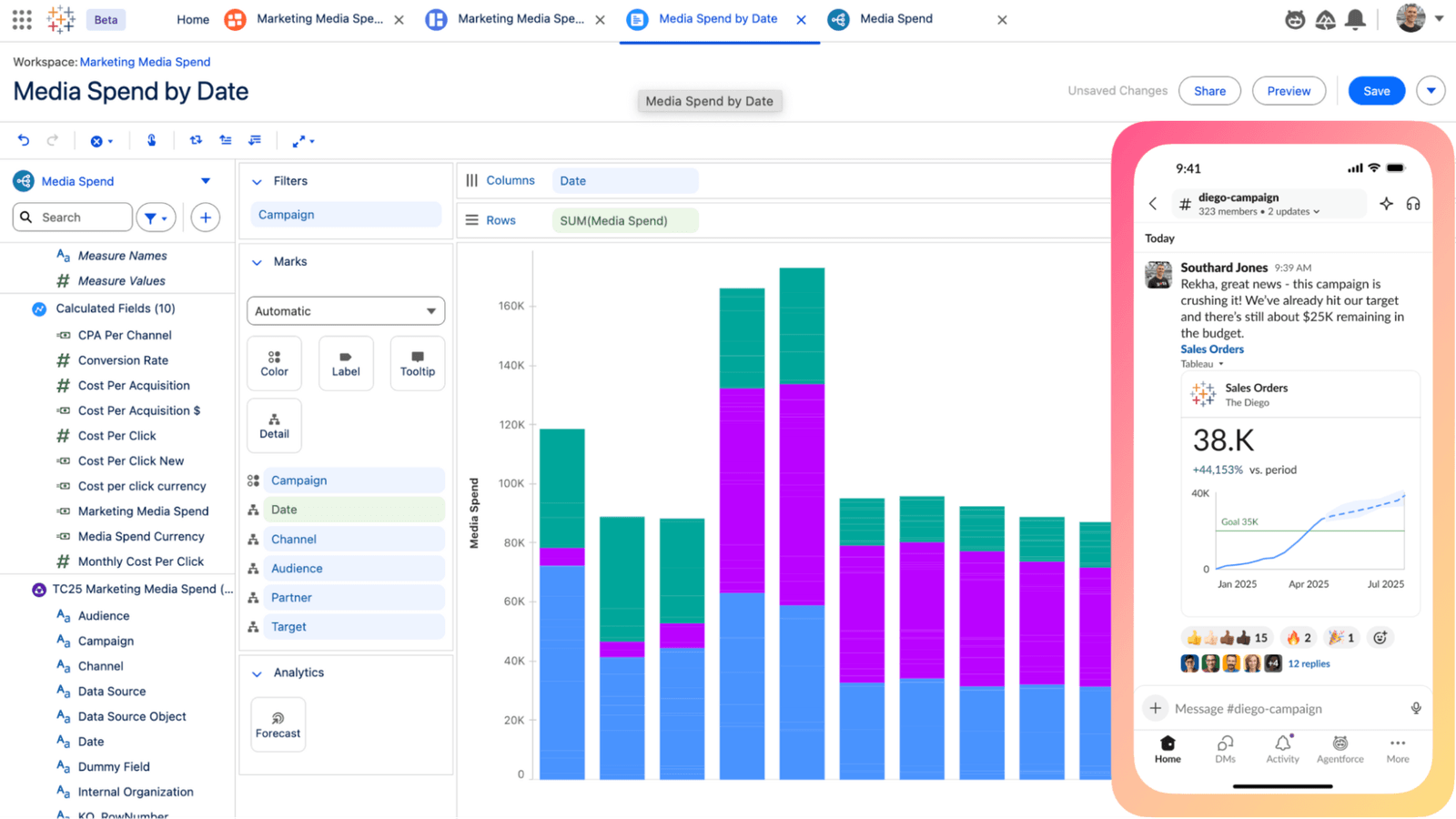
Best-in-class drag-and-drop chart builder
Tableau Agent and Pulse embed AI into normal workflows
Strong fit for dedicated visualization roles
Less suited to teams that want analysis and visualization in the same environment
Power BI: Microsoft's Charting Workhorse
Power BI's chart library isn't as rich as Tableau's, but the integration with Microsoft 365 and Copilot makes up for a lot of it. Most charts produced in Power BI go straight into a PowerPoint or a Teams channel, which is a workflow Microsoft has optimized harder than anyone.
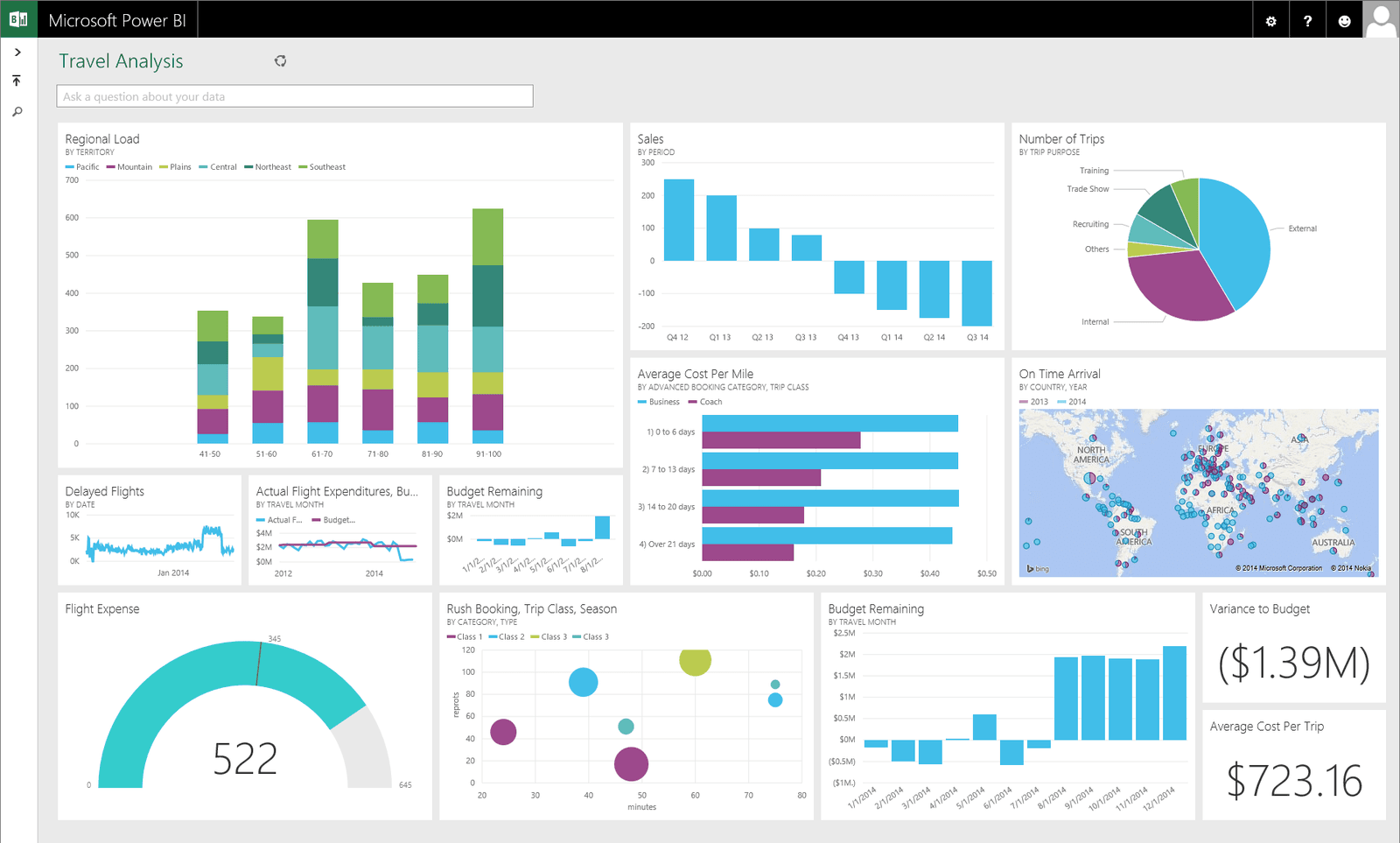
Deep integration with the Microsoft ecosystem
Copilot for chart creation and natural language queries
Strongest fit for organizations standardized on Microsoft tools
Less flexible than dedicated visualization tools for custom output
AI-Powered Chart Generators
This category barely existed three years ago. These are the tools that take a description or a dataset and generate a chart, usually as a one-shot output. They're useful for fast first drafts and for non-technical users; less useful when reproducibility matters.
Julius AI: Conversational Charts from Uploaded Data
Julius is built around the chat interface — upload a dataset, ask for a chart, and Julius generates it. It connects to common databases (Snowflake, BigQuery, Databricks, Postgres, MySQL) and handles files up to its 32 GB RAM sandbox. Strongest fit is non-technical users who need an answer fast, not analysts who need to defend the chart later.
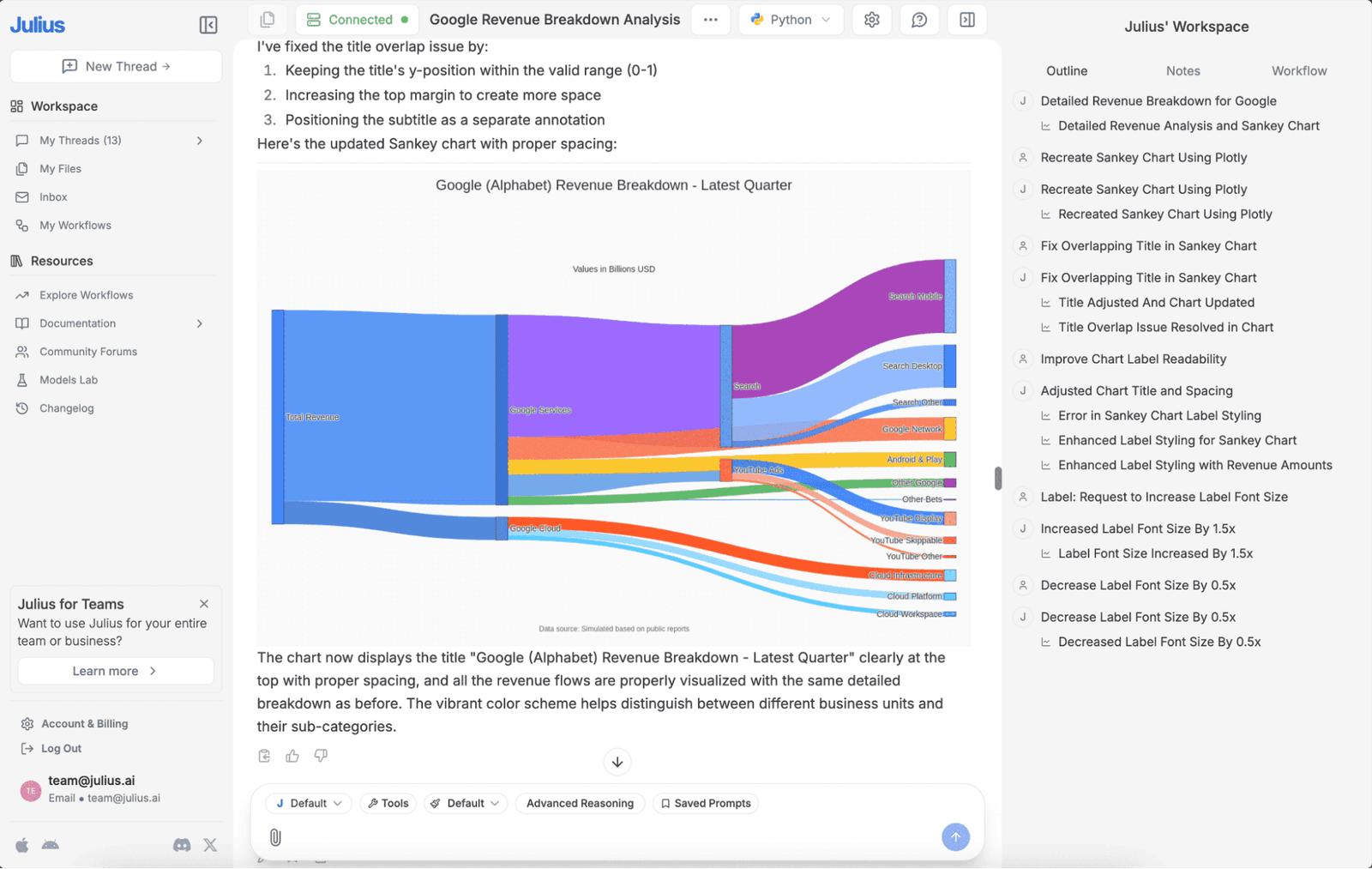
Conversational chart generation from uploaded or connected data
Handles large files and database connections
Accessible to non-technical users
Reproducibility depends on how the conversation is preserved
ChatGPT (with Code Interpreter): General-Purpose Charting
ChatGPT's Code Interpreter runs Python in a sandbox, which means it can generate Matplotlib or Plotly charts from data you upload directly into the chat. Useful for quick exploration; less useful as a recurring part of a data workflow because the work doesn't persist outside the conversation.
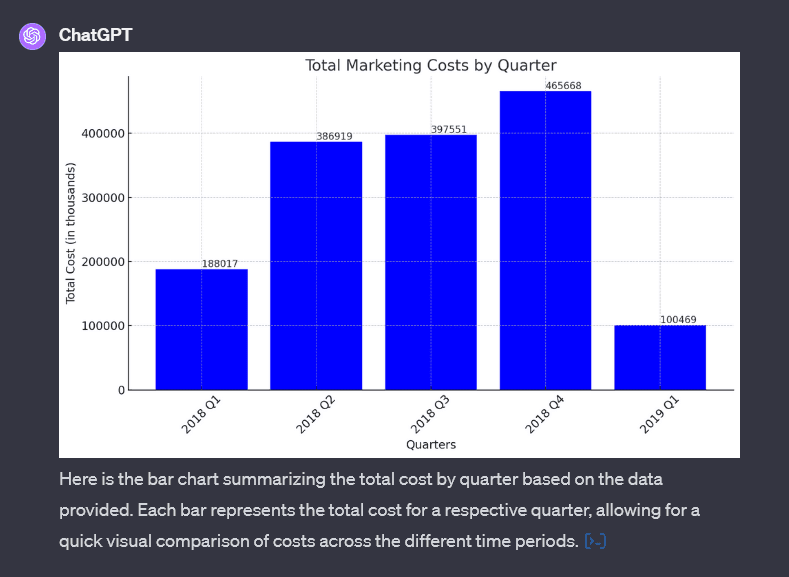
Runs Python in a sandboxed environment
Strong for one-off charts and quick exploration
Output is hard to integrate back into a broader workflow
Not a substitute for a real analysis environment
Lightweight and Specialized Tools
The tools in this category aren't general-purpose, but they earn a place in a data team's stack because they're the best at a specific job.
Datawrapper: Publication-Quality Charts for the Web
Datawrapper is the tool most newsrooms and policy organizations use to produce embeddable charts. The output is consistently good-looking with minimal effort, and the embedding works reliably across CMSes. Strongest fit for teams that publish charts publicly.
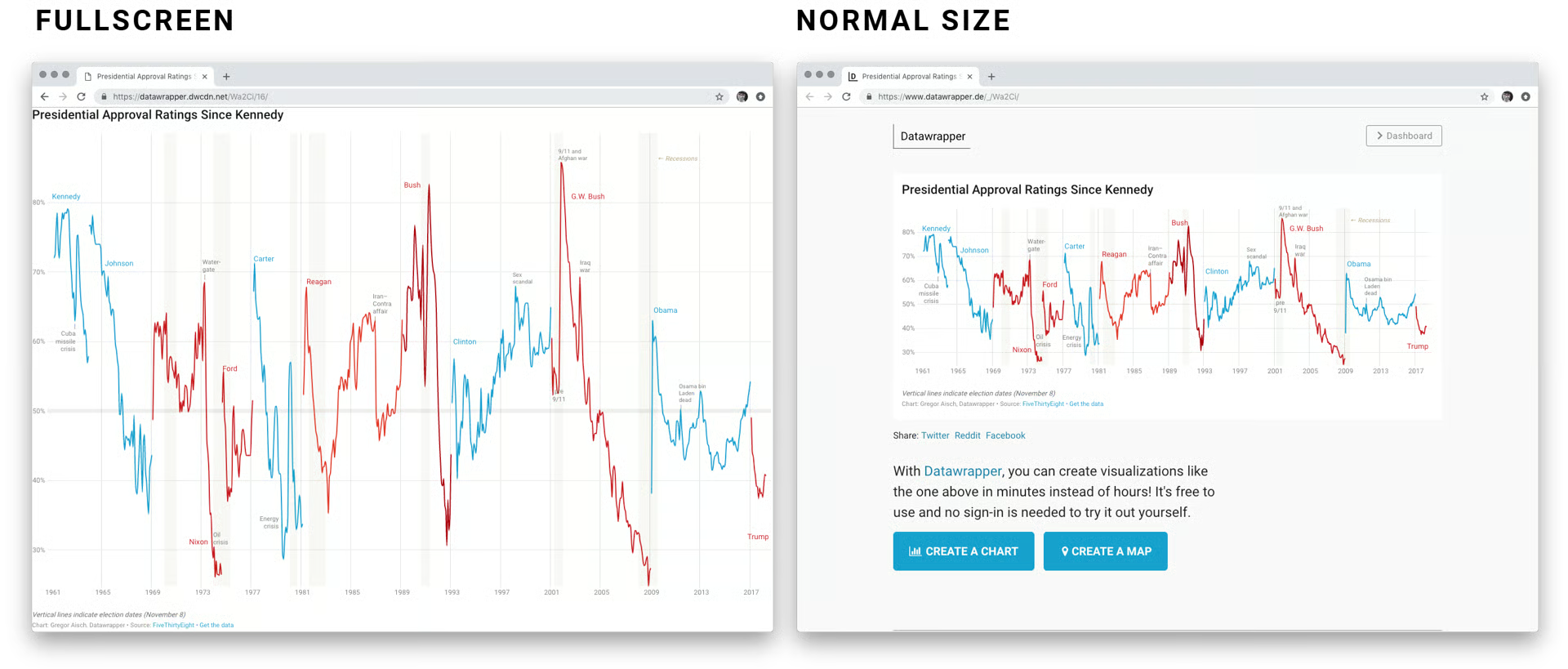
Optimized for publication-quality web charts
Strong defaults for typography, color, and accessibility
Used heavily by newsrooms and policy organizations
Less suited to internal analytical work
Flourish: Animated and Story-Driven Visualizations
Flourish is what you reach for when the chart needs to move. Animated bar chart races, scroll-driven storytelling, and election-night swing visualizations — these are Flourish's territory. The free tier is generous and the output is web-ready.
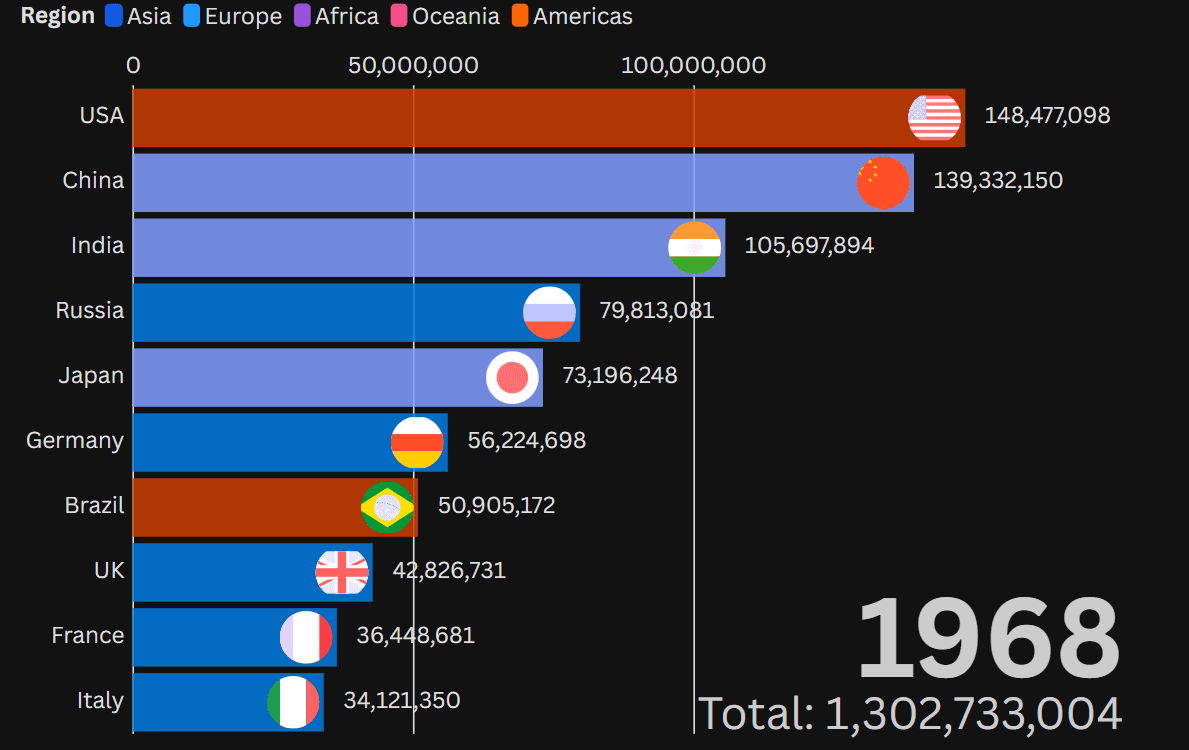
Best-in-class for animated and story-driven charts
Strong for one-off visual essays and storytelling
Free tier sufficient for many use cases
Not built for recurring analytical work
Graphing tools comparison
How graph-making actually fits into a data workflow
Most teams end up with a stack rather than a single tool. A code-based library for exploration and analytical work. A polished visualization tool for the chart that goes in front of executives. An AI-powered tool for ad-hoc questions that don't need to persist. The teams that get into trouble are the ones treating the chart as the deliverable, when the chart is actually a byproduct of the analysis behind it. For more on the broader workflow, our predictive analytics guide covers how visualization fits into modeling work, and our data collaboration tools post covers how charts get shared between people.
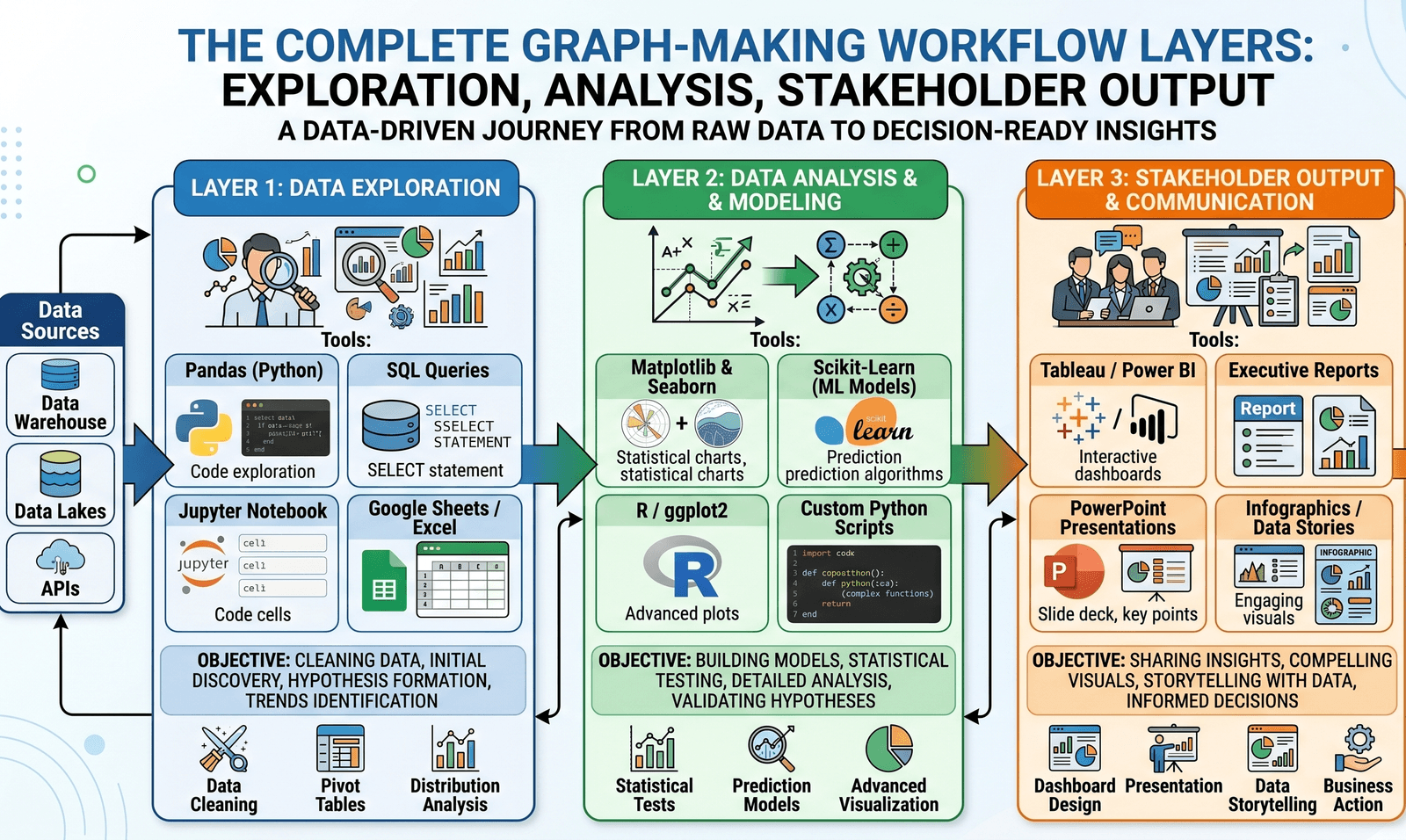
Which graphing tools fit each role
How to choose the right tool for creating graphs
The first question is whether the chart is one-and-done or part of recurring work. For one-off charts, AI-powered tools and lightweight web tools are usually the fastest path. For recurring work, the chart needs to live next to the analysis that produced it — which means a code-based library inside an analytical environment, not a separate visualization tool that loses the connection.
If the chart you build today needs to still make sense a quarter from now, Zerve supports every major plotting library natively and keeps the chart attached to its source analysis. Start with Zerve free and produce your first chart inside a workflow you can return to.
Frequently Asked Questions
It depends on the job. For reproducible analytical work, code-based libraries like Matplotlib, Plotly, or ggplot2 — running inside a platform like Zerve. For polished dashboards, Tableau or Power BI. For one-off charts, AI tools like Julius or ChatGPT. Most teams use a combination.
For one-off charts on small datasets, yes. For recurring analytical work, no — the output isn't easily reproducible and doesn't slot into a broader workflow. AI graph generators are most useful as a first draft or a quick answer, not a replacement for code-based charting in production work.
Matplotlib produces static charts and is the Python ecosystem standard. Plotly produces interactive charts that work in notebooks, web apps, and dashboards out of the box. Most data scientists use both — Matplotlib for analytical work, Plotly when the chart needs to be explored.
Yes. Tableau, Power BI, Datawrapper, Flourish, and Sigma are all drag-and-drop or near-drag-and-drop. The trade-off is that the chart is harder to embed in a reproducible analytical workflow without a platform that bridges both worlds.
For one-off charts in a presentation, not very. For charts that recur — quarterly reports, regulatory submissions, model performance dashboards — reproducibility is the whole game. A chart that nobody can regenerate when the data changes is a chart you can't trust.