)
Zerve vs. Julius.ai
Why Choose Zerve Over Julius.ai?
Summary
Many users love the convenience of Julius.ai’s conversational analytics, but it often hits a wall when tasks grow complex. For example, you might start by quickly asking Julius to chart some sales data, only to realize you can’t easily tweak the underlying analysis or run a custom algorithm. Julius excels at basic “ask and answer” insights, yet its limitations - from fixed workflows to compute caps - can leave you frustrated when you need deeper flexibility. Zerve was built to solve these pain points. It combines an AI co-developer with a full development environment, so you get the simplicity of natural language and the power of code. With Zerve, you’re no longer constrained by Julius’s one-size-fits-most approach. You can dive into complex analyses, customize code or models, and even deploy results, all within a single, persistent platform. In short, Zerve eliminates the roadblocks that Julius users encounter, enabling you to go from data to solutions faster and more reliably.
About Julius.ai
Julius.ai is an AI-powered data analysis tool that lets users explore data using natural language. It acts like a virtual data analyst - you upload a file or connect a source, then ask questions or give instructions in plain English. Julius will automatically generate code behind the scenes to produce answers, charts, or statistical results, making data analysis accessible without needing to write code. This approach shines for quick insights and visualizations: users can get concise charts or summaries within seconds, which many find boosts their productivity for simple analytics tasks.
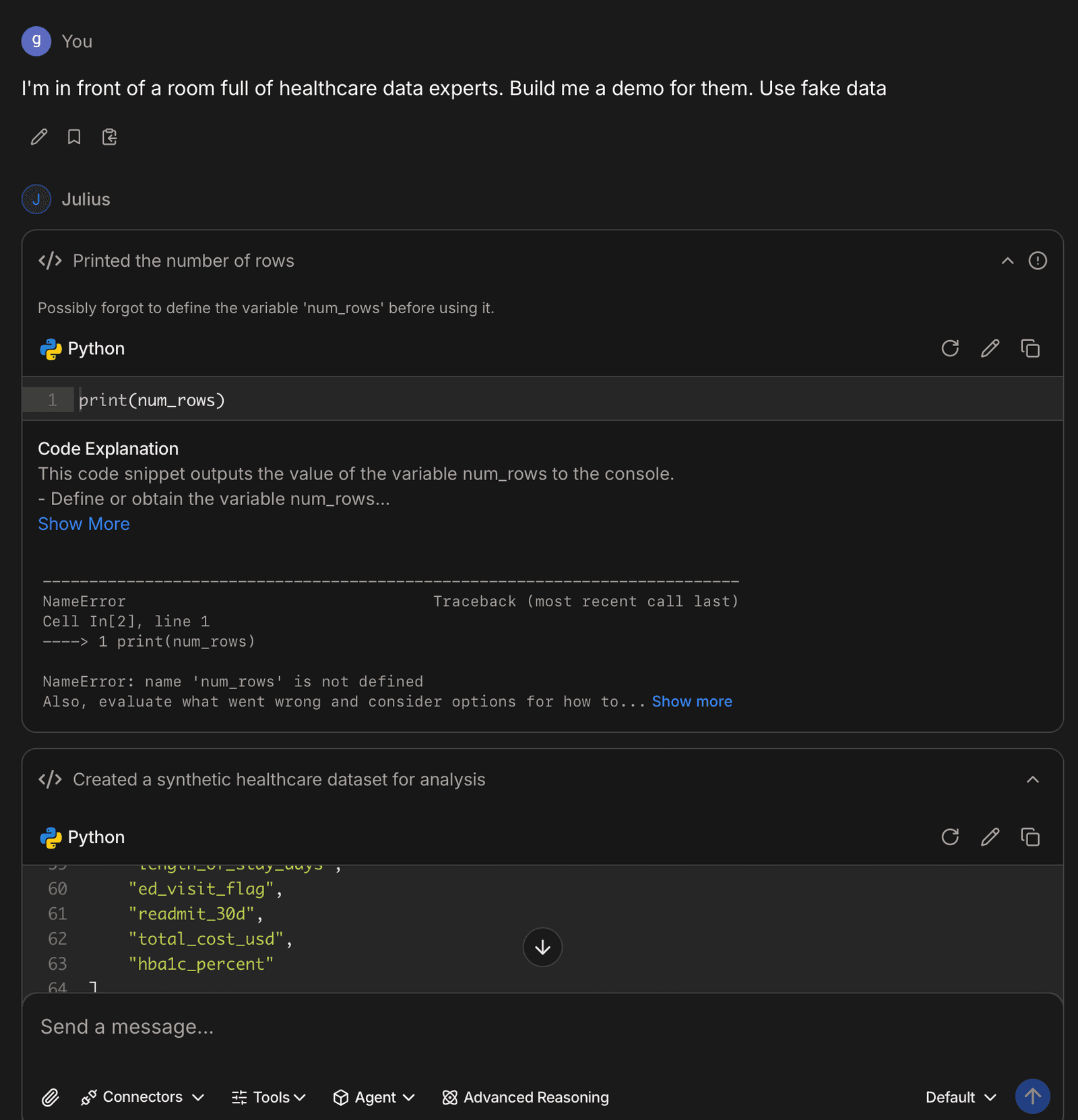
However, Julius.ai is deliberately streamlined for simplicity, which comes with key limitations. It’s not designed for deeply flexible or technical workflows. You can’t directly inject your own code or use arbitrary libraries – you’re limited to what the AI’s predefined routines can handle. If you need to perform a complex multi-step data pipeline or custom transformation, Julius struggles because it wasn’t built for managing intricate code-based processes. There are also compute and session constraints. Julius runs your analysis in a sandboxed environment with fixed resources (for example, the Pro plan offers up to 32 GB RAM), and heavy computations may slow down or hit usage limits. In fact, some users report frustration with monthly query caps and occasional slowdowns on large files. Importantly, Julius lacks true persistent state or versioning for projects – each analysis lives mainly in the chat context. You can’t maintain a long-term, evolving codebase with version control in Julius, and any collaborative work is limited to sharing static results or dashboards rather than real-time co-development. Finally, Julius has no path to production deployment: it’s a great ad-hoc analysis assistant, but you cannot turn a Julius session into a live application or automated pipeline for your business without redoing the work elsewhere. These limitations mean that teams often outgrow Julius when they need more than on-the-fly insights – which is exactly where Zerve comes in.
About Zerve
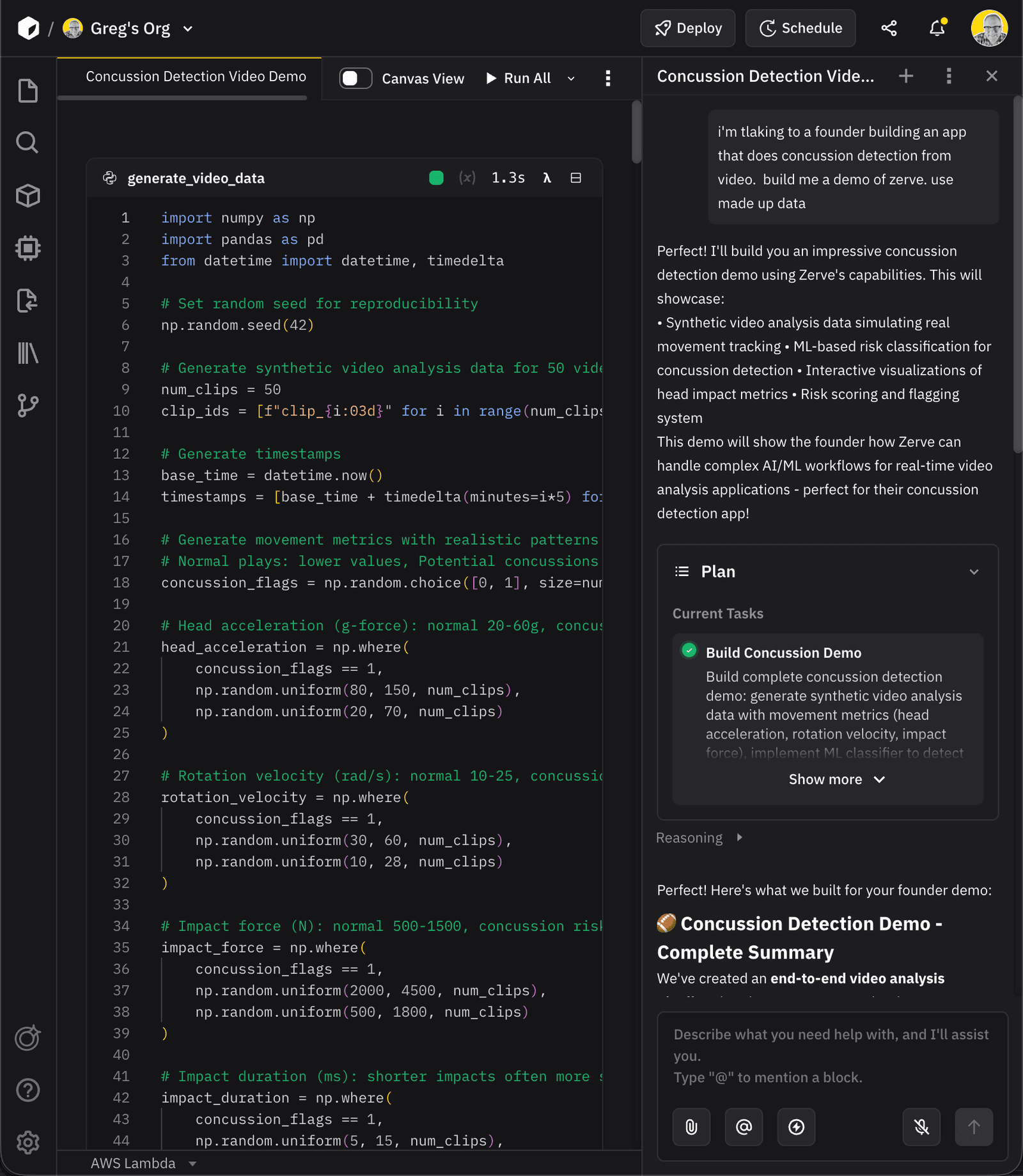
Zerve is a full-featured AI-powered development environment for working with both data and code. It was designed as an AI-native workspace that overcomes the restrictions of chat-based tools. In contrast to Julius’s narrow focus, Zerve provides a complete platform, akin to a smarter Jupyter notebook or IDE in the cloud, with an AI assistant built into its core. This means you still get the ease of conversing with an AI, but now that AI (the Zerve Agent) can actually write, run, and modify real code in a persistent environment. The result is a unified space where analysts, data scientists, and business users can collaboratively go from exploration to production in one place.
Key Features of Zerve:
Zerve Agent: An intelligent assistant that works alongside you as a true collaborator. The Zerve Agent doesn’t just suggest code snippets. It can plan out an entire solution, execute the code step by step, and even debug or adjust as needed, all while understanding the context of your project. In practice, it’s like having a skilled pair-programmer who knows your data and goals. You describe what you want, and the agent builds and refines the workflow with you. This goes far beyond Julius’s “question-answer” mode, enabling you to tackle complex tasks with AI actively doing the heavy lifting.
Zerve Cloud Orchestration: Zerve comes with powerful orchestration capabilities to run your code wherever it makes the most sense. You can use Zerve’s managed cloud or deploy the platform in your own infrastructure for full control. Under the hood, Zerve will handle provisioning of resources automatically, whether that means executing serverless code or maintaining persistent executors. Unlike Julius, which only runs within its preset limits, Zerve lets you bring the compute to your data environment of choice. It seamlessly integrates with enterprise data sources and cloud services, so you can connect to databases or data lakes and trust that Zerve will manage the execution securely at scale.
Flexible Compute and GPU Execution: Need to crunch big data or train a machine learning model? Zerve has you covered. You can select specialized compute options on a per-task or even per-cell basis. For example, run one notebook cell on a GPU or execute a part of your workflow on AWS Lambda or Kubernetes for parallelism. The platform’s feature called The Fleet can distribute tasks across multiple workers, enabling effortless parallel processing and faster runtimes for large jobs. In short, Zerve is built to scale up with your needs. Tasks that would be impossible or painfully slow in Julius’s limited sandbox can run in Zerve using cloud-scale resources. All of this is handled without you writing any DevOps scripts. The agent and platform coordinate the infrastructure behind the scenes.
Persistent Canvases and Saved State: Every project in Zerve is backed by a persistent notebook that saves all your work. Nothing gets lost or reset. You can close your browser and return days or weeks later to find your analysis exactly as you left it. Zerve’s notebooks are multi-language and integrate with Git version control for true reproducibility. This means you can track changes, revert to previous versions, or branch off an experiment safely. Collaboration is also built in: multiple team members can work together in real time on the same canvas, seeing each other’s edits and insights instantly. Compared to Julius, where work is locked in ephemeral chat threads, Zerve gives you a durable workspace where progress accumulates and knowledge can be shared.
Team Collaboration & Production Readiness: Zerve is designed for collaborative, production-grade workflows. You can invite colleagues into your projects with role-based permissions, enabling shared development and troubleshooting in one environment. Because everything is persistent and versioned, teams avoid the “lost in translation” issue of passing analyses around. Everyone sees the single source of truth. When it’s time to deliver results beyond the notebook, Zerve shines with one-click deployment. You can publish your analysis as a live web app or secure API endpoint or schedule it as a recurring job without even leaving the platform. This level of production readiness is something Julius doesn’t provide at all. With Zerve, what starts as an interactive exploration can seamlessly become a reliable tool in production.
Julius.ai vs. Zerve Feature Comparison
Zerve in Action: Beyond the Dashboard
To truly appreciate the difference, let’s look at a couple of scenarios comparing how a workflow would play out in Julius.ai vs. Zerve. These examples show how Zerve goes beyond Julius’s dashboard-style interface to save you time and deliver more robust outcomes.
Example 1: Data Exploration & Visualization
Using Zerve: Imagine you have a raw dataset with some quality issues, and you want to explore it and create visualizations. In Zerve, you can simply upload the dataset to a canvas and ask the Zerve Agent (in natural language) to analyze it. The Agent might come back with a plan. For instance, clean the data (handle missing values, outliers), perform a few summary statistics, and generate relevant charts. It will then execute this plan automatically, writing and running the code for each step. In just a few minutes, you’ll see a clean version of your data along with insightful visualizations. Better yet, all these steps are documented and tweakable. If a chart needs a different format, you or the Agent can adjust the code and re-run it. The entire exploration is done in one integrated workflow, and you can save it or share it directly.
Using Julius.ai: Now consider doing the same in Julius. Julius can certainly generate charts or summaries when you ask, but the process is more piecemeal. You would start by uploading your file and asking a question like “show me a trend line of sales over time.” If the data needs cleaning or preprocessing, Julius will only do it if you explicitly prompt it to. For example, you might get an error or a confusing result, then realize you need to ask, “remove outliers and try again.” Each step (cleaning, analysis, visualization) typically requires a separate prompt from you, and you have to keep track of what’s been done. Julius does remember context within a session, so it can follow up on the same data, but if something goes wrong (say the chart isn’t what you expected), you have to diagnose and prompt a fix. In our scenario, getting from messy data to a set of clean visuals could involve many back-and-forth interactions. Also, when you’re done, there’s no persistent notebook of steps. You have the chat transcript and any charts it produced, but if you want to reuse this analysis next month, you’ll essentially have to re-run those prompts or rely on Julius’s (limited) notebook template feature. Zerve clearly saves time here by automating multi-step prep and giving you a ready-to-use workflow, whereas with Julius you’re doing more manual orchestration of each step and might struggle to reproduce the analysis later without starting over.
Example 2: Building a Machine Learning Model and Deploying It
Using Zerve: Suppose you want to train a machine learning model (say, a Random Forest classifier on some customer data) and then deploy it as an API so other applications or users can get predictions. With Zerve, you could literally describe this goal to the Agent: “train a Random Forest on this dataset to predict customer churn.” The Zerve Agent would spring into action: it can load or receive your dataset (from files or a database), split it into training/test sets, write the training code using appropriate libraries, and utilize a GPU if needed for speed. It would then evaluate the model’s performance, showing you metrics and maybe suggesting improvements. Once you’re satisfied, Zerve can wrap the whole pipeline (data prep → model training → prediction function) into a live API endpoint. Essentially, by the end of the afternoon you could have a working ML service deployed in Zerve’s cloud, complete with a URL and API key for accessing the model’s predictions. All of this happens within Zerve’s platform without having to switch tools, and the deployed API inherits the exact environment of your notebook, ensuring it works consistently. If the model needs updating next week, you just update your Zerve canvas and redeploy in one click. The time saved is enormous. Zerve handles the coding, environment setup, and deployment plumbing for you, while you supervise and guide the AI where needed.
Using Julius.ai: Attempting this workflow in Julius would reveal its limitations. Julius is not aimed at full ML pipeline development, let alone deployment. At best, you could use Julius to do parts of the task in isolation. For example, you might upload data and ask Julius to do a “predictive analysis” or even try “train a random forest on this data.” Julius might generate some code and output an accuracy or a chart of feature importance. But this would be a one-time result within the Julius chat – there is no way to persist the model or serve it to external users. You cannot deploy an interactive API or application via Julius; it has no feature for hosting models. So after getting analysis help from Julius, you (or your engineering team) would have to manually take that work and rewrite it in a programming environment to actually create an API or production service. Moreover, Julius won’t automatically handle environment setup like getting GPU access or scaling to big datasets. If the dataset is very large or the training is intensive, you might hit Julius’s compute limits or have to sample your data. In short, it would require days of manual effort outside of Julius, involving setting up servers or cloud functions, coding the API endpoints, and ensuring everything continues to work. Julius might give you a quick model prototype for a report, but Zerve gives you a deployable solution. This highlights how Zerve not only saves time, but opens up possibilities (like real-time ML services) that simply aren’t feasible with Julius alone.
In both scenarios, Zerve goes beyond Julius’s dashboard-style approach by handling multi-step workflows and operationalizing them. Julius can answer questions about your data, but Zerve can turn your data work into a tangible product with far less effort. The result is not just time saved, but a higher-quality outcome. You get reproducible, shareable work products instead of transient Q&A results.
Frequently Asked Questions (FAQ)
Julius is excellent for quick, on-the-fly analysis via natural language. However, if you’ve ever felt constrained by what Julius can do (like hitting a limit in complexity or having to redo work to share it), Zerve will be a game-changer. Zerve provides a complete environment where your work persists and can evolve. Instead of just getting an answer and moving on, you build a workflow that you can save, modify, and reuse. Also, Zerve handles things Julius doesn’t, like running long code executions, integrating with your data sources, and deploying results. In short, if Julius is starting to feel like a black box or you’re copy-pasting its outputs into other tools, that’s when you need Zerve. it lets you do everything in one place, with far more flexibility.
Yes. Zerve is built to accommodate users who prefer natural language as well as those who write code. If you’re not a programmer, you can interact with the Zerve Agent just like you would with Julius. For example, “Summarize this spreadsheet and highlight any trends.” The difference is that Zerve will handle it in a more robust way. You’ll see the analysis steps it took, and you can rerun them anytime. You aren’t forced to write code. The agent will generate and execute the code for you, but the option is there if you ever need it. Think of Zerve as Julius++. You get the same easy conversational interface for analysis, but with the safety net of a full development platform behind it. This means business analysts, non-technical domain experts, and anyone comfortable with Julius will still find Zerve straightforward, while gaining the ability to tackle bigger projects as their confidence grows.
A lot. To highlight a few major capabilities: Zerve lets you run real code and save it. You have an actual notebook where code executes. Zerve can work with larger datasets and more complex computations because it can tap into cloud resources (even GPUs) and doesn’t impose strict usage quotas. Zerve also supports collaboration. You and your team can work together in one environment, instead of everyone having separate Julius chats. And importantly, Zerve can deploy your work. If you create a great analysis or model, you can turn it into a live interactive app or an API for others, all within Zerve. Julius cannot do that. Anything you build with Julius stays stuck in the chat or maybe a static download. Essentially, Zerve gives you a live workspace (with big compute and teamwork features) plus an easy path to turn ideas into working tools, which is beyond Julius’s scope.
No. Zerve is a cloud-based platform, accessible through your web browser. All the heavy lifting (compute, storage, environment setup) is handled for you on the backend. You won’t need to configure any infrastructure or worry about dependencies. The platform provides the compute power, whether it’s CPUs or GPUs, on-demand. This is similar to Julius in that both are SaaS tools, but Zerve gives you more control over the environment without making you manage it yourself. You simply log in and start working with data. If your organization has special requirements, Zerve even supports self-hosting or private cloud deployment, but either way it’s not something you as a user have to manually set up. The goal is that you spend time on analysis and building solutions, not on installation or DevOps.
Zerve is useful for projects of all sizes. If you just want to do something simple, like clean a CSV and get a quick report, Zerve makes that extremely easy (just as easy as Julius, if not more so, because you can immediately download your results or refine them). The advantage is that even those simple tasks benefit from Zerve’s reliability. As your needs grow, Zerve grows with you. You can start with basic data exploration and later move into more complex modeling or automation, all in the same platform. In contrast, with Julius you might find that for straightforward questions it’s fine, but the moment you need to do something more elaborate or repeatable, you have to switch tools. With Zerve, you won’t outgrow the platform – it’s designed to handle everything from a one-off analysis to a large-scale machine learning pipeline. Whether you’re a beginner exploring data or a seasoned data scientist pushing the limits, Zerve adapts to your level and lets you seamlessly transition from simple to sophisticated tasks.