)
Zerve vs. ChatGPT
Ever tried using ChatGPT to build something substantial with code? It can be frustrating. ChatGPT might generate Python scripts or snippets, but it won’t run them in a real environment or remember what it did an hour ago. You’re left copy-pasting code into your own tools, debugging errors without context, and re-uploading data every session.
ChatGPT is a brilliant conversational AI, but it’s not a true coding environment. You’re left to figure out integration, execution, and deployment all on their own. This is where Zerve really shines.
Here’s how Zerve changes the game:
Simple file-to-insight workflows: Upload a file, get insights, and download results. Zerve makes this end-to-end workflow seamless, while ChatGPT can’t remember files, persist state, or export anything back to you.
Real coding environment: Write, run, and iterate on code in a persistent, collaborative workspace with full compute orchestration. No need to copy-paste between tools.
AI that builds with you: The Zerve Agent doesn't just suggest code, it plans, executes, and evolves entire workflows based on your project goals.
Persistent memory and state: Your code, data, and outputs are always saved, so you can resume projects exactly where you left off without resets or rework.
Enterprise-grade execution: Scale effortlessly with built-in support for parallelism, GPUs, and cloud or on-premise compute.
Production-ready by design: Deploy workflows as shareable apps or APIs in a single click, without rewriting or migrating code.
About ChatGPT
ChatGPT is a popular AI chatbot developed by OpenAI. It’s powered by a large language model (LLM) that generates human-like text responses to user prompts. Developers and data scientists have embraced ChatGPT for tasks like writing code, refactoring functions, and answering general questions. In fact, using ChatGPT can boost productivity in many coding scenarios.
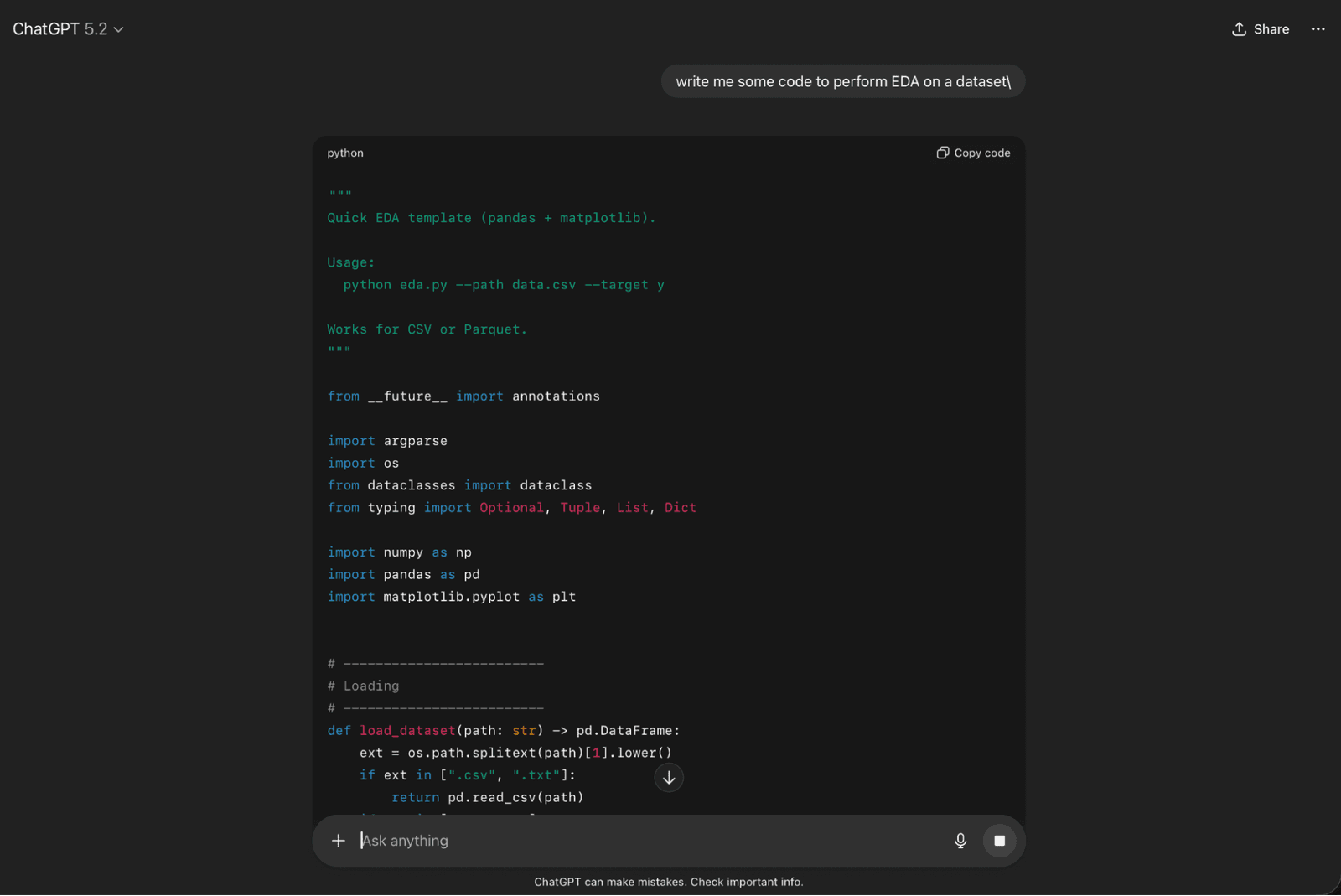
ChatGPT, however, operates only through a text interface – it’s essentially an assistant that provides suggestions or code output, not an integrated development platform. Even with features like OpenAI’s Code Interpreter (which lets ChatGPT run Python code), you’re working in a sandboxed, temporary session. There’s no continuity or project memory once the chat ends, and the environment has significant limits (no internet access, limited libraries, etc.).
This means that for anything beyond isolated code snippets, you must handle the heavy lifting – setting up an IDE and environment, running and testing the code, managing data, and stitching together the pieces. ChatGPT also struggles with maintaining consistency in larger codebases or multi-step projects, often leading to integration issues and rework.
About Zerve
Zerve is a next-generation, agentic development environment that combines intelligent AI agents with a full-featured platform for coding, data, and workflow development.
Launched as the industry’s first enterprise-grade multi-agent system for AI and data projects, Zerve was built to overcome the limitations of traditional AI assistants. Unlike a standalone chatbot or code helper, Zerve’s agents are embedded in the operating system and are designed to build and debug complex workflows.
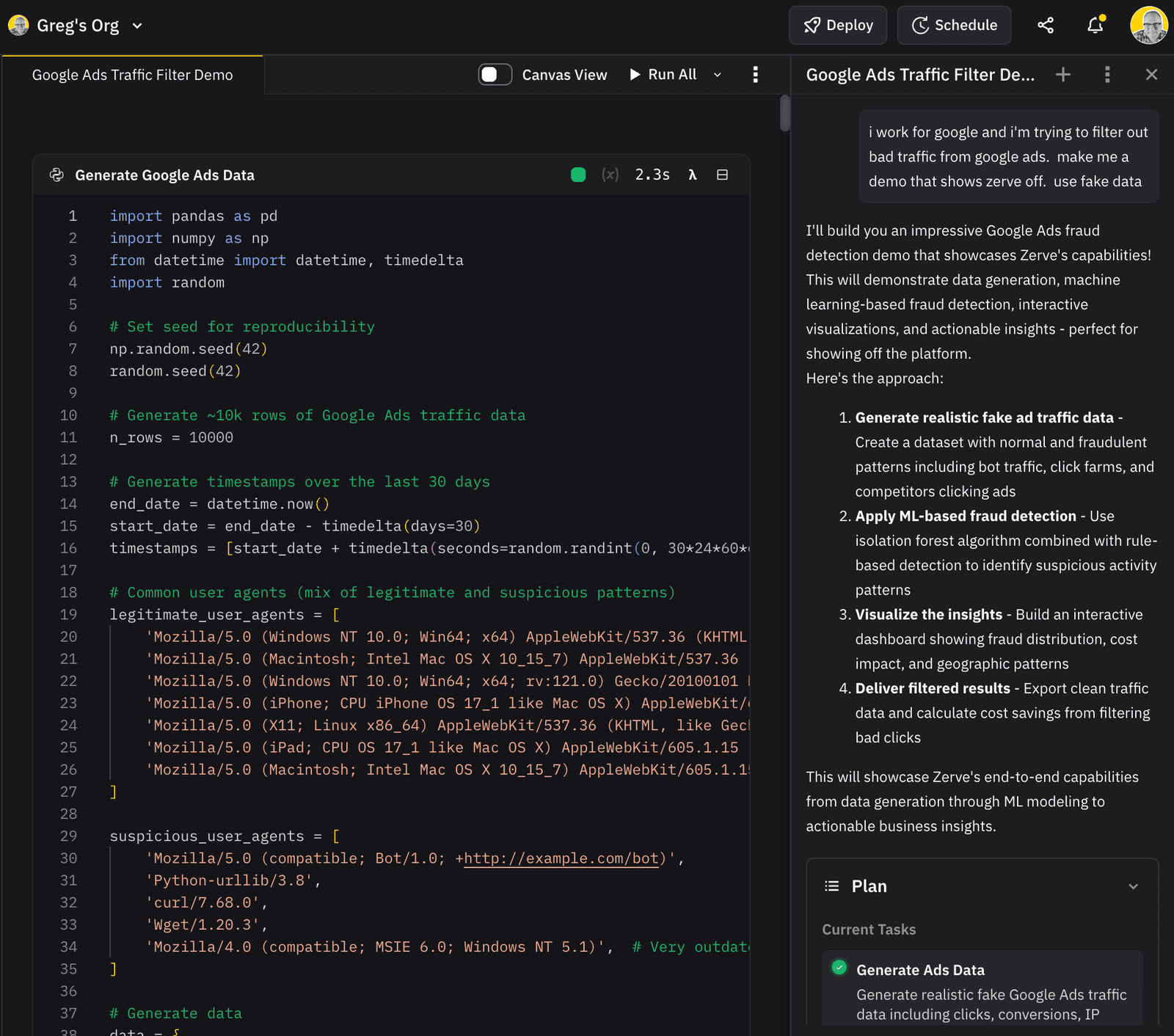
Zerve’s agent can plan, write, test, and deploy code as a true collaborator. It doesn’t just give tips, it actively builds solutions within the platform. The agent is aware of the project’s data, code, and results all at the same time. It can propose a plan for a task, create and connect code blocks in the Canvas, provision compute resources, and execute jobs from start to finish.
Zerve’s agent is like a team member that understands your pipelines, your data, and your goals, then does all the coding and orchestration. The platform integrates directly with your infrastructure, so you can connect to enterprise data sources and deploy AI workflows securely at scale.
With features like The Fleet (for effortless parallel and distributed compute) and App Builder (to turn any workflow into a shareable app or API), Zerve bridges the gap between prototyping and production deployment.
Zerve is an AI-powered development environment that delivers what ChatGPT cannot: persistent state, powerful orchestration, real code execution, and a clear path to production.
Key Challenges with ChatGPT (and How Zerve Solves Them)
Zerve in Action: Real-World Task Comparisons
To truly appreciate the difference, let’s compare how certain tasks play out when using Zerve vs. ChatGPT:
Data Exploration & Visualization
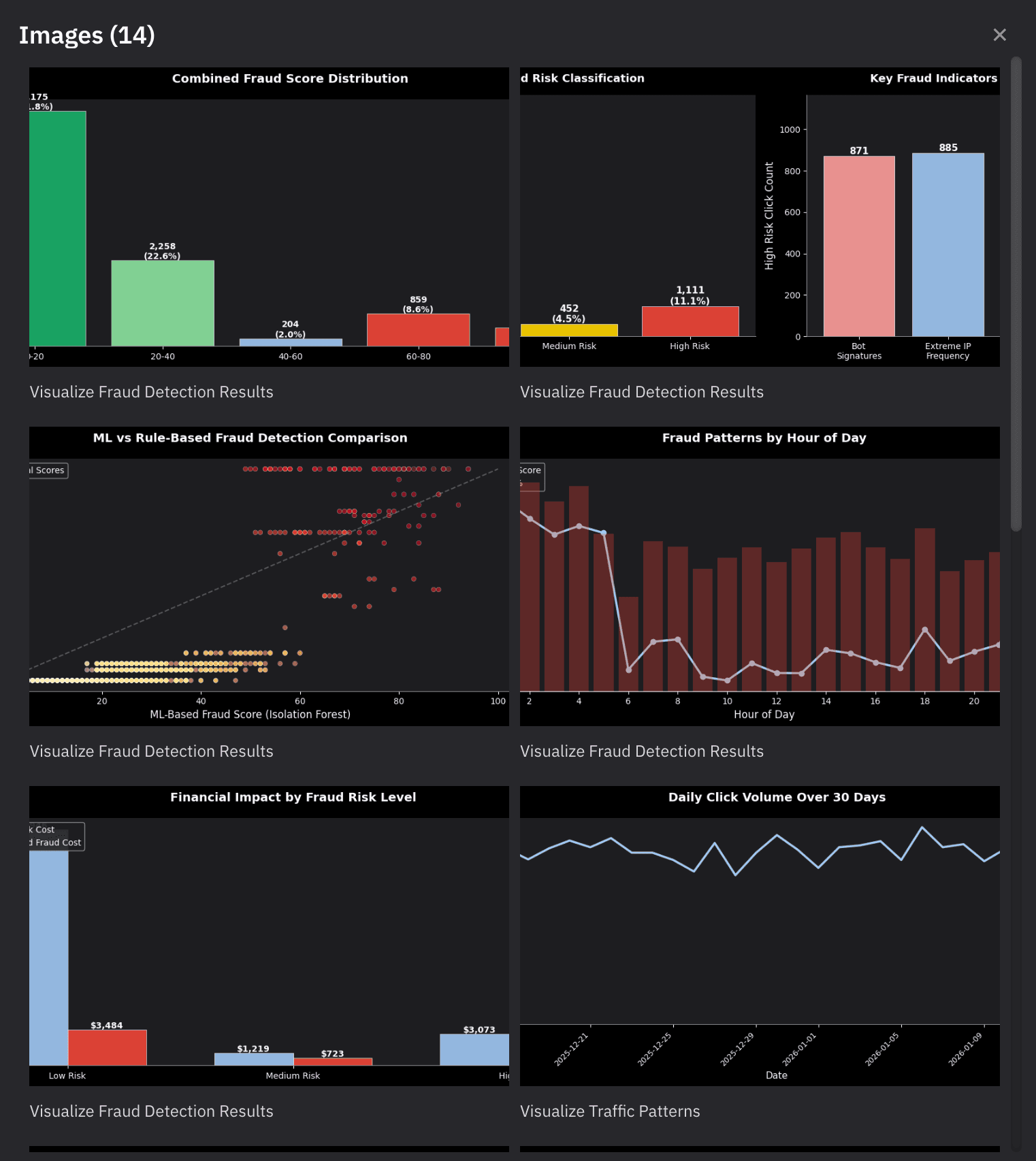
You can upload a dataset to the Zerve canvas and ask the agent to analyze it. The agent will write and run code to clean the data and produce visualizations in one seamless workflow. In a few minutes, you’ll have a clean dataset and insightful charts, all within the platform.
ChatGPT, by contrast, can generate code for data analysis, but you’ll have to spend time moving that code into a development environment, installing libraries, and debugging errors. Every new question about the data means going back to ChatGPT for another snippet, then back to your environment. It’s a slow back-and-forth, and you’re doing all the execution yourself. Nothing is persisted in ChatGPT beyond the text of its answers.
Building a Machine Learning App
Imagine you want to train a random forest and deploy it as an API. In Zerve, you simply describe this goal. The Zerve agent can fetch or receive your data, write training code, utilize GPUs if needed, evaluate the model, and then automatically wrap the whole pipeline into a live API. This could be accomplished in an afternoon, with the agent handling setup and even fixing code issues on the fly. The end result is a working ML service deployed in Zerve’s environment, complete with a shareable link or endpoint.
Trying the same with ChatGPT alone is a multi-day project. It might help you write the training code, but you’ll have to set up the training environment, figure out how to get GPU access on your own, manage the model saving/loading, then write additional code (and infrastructure scripts) to deploy an API on a server or cloud service. ChatGPT won’t integrate those pieces for you – it hands you text, and you become the glue. The quality of the final app depends entirely on your integration effort, and maintaining it means manually updating code outside of ChatGPT.
Scaling an AI Workflow
Suppose you need to process thousands of documents or run a large number of model inference tasks. With Zerve, you can use the Fleet to distribute the work. For example, you could run a job that normally takes 10 hours in parallel across 50 workers and get it done in minutes. The agent can orchestrate this. You get built-in progress tracking and can visualize the workflow on the Canvas as it runs.
With ChatGPT, scaling is largely manual or not possible. You might break the task into chunks and ask ChatGPT to help write a script that uses multiprocessing or batch processing, but setting up distributed computing or utilizing multiple machines/GPUs is beyond ChatGPT’s scope. You’d need to turn to external tools or cloud services yourself.
The time difference is stark. What Zerve can do in minutes might take you hours (or require hiring cloud engineers) when using ChatGPT plus custom coding. And if something fails mid-way, ChatGPT won’t notice or retry – you’d have to prompt it after the fact and re-run portions of the job on your own.
Zerve is built for those who are serious about using code with data and AI. It tackles the frustrations that ChatGPT users know too well – e.g., lack of a persistent development environment, context limits, and deployment headaches – by providing an all-in-one solution. With Zerve, you get the best of both worlds: the intelligence and convenience of an AI coding agent and the powerful capabilities of a full development and execution platform. Instead of treating AI as a fancy autocomplete, Zerve turns it into a dependable partner that actually writes, runs, and delivers your projects in record time. The result is faster development, higher-quality outputs, and far less tedious overhead for you and your team.
Frequently Asked Questions (FAQ)
ChatGPT is great for writing code snippets, but it doesn’t give you a place to run, test, or save anything. Zerve is a complete development environment where AI doesn’t just suggest code, it actually runs it, remembers it, and helps you turn it into something useful. No more copy-pasting between tools.
Yes. Zerve is built for people who work with data, even if you don’t write code every day. You can upload a file, describe what you want (like “summarize this spreadsheet” or “make a chart”), and the Zerve agent will handle the rest.
Zerve gives you a live workspace, not just text replies. You can run real code, work with big data, use GPUs, share work with your team, and even deploy projects as apps, all with help from an AI that understands your project context.
Nope! Zerve is cloud-based. Just log in, and you get everything you need: compute power, file handling, version history, and AI.
Not at all. Zerve is useful for everything from cleaning CSV files and generating reports to training deep learning models. Whether you’re exploring data or scaling a production pipeline, Zerve adapts to your level and needs.