)
Zerve vs. Cursor
Why Choose Zerve Over Cursor?
Why stop at code generation when you could have a co-developer that runs your code, orchestrates your workflows, and delivers results? Many Cursor users hit a wall after getting AI-generated code in VS Code. The frustration of being limited to code generation within the editor, unable to easily run code across different environments or connect multiple steps, and lacking any built-in orchestration or deployability. Cursor is great at suggesting and even iterating on code, but it doesn’t autonomously execute multi-step tasks or handle deployment. Zerve was created to solve these limitations. It’s an AI-native development platform where the AI not only writes code but also runs it, remembers context, coordinates complex workflows, and even deploys your projects. In short, Zerve provides persistent state, powerful orchestration, real code execution, and a clear path to production. In other words, Zerve does all the things a code-only tool like Cursor cannot provide.
About Cursor
Cursor is an AI-powered code editor built on the VS Code codebase. It acts as an “always-on pair programmer” inside your IDE. Cursor’s strengths lie in AI-assisted code editing: it can autocomplete entire functions, suggest refactoring, and explain code in plain English right within VS Code. By indexing your codebase, Cursor can answer questions about your project and help write code that fits your context. For software developers, it’s a handy way to get smart code suggestions and even perform multi-file edits through its agent mode.
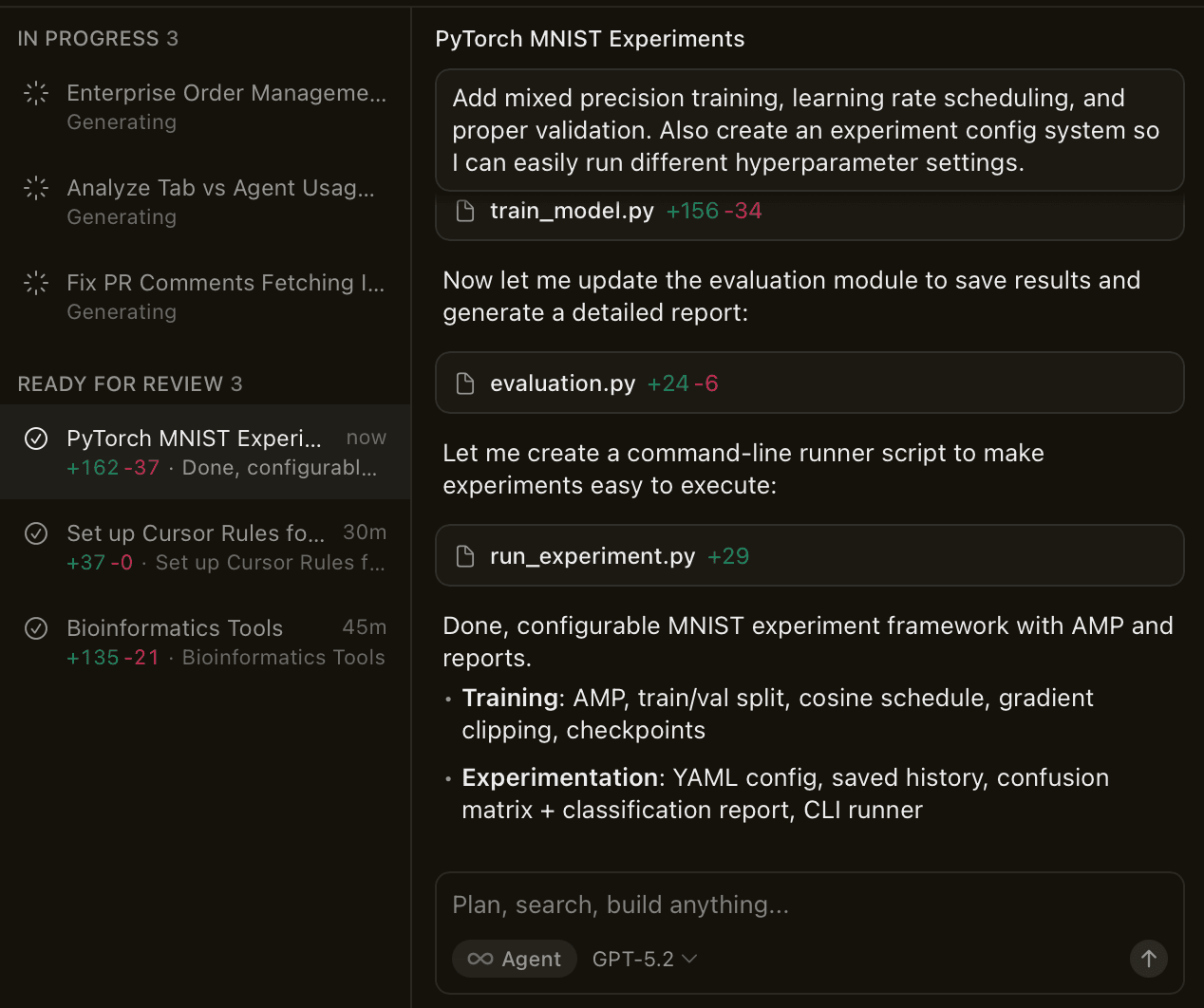
However, Cursor has clear limitations when your needs extend beyond editing code:
Code Execution Engine: Cursor does not include a runtime or data execution engine. It relies on your local environment (or VS Code’s) to run code, meaning it isn’t a self-contained platform for executing workflows or analyzing data. It helps you write code, but you have to run and integrate that code yourself in an external environment. There’s no concept of running a workflow for you across different machines or cloud services. It’s constrained to your VS Code setup.
Orchestration & Workflows: While Cursor’s AI can plan code changes, it lacks autonomous capabilities for complete workflow execution. In practice, it focuses on one step at a time (editing files, generating snippets). It can’t orchestrate a multi-step process where code is generated, then executed, validated, and fed into the next step without your manual involvement. Complex pipelines (e.g. data ETL or multi-stage ML inference) have to be coordinated by the developer outside of Cursor.
Data & Visualization: Cursor is not built for data analysts or any tasks involving rich outputs like dataframes or charts. There’s no easy way to, say, upload a CSV and get analysis or visualization within Cursor. You’d have to write and run code manually for each step. It has no full workflow for data tasks. You can’t just drop in a dataset and get insights or exported results. All data handling (reading files, plotting graphs) must be done through code that you execute yourself, typically using additional tools or notebooks.
Deployment & Sharing: Once Cursor helps you write some code, it doesn’t assist in deploying that code as a live application or service. There’s no one-click deployment in Cursor. Turning your script into an API or app requires you to use separate services and write deployment scripts. Cursor ends at code generation. It doesn’t help turn your scripts into apps, APIs or scheduled jobs. For example, deploying a backend built with Cursor is the same as any manual deployment. You might get help generating a CI/CD config, but ultimately Cursor provides no built-in deployment or scheduling capabilities.
In summary, Cursor is a helpful AI coding assistant for editing and writing code in a familiar IDE. But it stops short of being a full development or data platform. You’re on your own for running code in real environments, connecting multi-step workflows, persisting state, and deploying the outcomes.
About Zerve
Zerve is an AI-native development and orchestration environment designed to take you from code ideation all the way to execution and deployment. It combines an intelligent AI agent with a full-featured platform for coding, data analysis, and workflow automation. In other words, Zerve isn’t just an editor. It’s an entire development workspace where the AI collaborates with you to build and run projects, not just suggest code.
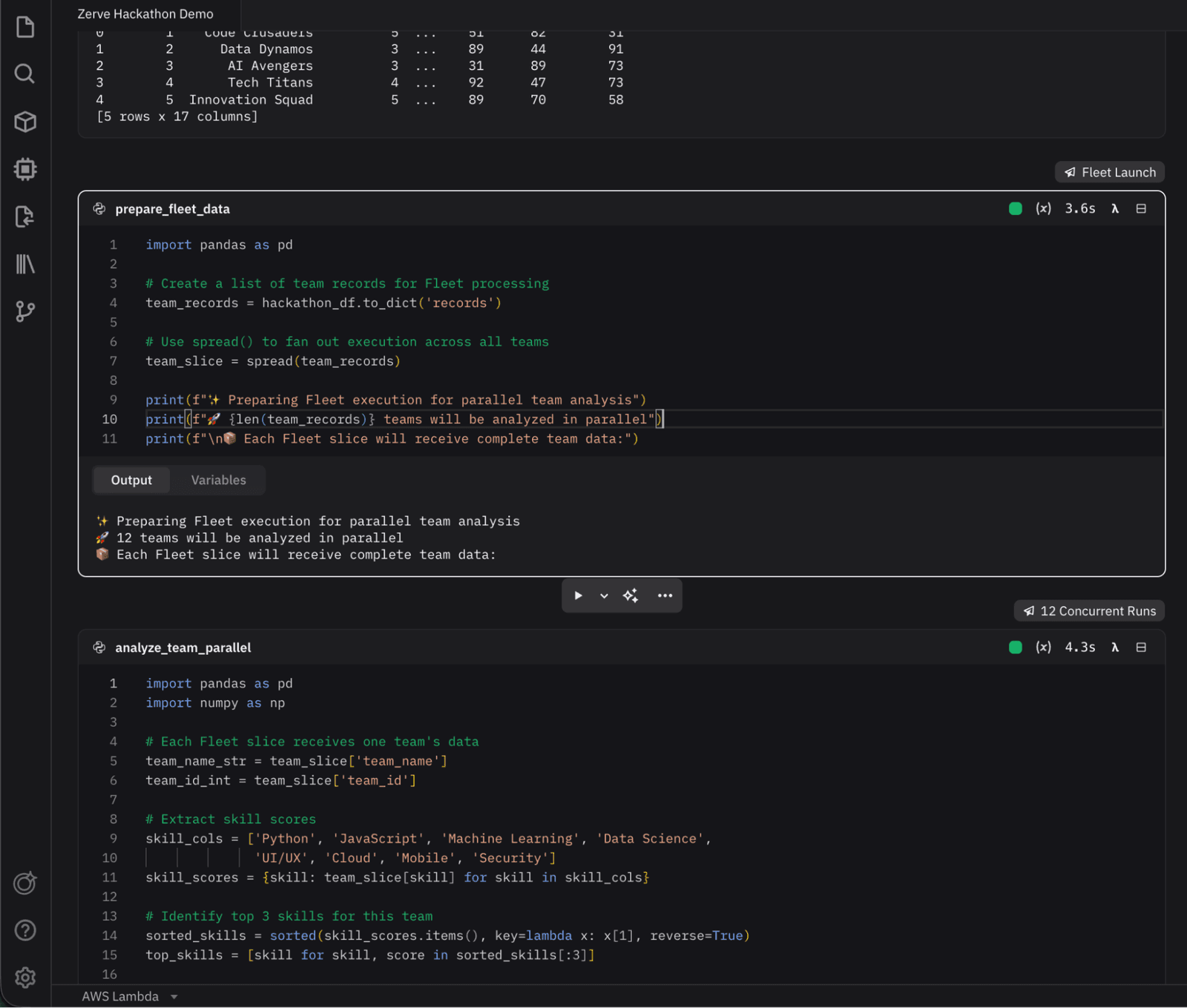
Key features of Zerve include:
Zerve Agent (AI Co-Developer): The Zerve Agent is like a “coder + DevOps expert” on your team. It understands the context of your code and data, plans next steps, writes code, executes it, and even troubleshoots as a skilled data expert would. This agent doesn’t stop at giving suggestions. It actively carries out tasks in your project. For example, it can plan and build an entire workflow, create and modify files, run computations, and adjust its plan based on results. It’s AI that builds with you, not just for you.
Cloud & Local Orchestration: Zerve provides cloud-native orchestration out of the box. You can run code on Zerve’s managed cloud or your own cloud environment seamlessly. Each step of a workflow can execute on the best environment; e.g., one cell on AWS Lambda, another on a GPU, another on Kubernetes, etc. Zerve handles all the orchestration so that everything just works. The platform manages dependencies and environment configuration for consistent, reproducible runs everywhere. That gives you on-demand compute and you don’t need to manually set up servers. Zerve will orchestrate the execution whether it’s a quick local test or a large-scale cloud job.
Multi-Language & Data-Native Workspace: Zerve’s development canvas isn’t limited to one language. It’s a multi-language notebook supporting Python, R, and SQL side by side. This is ideal for data workflows. You might query a database in SQL, transform data in Python, and plot results in R, all in one place, without conversions or translations. The environment is built to handle dataframes, visualization, and interactive outputs natively. The notebook interface is stable and repeatable, executing code in parallel and capturing outputs, so you can explore data with the help of AI and actually see and save the results (tables, charts, etc.) within Zerve.
Persistent Collaborative Canvases: Every project in Zerve is a persistent canvas that saves state. Your code, data, and outputs are always saved as part of the workflow. If you stop and come back later (or your colleague joins), everything is exactly where you left it. No re-running setup code or losing context. Zerve supports real-time collaboration, so multiple users can work together on the same canvas, see each other’s edits and outputs, and chat with the AI agent collaboratively. This makes Zerve great for team workflows, unlike Cursor which is a single-user, local tool. The persistent memory means the AI agent in Zerve can also leverage prior steps and results, making it smarter about your project over time.
Deployments & Scheduling: Zerve was built to take projects to production without friction. With a few clicks, you can deploy your analysis or model as a live app or API without refactoring your code. Zerve’s agent handles all the devOps heavy lifting (configuring servers, packaging dependencies, setting up endpoints) so you don’t have to rewrite anything for deployment. Need an API endpoint for your model? Deploy it directly from the canvas. Zerve also lets you schedule recurring jobs (e.g. run this workflow every night) right in the platform. This means automated pipelines can be set up in minutes, with no external schedulers or cron jobs. The ability to publish your analysis as an app, API, or scheduled job, without refactoring is a game-changer for productivity – you prototype and productionize in the same environment.
In summary, Zerve is a unified environment for coding + data + AI orchestration. From interactive exploration to robust pipelines, it provides all the tools (and an AI partner) to not only write code, but run it on real infrastructure, handle data end-to-end, collaborate with others, and deploy outcomes. Where Cursor stops at helping you write code, Zerve picks up and carries the code through execution and beyond.
Cursor vs. Zerve: Feature Comparison
(Above: Comparing Cursor’s scope to Zerve’s platform. Cursor shines as an AI coding assistant but lacks execution, orchestration, and deployment capabilities. Zerve combines AI with a full execution environment to handle those needs.)
Zerve in Action: Code That Lives and Runs
To illustrate the practical difference, let’s look at a few scenarios of how tasks play out in Cursor vs. Zerve:
1. Data Exploration & Visualization
Using Cursor: Suppose you want to explore a dataset and create some charts. With Cursor, you’d start by writing Python code (with Cursor’s help) to load the file and generate plots (e.g., using matplotlib or pandas). The AI might autocomplete some of that code, but you have to run it in VS Code’s terminal or Jupyter extension manually, handle any library installations, and debug any errors yourself. If you have follow-up questions about the data, you’ll prompt Cursor again for code, run it again, and so on. There’s a lot of back-and-forth, and nothing is saved in a single narrative. You might end up with a script and some images saved separately. Essentially, Cursor provides pieces, but you do the execution and assembly.
Using Zerve: You can simply upload the dataset into Zerve’s canvas and ask, “What does this data look like?” The Zerve Agent will write and run the code to read the data, clean it, and produce visualizations in one seamless workflow. Within minutes, you’ll see the dataframe preview and insightful charts right inside Zerve. Want to dig deeper? You can ask follow-up questions in chat or tweak the code cells, and all state is persisted. The dataset remains loaded, and earlier results can be referenced because the environment is continuous. You never leave the platform or manually configure anything. The end result might be an interactive plot or summary report that you can share or turn into an app. Zerve has done in a single environment what would require you to juggle code, execution, and context switching in Cursor.
2. Building a Machine Learning API
Using Cursor: Imagine you need to train a machine learning model and deploy it as an API for your team. With Cursor, you can get AI suggestions to write a training script (for example, training a Random Forest on some data). However, setting up the environment is on you – if the model needs GPU acceleration, you have to configure that on your machine or a cloud instance. Cursor won’t automatically utilize a GPU or distributed compute for you. Once the model code is ready, deploying it as an API means writing additional code (perhaps a Flask app or FastAPI wrapper) and then deploying to a server manually. You’d handle containerization or cloud setup outside of Cursor. In summary, Cursor might help write the code, but doesn’t integrate the pieces: you’ll spend time configuring training runs, figuring out deployment infrastructure, and gluing it all together yourself. The process can take days from code to a working service, and any error in one step (say a dependency issue in deployment) is yours to troubleshoot without AI assistance.
Using Zerve: In Zerve, you could simply instruct, “Train a random forest on dataset X and deploy it as an API.” The Zerve Agent will orchestrate the entire workflow: it imports your data (from a file or database), spins up a training environment (using a GPU if needed), writes and executes the training code, evaluates the model, and then wraps the model into a live API endpoint automatically. You can watch each step in the canvas – the agent might even fix code issues on the fly during execution. In the end, you have a working ML service deployed on Zerve, complete with a shareable URL for the API. This could all happen in an afternoon, as opposed to the multi-step, multi-tool process with Cursor. Zerve handles the environment setup, uses cloud resources as needed, and takes care of deployment configurations behind the scenes. You get to focus on the logic and results, while Zerve ensures the model is live and accessible to your team.
3. Automating a Data Pipeline
Using Cursor: Consider a scenario where you need to run a data pipeline nightly – for example, pulling data from an API, updating a database, and emailing a report. With Cursor, you can certainly write the scripts for each part of this pipeline with AI help. But scheduling and orchestration are outside Cursor’s scope. You’d likely end up writing a cron job or using an external scheduler (or service like Airflow) to run your scripts on a schedule. You must ensure the environment is set up each time the job runs, manage any state or intermediate files, and handle failures manually (Cursor won’t monitor or retry your pipeline if something goes wrong). Essentially, you use Cursor to develop the code, but running that code reliably every night requires manual integration with other tools – a process prone to error if not carefully managed.
Using Zerve: Zerve is built for orchestrating and automating such pipelines. In the Zerve canvas, you would outline the steps (perhaps in different cells or modules): data extraction, transformation, report generation. The Zerve Agent can help connect these steps logically (ensuring, say, that it waits for data pull to finish before kicking off the report). Once your pipeline works once, you simply set it on a schedule within Zerve; e.g., run daily at 5am. Zerve takes care of provisioning the compute each time, running the steps in order (even in parallel where possible), and will alert or retry on failures as the agent is monitoring the run. The pipeline’s state (like last run outputs) can be saved in the canvas, and you can always jump in to tweak code with AI assistance if requirements change. There’s no need to maintain external scheduling infrastructure. Zerve lets you develop, execute, and automate a data pipeline all in one place, whereas with Cursor you’d develop in one place but execute elsewhere.
Each of these examples shows a pattern: Cursor helps at the coding stage, but everything before and after – setting up execution, managing context between steps, deploying or scheduling – is up to the user. Zerve, on the other hand, integrates those stages into a smooth, AI-assisted flow. It turns what would be separate, error-prone tasks into a unified experience. The code doesn’t just exist in a vacuum – it lives, runs, and continuously delivers value through Zerve.
FAQ: Choosing Between Cursor and Zerve
Cursor is a smart editor. Zerve is a full execution environment. Cursor helps write code, but you still have to run it, manage state, and deploy it elsewhere. Zerve runs, tests, and remembers your code in one place, removing the need to juggle terminals, notebooks, or cloud services.
Yes. Zerve is built for analysts and non-developers too. You can upload files like CSVs or Excel sheets and ask Zerve to analyze or visualize them using natural language. The agent writes and runs the code for you, with no setup required.
Zerve runs code in a live environment, manages multi-step workflows, and remembers project state across sessions. It supports collaboration, sharing, and one-click deployment as apps or APIs. Cursor focuses on editing code and does not execute, persist, or deploy it.
No. Zerve runs entirely in the browser with managed cloud infrastructure. There is no local setup, no environment configuration, and no installs. You just log in and start working.
It is useful for both. Zerve works just as well for simple tasks like cleaning data or making charts as it does for large AI pipelines. You can start small and scale up without changing tools.