)
Introducing The Zerve Notebook
TL;DR
The Zerve Notebook gives people a familiar notebook workflow powered by an agent, a stable execution model, real time collaboration, and a direct path from exploration to deployment.
Bringing a familiar interface into the Zerve agentic data workspace, the Notebook lowers the barrier to sophisticated data analysis to rock bottom. Zerve’s Notebook, together with the Agent, Canvas (DAG) and Deployment options in Zerve, boosts the capability to build, explore, and deliver outputs for people at all data skill levels, from beginner to PhD.
Zerve is an agentic data workspace used by people at every level of experience to analyze data, create insights, build models, and ship real systems. Until now, working with Zerve meant learning our original canvas and DAG interface, which is powerful, but one many were not accustomed to. The new Notebook provides a more familiar interface, supercharged with the Zerve agent, together with all the goodness of the original Zerve baked in. Taken all together, Zerve is a powerful platform for anyone who needs to work with data.
Key Takeaways
The Zerve agent works beside the user in the Notebook, refining and extending the data work in real time. It becomes an active workflow partner that plans, reasons, and writes most of the code while the user stays in control.
The Zerve agent sees the full context of the code and results in the Notebook, understands what the user is trying to do, and guides the next step.
The platform is inherently flexible, enabling users to write code themselves, or let the agent handle it, to get to results faster.
The Zerve Notebook removes common execution problems by giving every cell a clean and reproducible model.
Real time collaboration is reliable because Zerve uses a shared project state with a DAG-based architecture that keeps every user aligned.
Parallel execution, visual workflows, and built in deployment paths allow users to move from an idea to a running system without switching tools.
Where This All Started
Notebooks became popular because they made exploration simple. People could try ideas quickly, see results in place, and follow a clear path of reasoning. Those same qualities now make notebooks the ideal environment for working with an agent. The workflow people already understand becomes faster, more reliable, and able to move beyond the limits of traditional notebook tools.
At the same time, the gap between what people want to build and what traditional notebooks can support has grown. Local setups break, global state drifts, and collaboration depends on file passing. Taking work from exploration to production requires starting over. With Zerve, these barriers are removed. The notebook is now the front door to a system that plans, executes, explains, and runs at scale.
Where This is Going: the Zerve Notebook
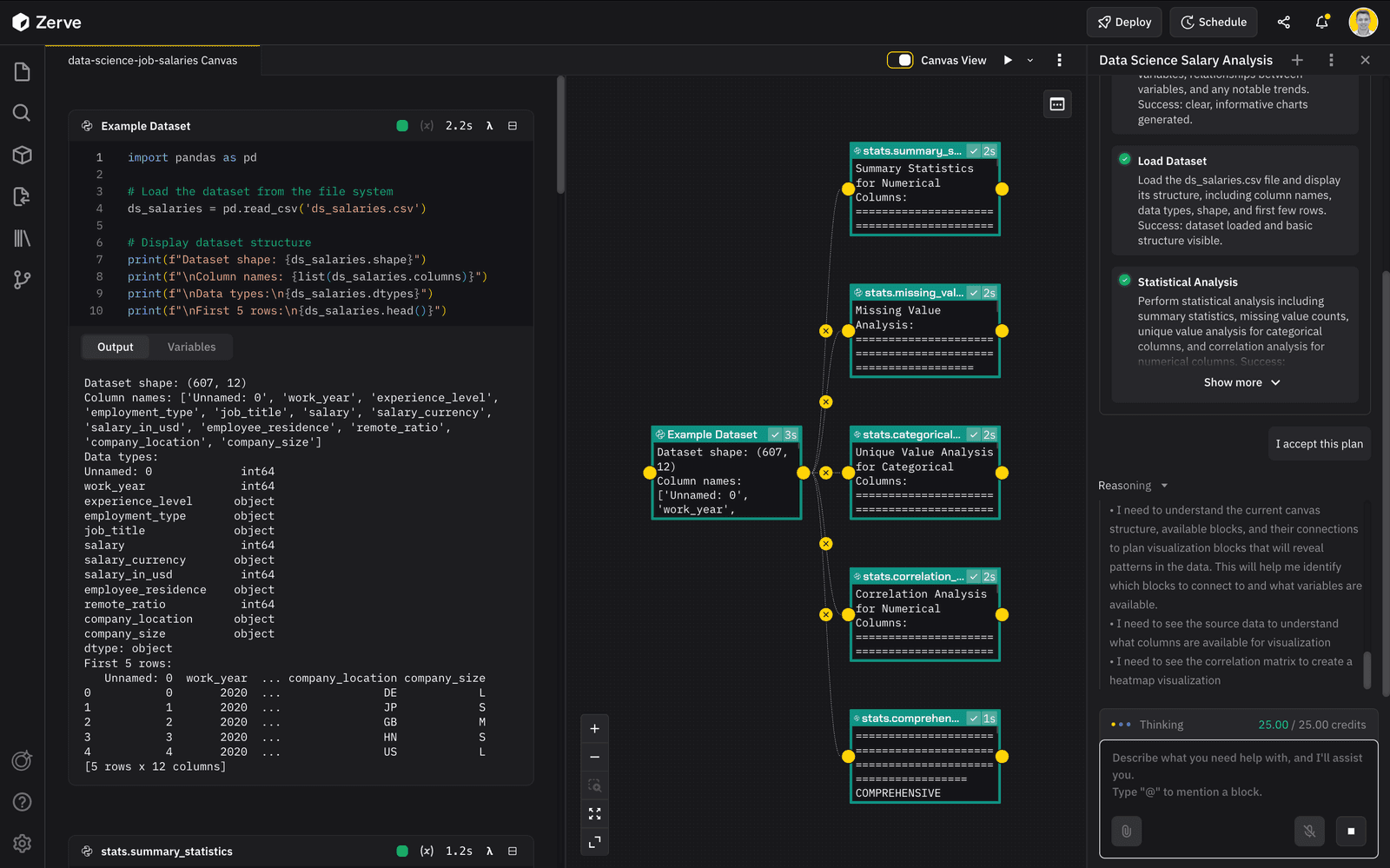
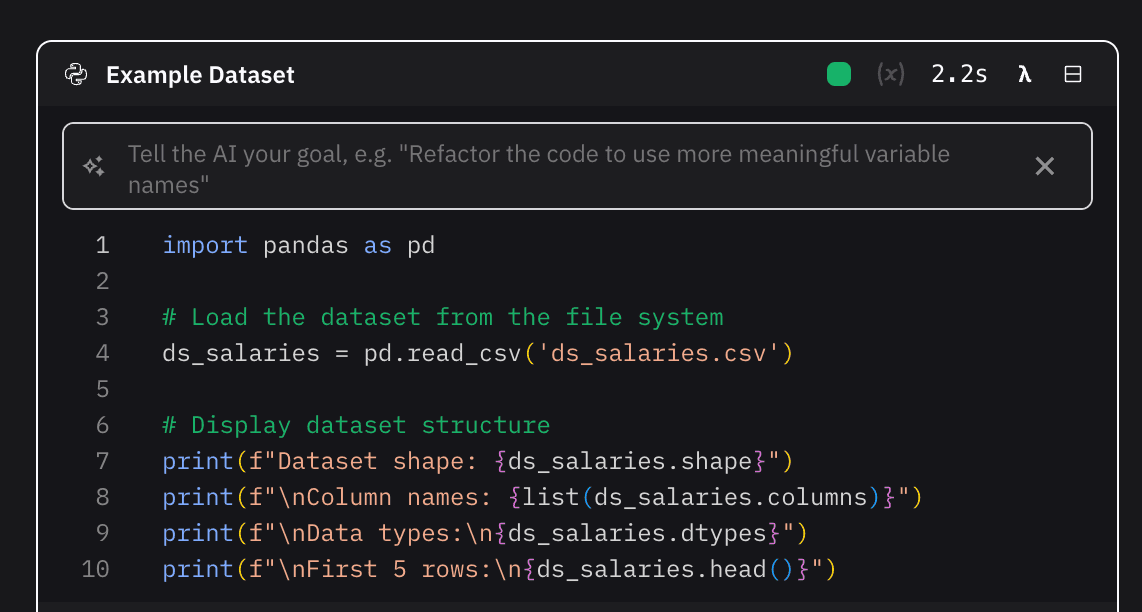
The Zerve Notebook keeps the familiar workflow people expect but runs on a foundation designed for clarity, stability, and human-agent collaboration. It turns data work into a faster and more intuitive loop. People see results in place, understand the flow immediately, and move from early exploration to production grade work in one environment. The heart of the Zerve Notebook is the Zerve Agent, enabling users to interact with data through natural language and code.
A New Way to Work With Data
The qualities that made notebooks great for exploration now make them the ideal place to build with an agent. Fast feedback becomes instant because the agent can suggest fixes, retry steps, and close the gap between an idea and a result. Inline outputs give the agent shared context by exposing both the code and the data. Interactive work becomes collaborative because the agent builds beside the user and extends the work in real time. Flexibility becomes possible because users can write code themselves or let the agent take the lead.
The agent interprets intent, outlines the steps it plans to take, and waits for approval before it makes changes. It can adjust a single cell, refactor a section, or update the entire workflow while explaining its reasoning. Users keep the clarity of a notebook while gaining a partner that accelerates everything.

Notebooks That Are Stable by Design
Every cell in the Zerve Notebook runs from a consistent starting point. Inputs stay clear and outputs remain repeatable. The execution model eliminates the hidden state that makes traditional notebooks unpredictable. Because the Notebook is backed by the same DAG architecture as the original Zerve canvas, the structure of the work stays clean as projects grow.
Collaboration on Data Without Friction
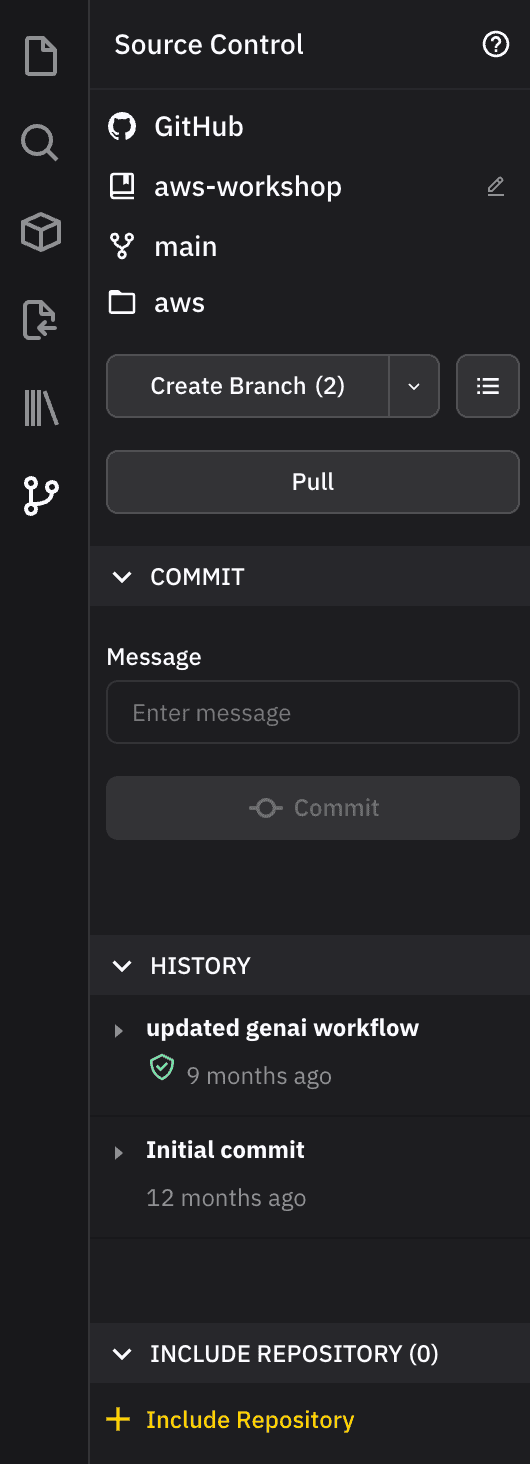
Multiple people and agents can work together in the same Zerve Notebook with confidence. The shared state in Zerve keeps execution stable even when multiple users are active. Version conflicts disappear. Users can connect a project to GitHub or Bitbucket, review changes, and restore earlier versions when needed.
Faster Data Workflows
The Notebook can run cells in parallel using isolated cloud kernels that stay aligned with the project state. Exploration and testing become faster because long sequential runs are no longer required. This shortens the time from exploration to insight and gives people of any experience level a more productive workflow.
Visibility Built Into Every Step
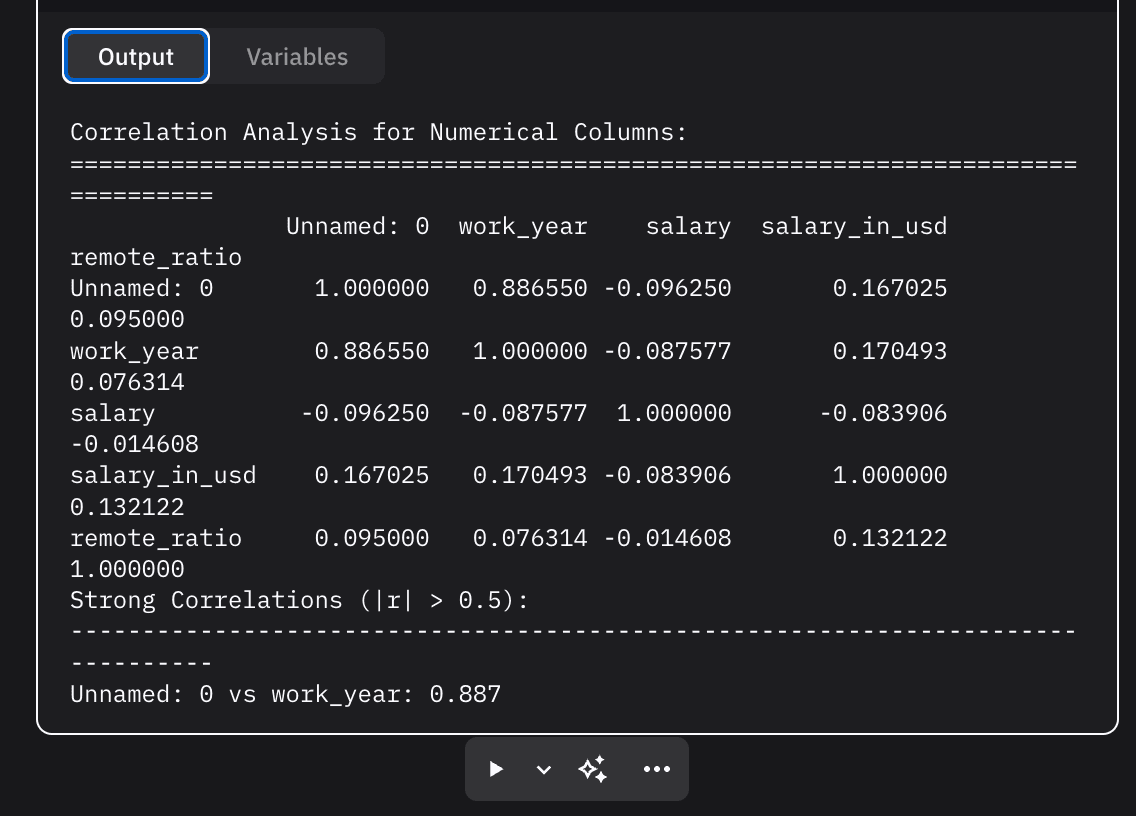
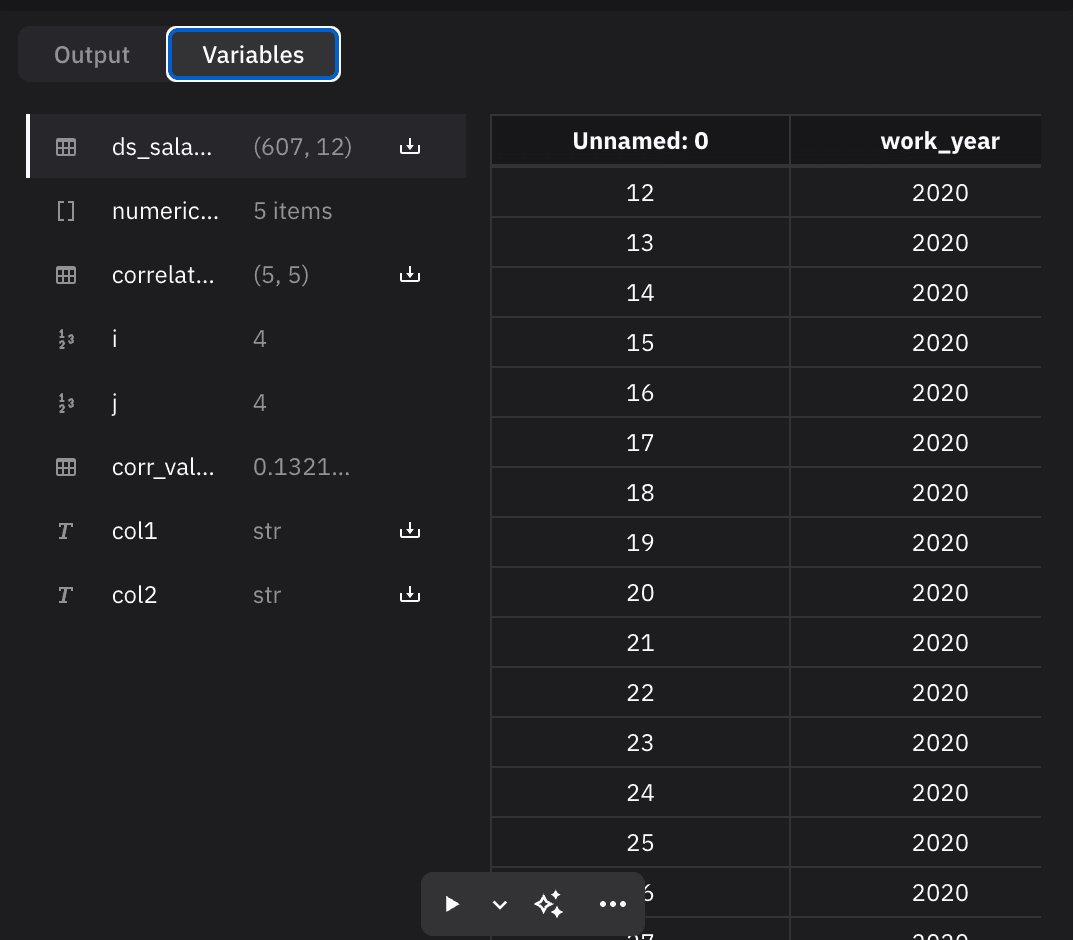
Each cell shows visible inputs and outputs. This keeps debugging close to the actual flow of work. Users understand results immediately and can step through the process with greater clarity.
A Clear View of the Entire Data Project
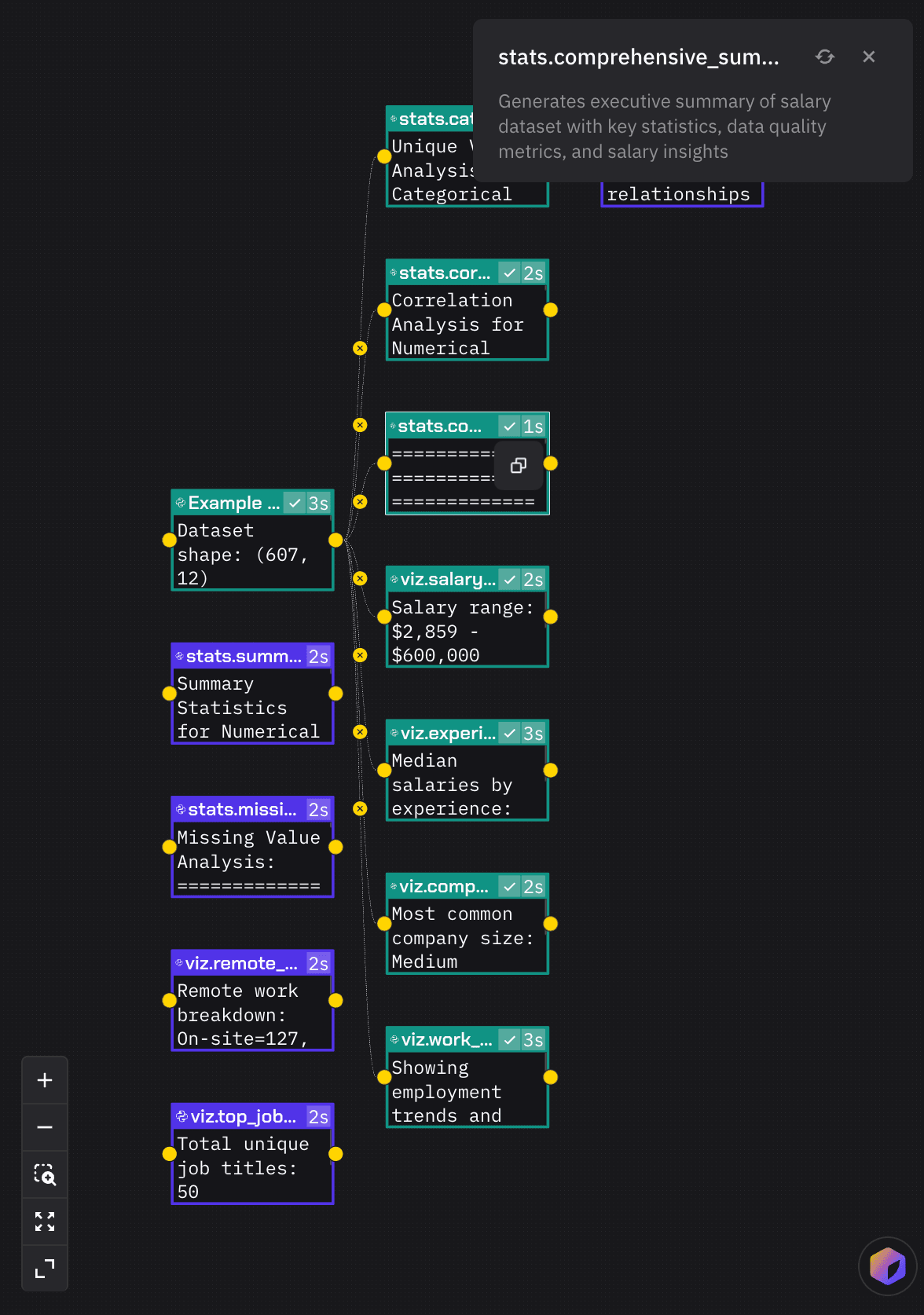
Every Notebook in Zerve runs on a real execution graph. Users can open the Canvas to see how each step connects, which blocks depend on others, and where work is active. Each block is also described by the agent, giving users a plain-language explanation of what it does and why it exists. All graphical outputs from across the project are collected into one centralized view, making it easy to understand the full picture at a glance.
The visual model updates automatically. Edits in the Notebook update the Canvas, and edits in the Canvas update the Notebook. Users can view both side by side and work in whichever interface makes the most sense; both remain fully in sync. This helps teams understand large projects quickly and keep them maintainable over time.
Turning Notebooks Into Deployed Systems
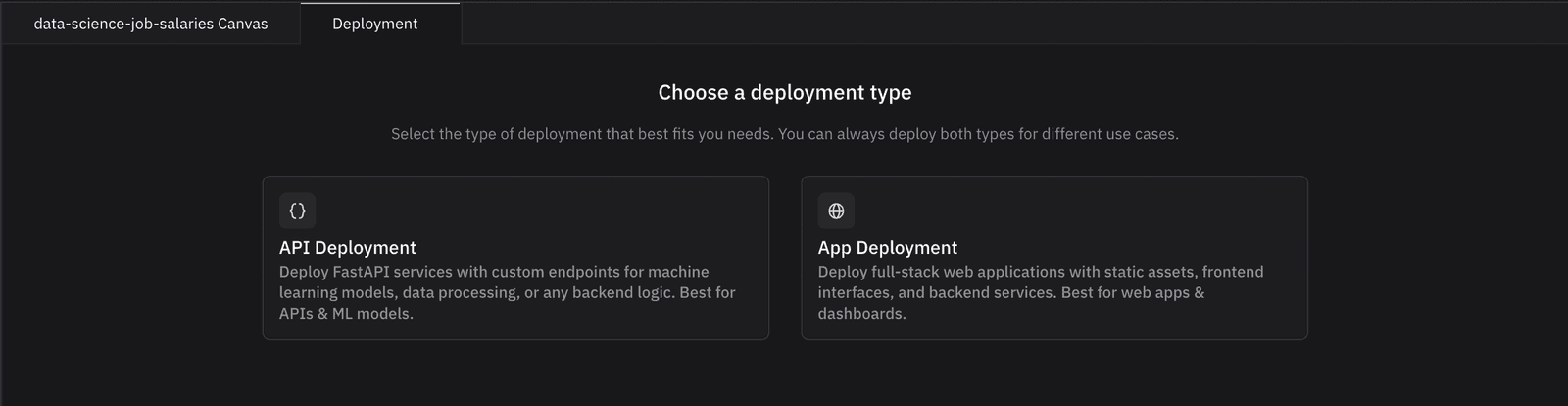
Users can turn a Notebook into a running system without rewriting anything. Zerve offers two paths. The first is publishing an app or API directly from existing work. The second is scheduling the notebook to run on a cadence. These capabilities support churn prediction, internal reporting, data visualizations, sports analytics, and lightweight tools for non technical data users. The environment that helps people explore data can also deliver the output.
How Workflows Change in the Zerve Notebook
Try the Zerve Notebook
Try the Zerve Notebook for free and see how you can move ideas quickly from exploration to working systems.
Frequently Asked Questions
The Zerve Notebook is a stable, collaborative, agent powered workspace for data work. It uses a clean execution model and a shared DAG architecture to keep every run consistent while supporting real time collaboration and fast iteration.
The Zerve Agent is the heart of the Zerve Notebook, enabling users to interact with data through natural language and code. It plans, reasons, and proposes changes based on the code and the data. It can write most of the code with user approval, it explains each step, and it keeps the workflow safe and predictable.
Traditional notebooks rely on global state and local environments that drift over time. The Zerve Notebook runs each cell from a clean starting point with consistent inputs, which makes results reproducible and eliminates hidden state issues.
Yes. The Zerve Notebook supports real time collaboration through a shared project state. Multiple people and multiple agents can work together without conflicts. Users can also connect to GitHub or Bitbucket for full version history.
Yes. Users can publish apps or APIs from their notebook or schedule jobs to run on a regular cadence. This allows users to move from exploration to production without rewriting code or switching tools.