)
We Added Python Spark Connect to Zerve

TL;DR
We wrapped the Python Spark Connect client into a Zerve environment so you can point at Databricks, authenticate, and write Spark code without configuring Java or managing JARs.
If you've spent time configuring PySpark on your local machine, you know how it goes. Java needs to be installed. JAVA_HOME has to point somewhere sensible. JAR files accumulate in directories you'll forget about. Something breaks, you get a 200-line stack trace, you close your laptop and go for a walk.
Spark Connect showed up in version 3.4. The architecture splits the client and server apart, letting Apache build a Python client that never loads the JVM. Everything talks over gRPC. Run pip install and you're basically done.
We took that client and wrapped it into a Zerve environment. Point it at Databricks, authenticate, write Spark code. That's the whole workflow.
Two libraries, two use cases
The environment ships with databricks-sql-connector and the Spark Connect client. They solve different problems. databricks-sql-connector talks to SQL Warehouses. Databricks runs these as serverless compute, so you're not spinning up clusters or waiting for nodes. The library follows the DB-API 2.0 spec, which means cursor objects, execute calls, fetchall patterns. Analysts who bounce between SQL and pandas tend to reach for this one.
Spark Connect client is the heavier tool. It exposes the full DataFrame API that data engineers expect from PySpark. Transformations, aggregations, joins across distributed datasets. The difference from traditional PySpark is that your machine runs a thin client while the actual compute happens on your Databricks cluster.
Getting connected
Activate the Spark-Connect environment from the Environments panel in your Zerve project. It builds in under a minute.
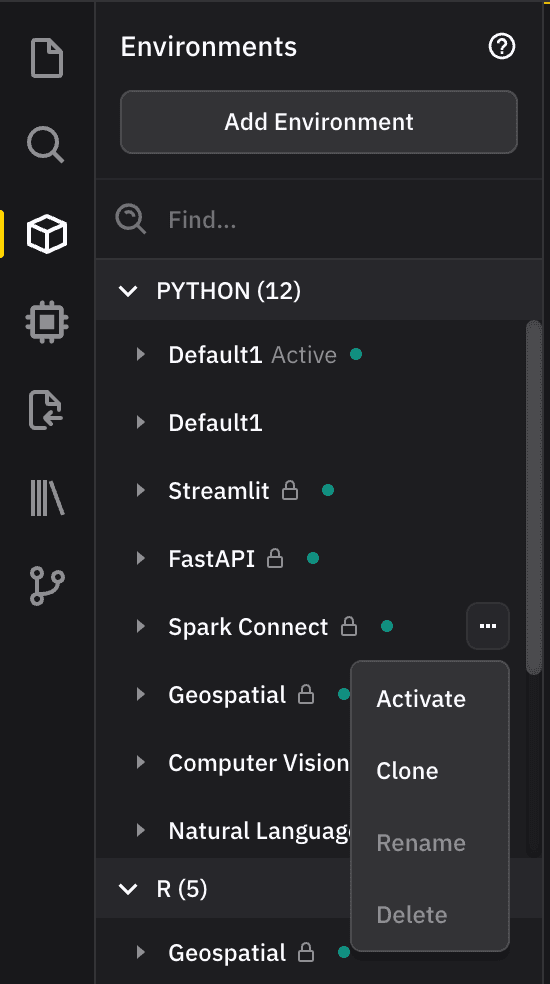
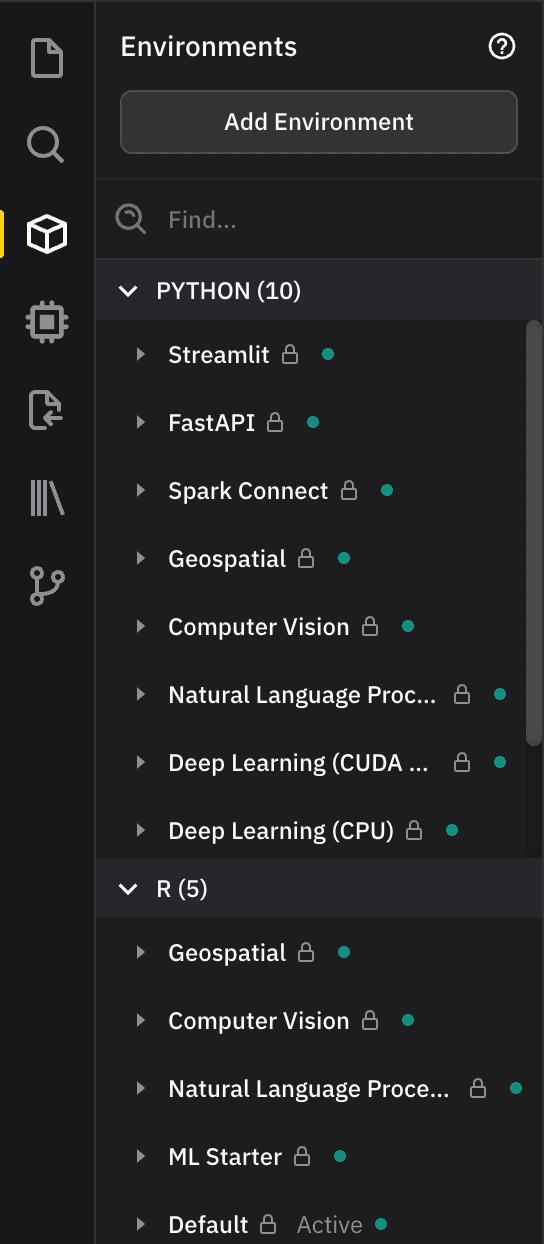
From there, connecting to a SQL Warehouse looks like this:
from databricks import sql
import pandas as pd

# Connection details from Databricks
server_hostname = "your-workspace.cloud.databricks.com"  # From browser URL (no https://)
http_path = "/sql/1.0/warehouses/your-warehouse-id"     # From Warehouse Connection Details
access_token = "dapi..."                                 # Your access token

print("Connecting to Databricks SQL Warehouse...")

# Establish connection
connection = sql.connect(
    server_hostname=server_hostname,
    http_path=http_path,
    access_token=access_token
)

# Create cursor and run query
cursor = connection.cursor()

query = """
    SELECT
        id,
        concat('User_', id) as user_name,
        rand() as random_score
    FROM range(10)
"""

print(f"Executing query...")
cursor.execute(query)

# Option 1: Fetch as raw rows
ros = cursor.fetchall()
print("\n--- Results ---")
for row in rows:
    print(row)w

# Option 2: Convert to Pandas DataFrame
cursor.execute(query)
df = cursor.fetchall_arrow().to_pandas()
print("\n--- Pandas DataFrame ---")
print(df)

# Clean up
cursor.close()
connection.close()
Where do you find these credentials? The hostname comes from your browser URL when you're in Dat
abricks, minus the https://. Warehouse path is in the Connection Details tab for your warehouse. Tokens live under User Settings, then Developer, then Access Tokens.
Sharing setups across a team
Here's where Zerve adds something. Environments in Zerve are shareable, so everyone on your team can run against the same Databricks cluster with identical dependencies. No more debugging why the intern's PySpark works differently than yours.
Need extra packages? Clone the environment first, then install what you need. The clone stays versioned, which helps when you're trying to reproduce something six months later.
On the question of data access
Your credentials go straight from the Python client to Databricks. Zerve sits in the middle as an interface but doesn't intercept or store what flows through. We architected it this way because plenty of teams work in regulated environments and can't have third parties touching their data pipelines.
Get started
Databricks has docs on both libraries: Python SQL Connector and Databricks Connect. Go try the environment for yourself. It's already in your Zerve workspace.
FAQs
The databricks-sql-connector talks to SQL Warehouses using standard DB-API patterns (cursors, execute, fetchall). The Spark Connect client exposes the full DataFrame API for distributed transformations, aggregations, and joins. Analysts doing SQL-to-pandas workflows typically use the connector; data engineers working with large-scale data processing use Spark Connect.
No. Spark Connect separates the client from the server, so the Python client never loads the JVM. Everything communicates over gRPC. You activate the environment in Zerve and start writing code.
The server hostname comes from your browser URL when logged into Databricks (without the https://). The HTTP path is in the Connection Details tab for your SQL Warehouse. Access tokens are under User Settings > Developer > Access Tokens.
No. Your credentials go directly from the Python client to Databricks. Zerve provides the interface but does not intercept or store data flowing through the connection.
Yes. Zerve environments are shareable, so everyone works against the same Databricks cluster with identical dependencies. If you need additional packages, clone the environment first to keep versioning intact.