)
New Feature: Image Gallery

TL;DR
Zerve's new image gallery automatically saves all your visualizations as you work, so you can browse, download, or jump back to the code without hunting through your project.
We added an image gallery to Zerve for each project.
Every visualization you generate in your notebook gets saved automatically. Open the gallery and you'll see thumbnails of all your charts from that project. Click one to see it bigger, or hit "Go to Cell" if you want to jump back to the code.
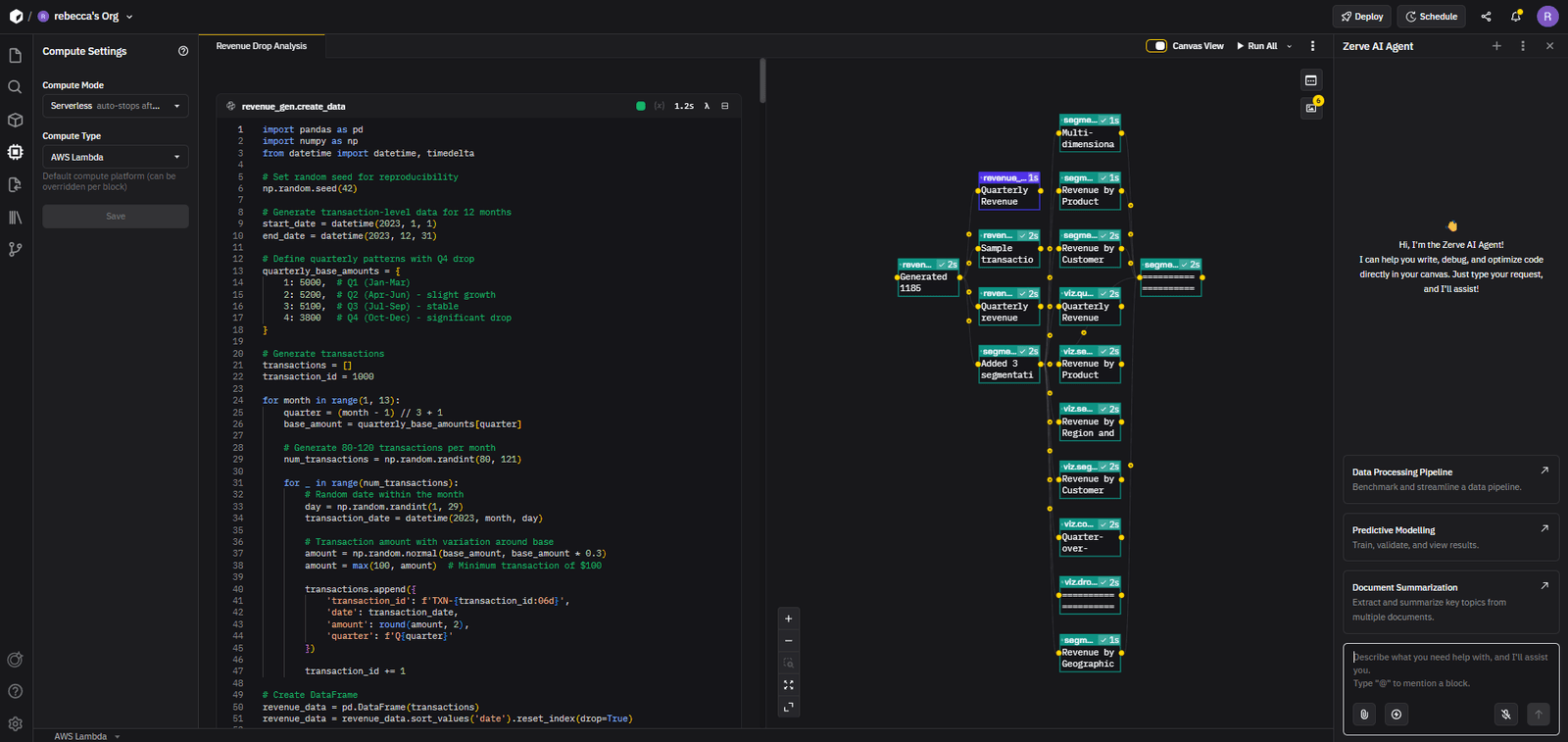
That's basically it. Simple features make life easier.
Oh and…
You can download images straight from the image gallery. Handy when you're putting together slides and you don't want to screenshot each chart individually.
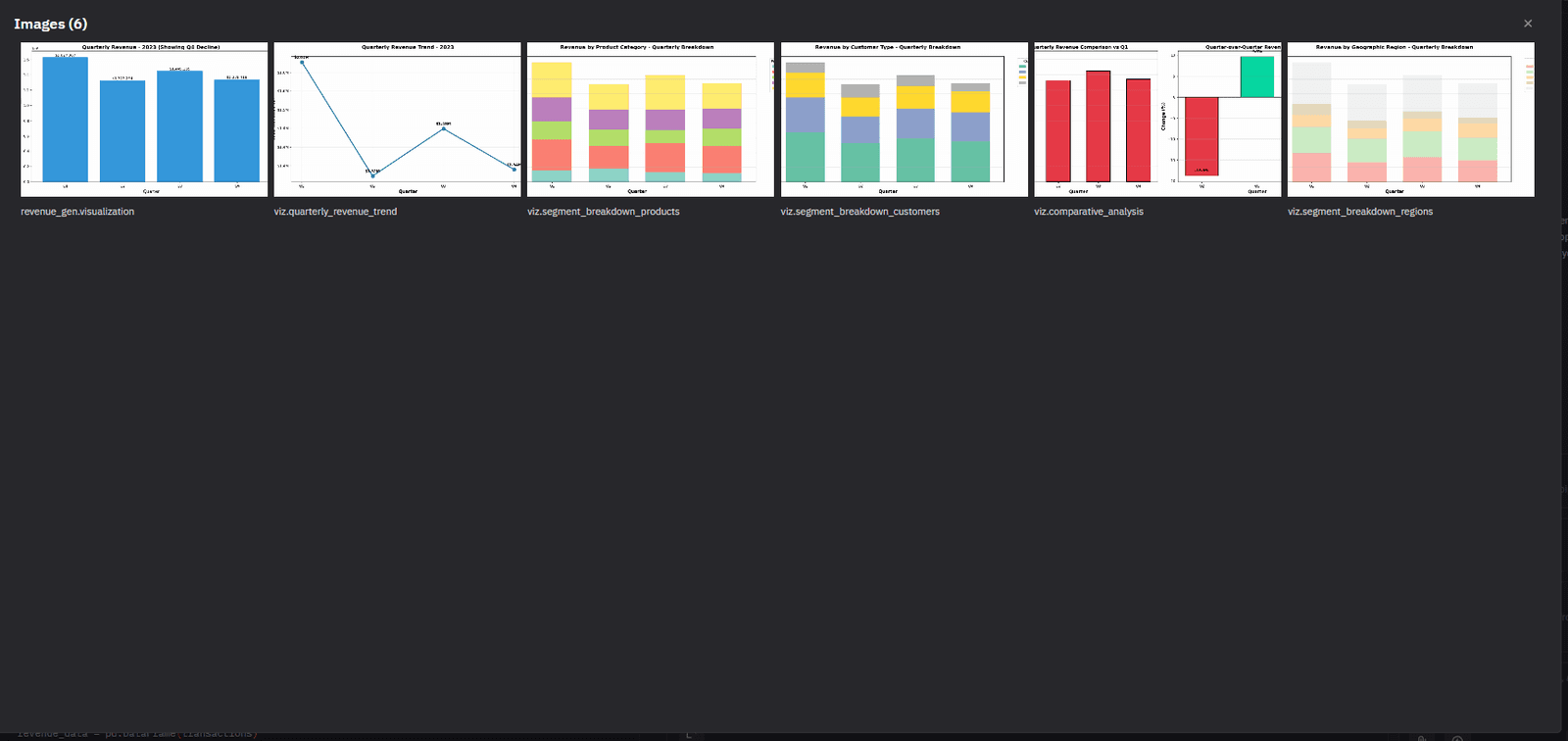
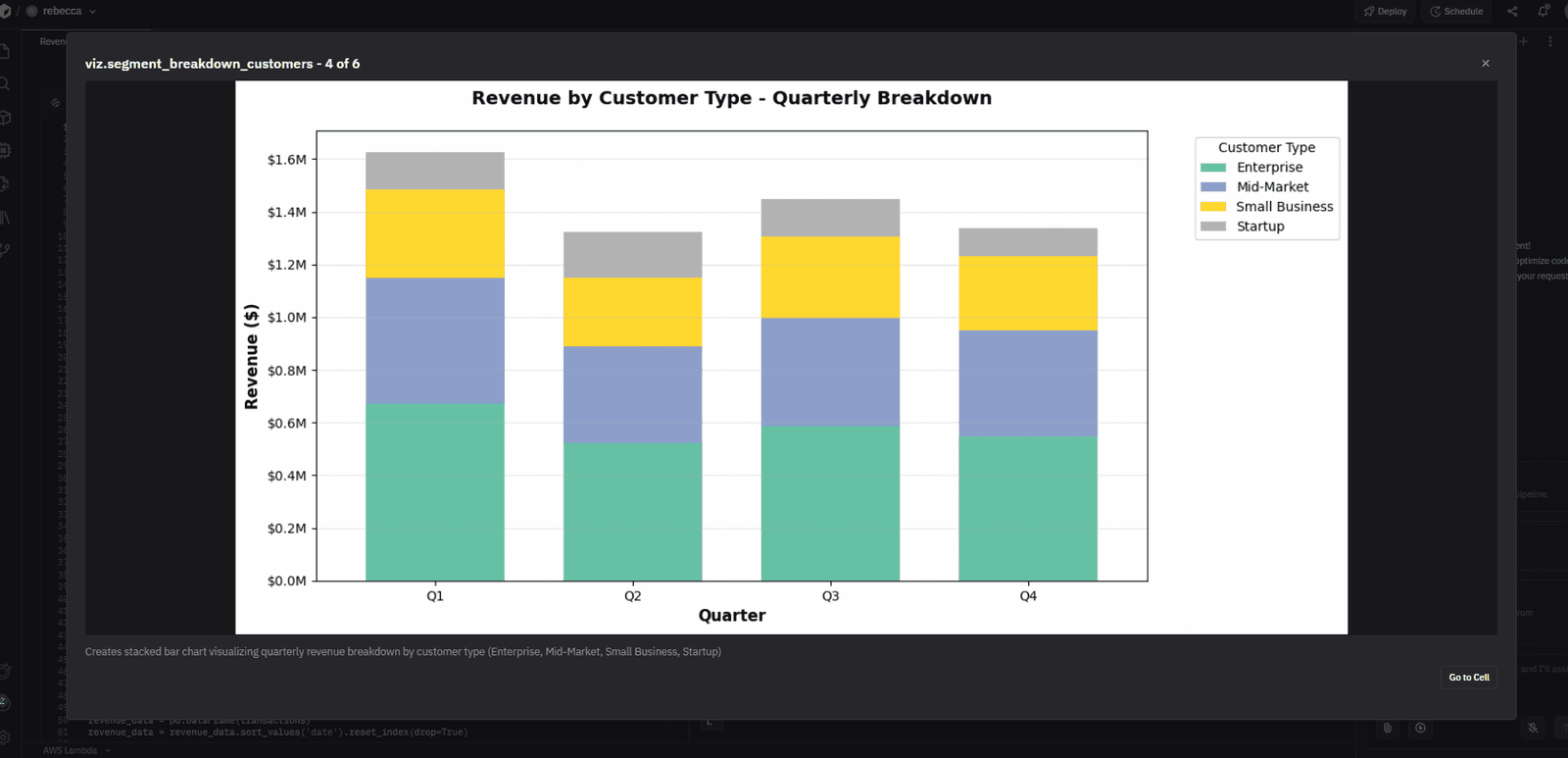
The gallery also shows you what visualization type each image is and which cell created it. Small details, but useful when you're trying to retrace your steps.
Go Try It
It's live now in all projects. If you've got visualizations in a project, you've got a gallery.