)
ODSC AI 2026: Optimizing Cloud Costs With Simulation and Heuristic Search

TL;DR
Greg recaps his ODSC 2026 talk where he used agentic coding to build a cloud cost optimization simulator live, from a single prompt, with no pre-written code.
My first ODSC event was back in 2015. I keep going back. Nearly everybody I meet at ODSC is a data scientist of one stripe or another doing real coding work, which is a better crowd than your typical vendor-heavy conference circuit. For this session, I threw a poll into the comments right away: Claude or ChatGPT? It was a tight race. I told everyone my homework assignment: go ask ChatGPT to tell you about yourself. It knows a surprising amount, including apparently all my food preferences from recipe prompts. Kind of alarming, honestly.
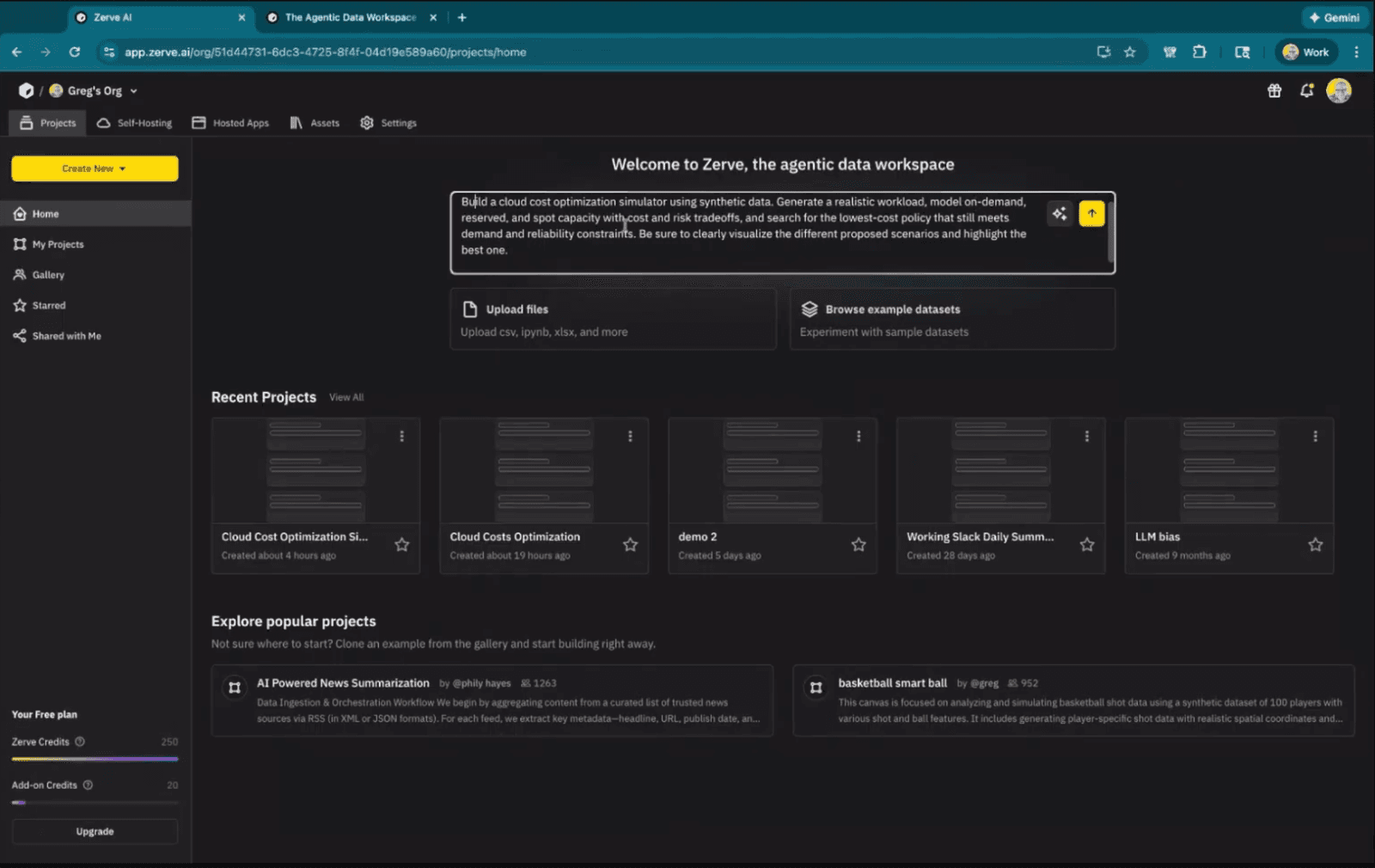
I picked cloud cost optimization as the demo topic because it's a meaty problem that touches real money. I wanted to show what an agentic coding environment could do with it from a cold start, no pre-written code, no pre-loaded data, just a prompt and a live audience watching.
The Cloud Cost Problem
If you've managed cloud infrastructure, you know the deal. Reserved instances mean paying upfront for guaranteed capacity. On-demand gives you flexibility but costs more per hour. And then there are spot instances, which are discounted but come with a catch: that capacity might not be there when you actually need it.
Most organizations end up using a mix of all three instance types at once. The tricky part is finding the right balance for how your team actually uses compute. Lean too heavily on spot instances to save money, and you risk jobs failing mid-run because that capacity can disappear without warning. Lock in too many reserved instances for reliability, and you're paying for compute power that nobody uses.
Building the Simulator Live
My prompt to the Zerve agent was maybe two sentences long. Build a cloud cost optimization simulator using synthetic data. Model demand across the three instance types. Evaluate cost versus risk. Find the cheapest policy that still meets reliability targets. Visualize the results.
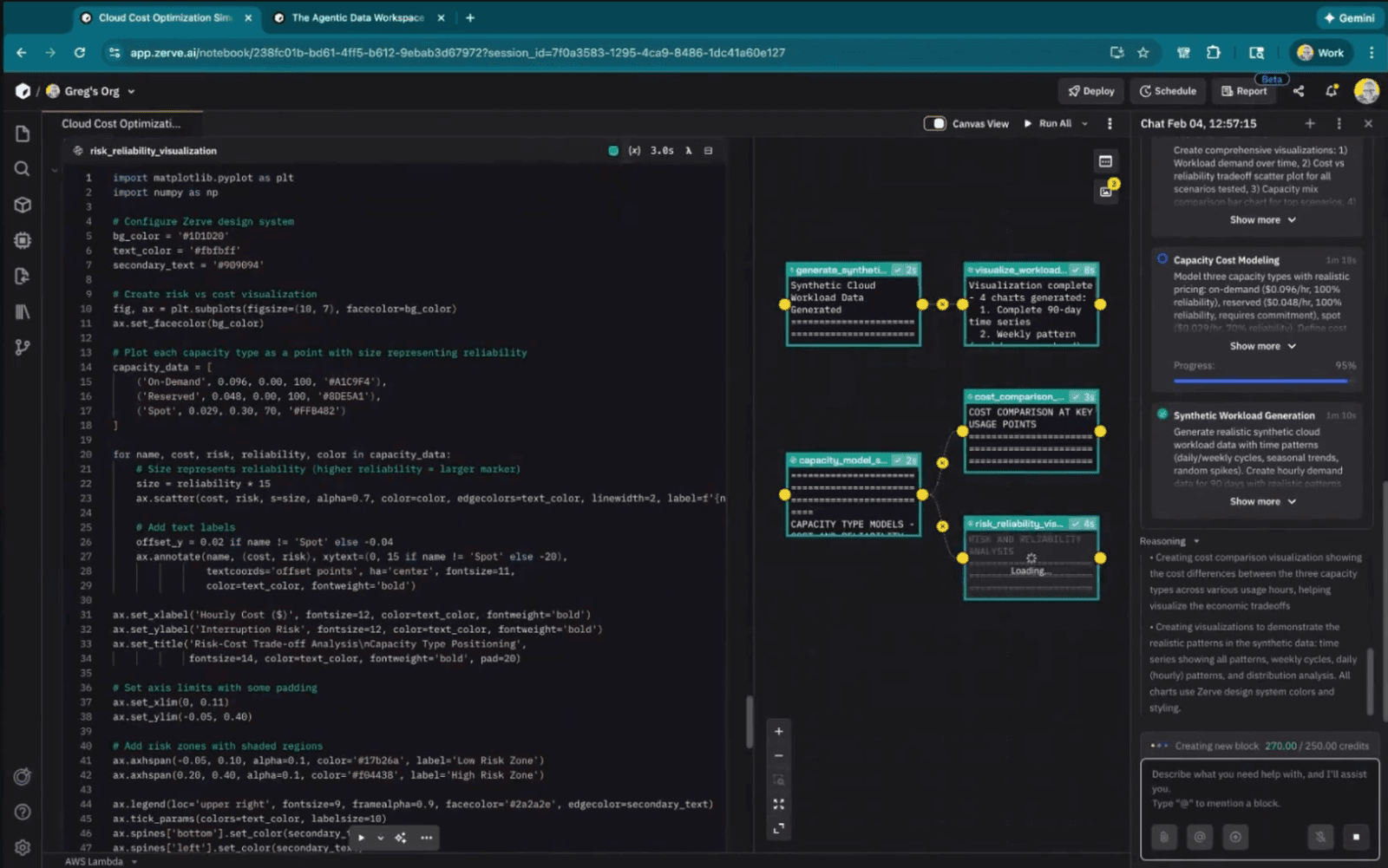
The agent put together a plan, started writing code across several blocks, spun up synthetic hourly workload data, and ran the whole thing. I didn't write any code manually during this part.
The results were solid. The simulator tested dozens of different combinations of instance types and found that the best approach wasn't any single option but a mix: mostly reserved instances for reliable baseline capacity, a smaller share of on-demand for flexibility, and a bit of spot to keep costs low where reliability was less critical. That balanced strategy cut costs by 30 to 36 percent compared to running everything on on-demand instances alone. The visualizations made it easy to compare each scenario side by side, showing total cost, reliability, and demand patterns across all the options tested.
Cranking Volatility to 100x
Midway through the experiment I got curious. I asked the agent to make the workload 100 times more volatile and rerun everything. My assumption was that wild demand swings would completely reshape the recommended capacity mix.
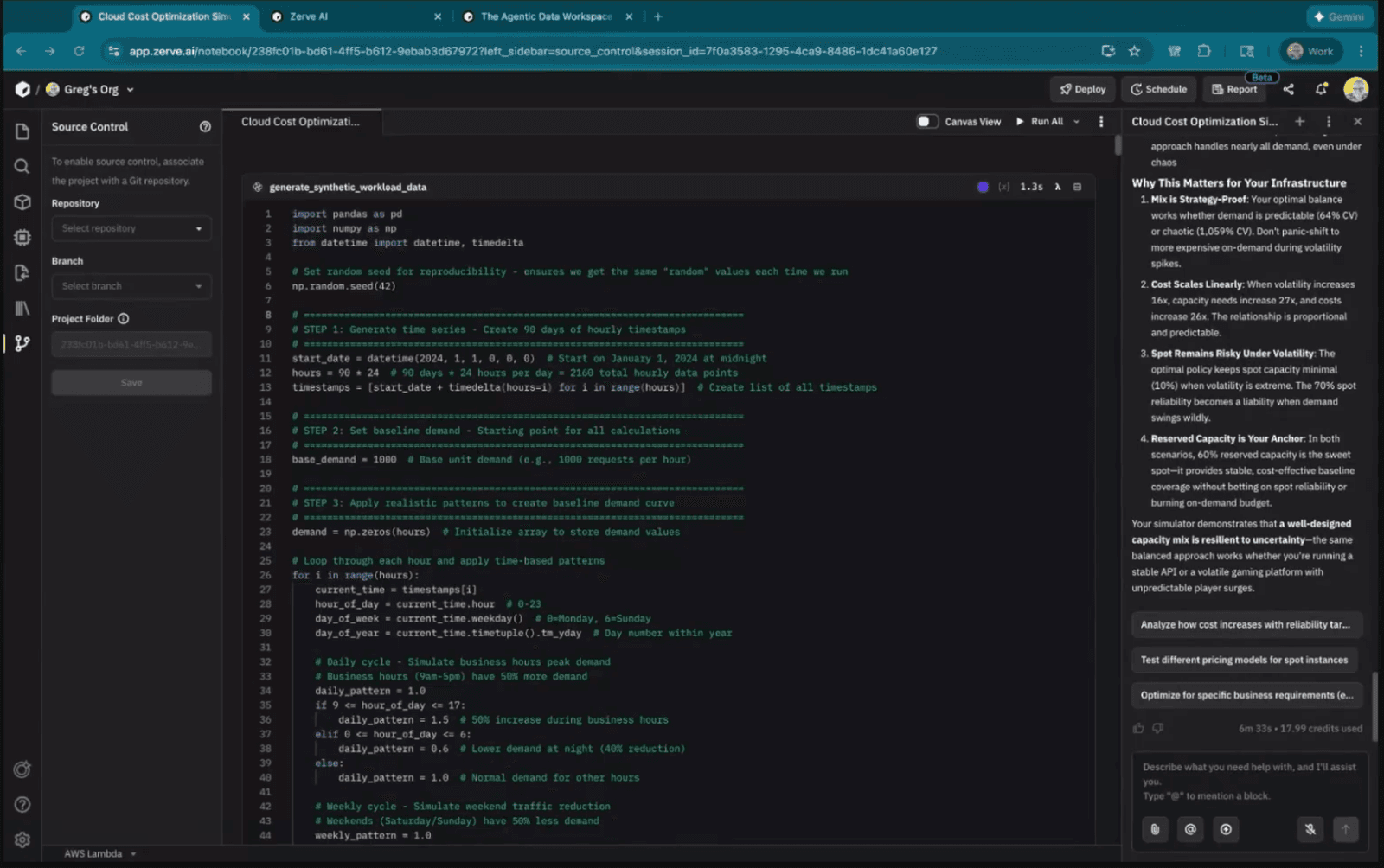
Wrong. Total costs jumped massively, no surprise there. But the ratio of reserved to on-demand to spot barely changed. Same basic allocation strategy, just scaled up. I found that genuinely surprising, and it's the kind of result that would have me pulling apart the pricing and availability assumptions to understand why. As a first pass though, built from one prompt with a couple of follow-up iterations, it was a strong foundation to build on.
Why Data Scientists Need a Different Kind of Coding Agent
One viewer brought up in the chat that there's a lot of overhead involved in teaching AI models about your data context when you're working in VS Code or Cursor. I've hit that same wall repeatedly.
Software engineering tools like Cursor and Windsurf work well when the target is fixed. You're building a web app, you know the requirements, the agent writes the code. Data science doesn't move that way. With data, step B often depends entirely on what came out of step A. You look at your results and realize you need to go in a completely different direction than you planned. That kind of constant pivoting is hard to manage when your agent can't see what's happening in your environment.
We built Zerve so the agent sits inside the development environment where execution actually happens. It sees the data. It watches results come back from each code block. When something breaks, it reads the error, fixes the code, and reruns. During the demo, that happened live and the audience saw the block go red, then watched the agent patch it and turn it green again. No intervention from me.
How the Architecture Works
I spent a chunk of the talk on this because it matters more than people expect. Jupyter notebooks keep everything in a single shared memory space. Run cells out of order and your variables get corrupted. Browser crashes and you restart from zero. Send the notebook to a colleague and they spend an afternoon just trying to reproduce your environment.
Zerve splits things up. Each block runs as its own kernel. When a block finishes, its variables get serialized and cached to disk. The next block downstream inherits what it needs through a DAG. So nothing shares state. Because nothing shares state, you can run multiple blocks at the same time without worrying about collisions. Teammates can work on the same project simultaneously. And re-running a block always gives you the same output because the inputs are locked to whatever the upstream blocks produced.
Short Prompts vs. Long Prompts
One viewer started a good thread about prompt engineering. I've watched people spend 45 minutes writing one massive prompt trying to cover every edge case. Personally, I get better results throwing in a couple sentences and then iterating a few times. The mega-prompt crowd might disagree, but more often than not I end up in a better place faster with the short-and-iterate approach.
The viewer also mentioned structuring prompts with XML tags for tighter control over agent behavior, which I think has real legs as these tools mature.
Beyond Prototyping
Another viewer asked a pointed question about whether Zerve works for production use cases or just prototyping. You can deploy models as APIs, build Streamlit apps, schedule recurring runs, and we're rolling out a Reports feature in beta soon that generates interactive hosted applications from your analysis. The agent builds the app layer for you.
Give It a Shot
Head to zerve.ai and sign up free. You get 50 credits a month on the free tier. The entire demo I ran during this talk burned through 15 credits. There are sample datasets baked in if you want to play around without loading your own data.
I'm at greg@zerve.ai if you want to share feedback or show me what you've built. Thanks to everyone who showed up and asked good questions. These ODSC sessions are always a good time.
Frequently Asked Questions
What is agentic coding and how does it differ from traditional coding agents?
Agentic coding embeds an AI agent directly inside the development environment where code executes. Unlike standalone tools like Cursor or VS Code extensions, the agent can see your data, observe execution results, and fix errors on its own without you having to copy-paste context or re-explain variables.
Can agentic coding be used for cloud cost optimization?
Yes. In this ODSC 2026 demo, an agentic coding environment built a full cloud cost optimization simulator from a single prompt. It generated synthetic workload data, modeled reserved, on-demand, and spot instance capacity, and searched for the cheapest policy that still met reliability constraints.
What is Zerve and how does it work?
Zerve is a data-focused agentic coding environment that supports Python, R, and SQL in a single project. Each code block runs as its own kernel with serialized state, connected through a DAG structure. This makes code reproducible, parallelizable, and shareable without the environment setup headaches of traditional notebooks.
How does agentic coding handle errors during data analysis?
When a code block throws an error, the agent reads the output, identifies the problem, edits the code, and reruns the block automatically. During the live ODSC demo, the audience watched a block turn red from an error and then saw the agent debug and fix it without any manual intervention.
Is agentic coding practical for production use or just prototyping?
Zerve supports deploying trained models as APIs, building interactive Streamlit apps, scheduling recurring code runs, and generating shareable hosted reports. The platform was designed for both prototyping and operationalizing data science workflows.