Introducing the Zerve AI Notebook: Faster, Cleaner, and Built for AI
December 02, 2025
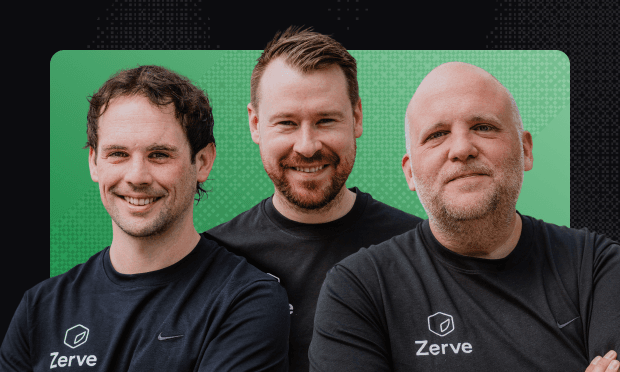
Notebooks for data haven’t meaningfully changed in more than a decade, so we rebuilt them completely, based on how data work is actually done. We're introducing a major evolution of the Zerve app in a clean, streamlined UI that brings the fluidity of notebooks together with the power of agentic execution, reproducible canvases, and real cloud compute. Join the founders, Greg Michaelson, Phily Hayes, and Jason Hillary, for a live look at what’s new, why we built it, and how it unlocks a smoother, more intuitive workflow for everyone who works with data. We'll demo the new app, answer your questions live, and share behind-the-scenes insights. What You'll Learn
How the new Zerve Notebook improves stability, collaboration, and speed
Understand why Zerve is blending notebook familiarity with agentic execution and reproducibility
Watch a live demo showing faster workflows, better clarity, and smoother iteration
Hear directly from the founders about the design decisions, roadmap, and what’s coming next
2:40
Good morning everybody. Welcome to all of our users that have joined and folks
2:46
that uh may not be familiar with Zerve yet. Uh we've got some exciting stuff to
2:51
announce today about uh some developments that have happened here in the product. And I'm joined today by the
2:56
other co-founders of Zerve. I've got Philly, our CEO, fearless leader. Say hi.
3:01
Hello. Hello. And Jason, our our uh the big brain behind Zerve, chief technical officer.
3:08
Say hi, Jason. Uh thanks, Greg. excited to to be here.
3:13
Awesome. I'm pleased as well. So, I'm Greg Michaelelsson, chief product officer here at Zerve, and we three are
3:19
here today to announce something really cool that uh we have just released or
3:24
will be shortly releasing later today uh in Zerve. It's going to change the way that people interact with their code and
3:30
with their data and it's going to be pretty spectacular. I think I was thinking back earlier this morning to
3:37
how I got connected with these two fine Irish gentlemen uh years ago. uh Philly
3:44
uh reached out to me on LinkedIn and uh he said, "Hey," he tried to pick a fight basically uh because I'd been in a
3:50
company called data robot and we were working on automated machine learning and
3:56
we both Philly and Jason and I had all been kind of working with this problem where data scientists didn't really have
4:03
the tools that they needed to tackle the problems that they were trying to solve. and we were coming at it sort of from
4:09
different ends. Um, but when we put sort of all the all three of us together, kind of the magic happened. Um, and and
4:17
we I think we created something really spectacular that's just getting better as we continue developing. Yeah, you g you gain a lot with uh
4:24
picking a fight. So, I think it's kind of cool to get into it a little bit. It was just we it was at the time um when
4:30
data robot had had released the co forecasting engine for the US government which I just thought was this
4:36
spectacular like result but how they got there was a mystery to me um with automated machine learning and that's
4:43
when I started to pick the fight with Greg and get into the details about how it was built and um a lot of that chat
4:49
was what formed uh kind of what we're going to talk about today. I remember Greg, you were talking about like um
4:55
trying to solve that problem with Jupyter Notebooks that took an hour to run and so someone would pick up where
5:00
someone else left off and having to run that thing from start to finish took an hour just to get started if I remember
5:06
correctly. Yeah, it was a wild time. Um we were we were working on simulations for
5:12
predicting um h where to target folks for recruitment into the vaccine trials
5:19
and we were working on a simulation that was based in Jupyter notebooks. we were trying to move super fast and so uh we
5:26
didn't have time to get all the infrastructure and stuff set up. So we're just working in Jupyter notebooks and notebooks turned out to be pretty
5:33
good tools for what we were trying to do because they give you the ability to uh to to interact and and iterate really
5:39
rapidly to u write some code and then run it and then see the results and be
5:44
able to kind of really quickly iterate. But there were quite a few shortfalls, lots of shortcomings when it came to
5:51
making that actually work. One of them in particular was not really being able to collaborate uh because it's pretty
5:57
challenging to use notebooks with a team uh just because of like dependency
6:02
issues and uh code version control and like all those kinds of issues that you
6:08
see with with notebooks and you guys were seeing the same thing, right, Philly? Yeah. Yeah. It was it was wild to us. So
6:14
speaking to you was like vindication at the time. Um you know it was obviously the middle of CO as well. So Jason and I
6:21
were working on problems and we were in our separate places in rural Ireland and we're looking at these big companies
6:27
that have raised a lot of money and thinking, "Oh, we must be missing something. There's no way, you know, that these guys are working with
6:33
technology like that. They must be more advanced than we are." Um, and so from where we were sitting, it seemed like
6:40
how is this not a solved problem? like how had the world gone to Google Docs and everything else, how could you not
6:46
have something that would work for me sitting in Ireland and you sitting in Nevada that would work between us? Um it
6:52
see it seemed like it had to be a solved problem. But when you saw such a largecale project working off that those
6:59
frailties, I think that's what made me say, "Okay, Greg, you need to get on a
7:05
flight. Um I'll meet you in Ko and South Street in Dublin. We have to have a few points to talk about how to solve the
7:10
problem." And what kind of added to that then eventually was um I was lucky enough to recruit our
7:16
head of engineering um who I previously worked with, really smart guy, Mike. And I remember you guys, because I'm late to
7:24
the data world, I remember you guys explaining to Mike what how notebooks work and how you can make 1 plus 1
7:30
equals 7. And he and him basically saying there's no way that that could be how it works. There's no way that this
7:35
whole industry is based off off of that. And of course, there's exceptionally amazing things about notebooks and what
7:41
they're good for and and we get we got push back initially to say I want to do my exploration there and I'm happy that
7:48
it's messy and I'm happy that things don't work. When I moved to production, that's a separate thing and that's totally cool. People can have their own
7:54
processes, but there was still no reason why it couldn't be a solved problem. Um, and so I guess yeah, after the Pines and
8:01
South Street a few days later, we're in a a different office in Leon Street in Dublin where we we wrote the initial
8:07
parts of our new architecture um that could that could give you stability um
8:13
without you know breaking things. So so that it was impossible to go 1 plus 1 equals 7 but still have uh all the
8:21
explor exploratory capabilities you wanted. and and like yeah I reiterate it's not that you have to go okay Zerve
8:27
is about getting to production it's not about that you don't need to change your process but just to get all the benefits
8:32
and great things out of notebooks doesn't mean you should lose um lose how you might progress that project and how
8:39
it might actually make an impact and yeah it felt like a problem really worth solving that you could increase or
8:45
elevate the impact of data by doing and solving this problem and we had push back about how big a problem it was to
8:51
solve but um I'm glad I'm glad we solved it. Yeah. Uh Jason, for for the folks that
8:57
may not know what Philly's talking about with the 1 plus 1 equals 7 thing, we're super close to this, but can you kind of
9:02
break down what were the specific things that uh were were problems and how we
9:08
kind of initially overcame them to come up with Zerve as it existed yesterday? Yeah, of course. So um yeah, like um so
9:16
I guess we'll we'll take um an assumption that people know what Jupyter notebooks are. Um so it's a notebook
9:22
that you can write code and it's uh very interactive. So a youer can write some code like a couple of lines you can run
9:28
it you see the results if they look uh like you want them to look uh you can move on to the next cell which is your
9:34
next couple of lines of code that you can execute and uh effectively um while you're doing this h all of the results
9:40
that are being produced get saved in memory. So you're updating it like live.
9:46
So it's very reactive. It's really good for kind of like h seeing small changes to your code. So you can kind of see
9:52
things uh live and that's why people like it. So it's a really quick way to iterate on code. It can be very visual
9:59
because you've got your code and then you've got the results directly underneath it. Um but some of the
10:04
challenges with it uh is that because it is like interactive and you're like in full control of like when you run a cell
10:12
and there is no order to it effectively. So it doesn't run top to bottom. um you
10:18
can uh hit like real problems with uh we'll say um uh environments. So this is
10:25
like if I send one to Greg and Philly, they might have different versions of Python installed, different packages and
10:31
it mightn't get the same results or be able to run it at all. Um so that's a big problem with collaboration. And then
10:37
there's also as Philly touched on there was a issue with uh we'll say just
10:42
getting it useful for a business. So typically uh things get deployed into the cloud. So you put it into AWS,
10:48
Azours, GCP or some other kind of a data center. And to be able to do that it's
10:54
not it's like not trivial. So you need to uh kind of rewrite the code typically. So the two things we were
11:00
trying to solve for was one was collaboration and two was to get it into
11:05
production or get it into the cloud. And how we did that stability with stability. So how we did that was
11:11
we uh kind of re-engineered what happened when you press the run button on your piece of code. So uh when you
11:17
run it, we'd actually spin up some cloud resources. We'd run it, we'd cache the results, save uh some metadata around
11:24
it, and that meant that you come back to it, rerun it, and you'd always get the same results. Um and then also h
11:32
everybody could be working together at the same time. So that was kind of the first problems we were looking to solve.
11:38
And and it looked it looked like this, right? So if I could share my screen,
11:43
it looked a bit like this. Yes. And um the so it's very different I
11:48
guess from what people would be used to if they were if they were used to working with a notebook which is just uh
11:55
you know cell after cell and kind of stacked vertically. And so this is like a this is a DAG. It's like a graph of of
12:01
code. And it it runs similar to a notebook, but you start with code. You'd run it. you'd see your output and then
12:07
all that those those outputs would be passed down to the next block. And what we what we discovered is that most of
12:14
our users were were immediately jumping into full screen mode uh or code and
12:19
variables view or whatever you want to call it to be able to kind of have a more comfortable more spacious editor
12:25
and be able to preview variables and see what's coming out of of different uh uh
12:30
code that they might run. Right. And the yeah I guess the other big thing
12:36
that changed it this year as well uh was that we have the agent. So now there's
12:42
an agent inside of Zerve that can code with you. It's designed specifically for
12:47
working with data. Um so it is um very much like you have a cursor and claude
12:55
and kind of tools like that for software engineering that's uh they're engineered to work on like large repos of of code
13:01
and across multiple files. The serve agent is designed to work with uh code. So it's able to work like a data
13:08
scientist or a data analyst kind of like get insights or uh build models and all of the things that uh data professionals
13:16
would typically work on. Yeah. Yeah. So, so really like about six months ago, I guess to give a bit more
13:21
context, like we double down on where we feel the benefit of um and where agentic
13:26
technology can go. So, we think the sky is the limit. The ceiling's unbelievably high for how um for how advanced you can
13:33
make a product in this space. And what we did was look at how um how the others
13:40
h have worked it in different spaces like Jason said in in like the likes of cursor, the likes of claude code um and
13:47
take what we've learned so far in terms of doing data science development and apply that to to Zerve and what we've
13:53
seen since has just been rapid explosive growth related to that. And it's massively interesting to see how that
14:00
changes how you work with with data. And um more and more I've been referring to
14:05
that as data work because it was specifically looking at how you do modeling and all of these sorts of
14:11
things that were you know kind of usually sat inside a data team. We're seeing rapid growth outside of those. So
14:17
like what you can do um doesn't depend on the team you're in anymore. Um you
14:22
know it's super interesting to see data work um being done across the organization. Um, and it means that just
14:30
the speed to insights are just so so quick. And what we've coupled that with is then the familiarity of what experts
14:37
were used to now. So like as we're getting into what we're releasing today, we're releasing notebooks which bring that familiarity. So if you're coupling
14:46
uh a data an agent made specifically for data science with a a view um uh and an
14:53
interface that's you know proven to be the most effective way of working with data. um you get something really
14:59
powerful and that's why we're so excited to be launching launching that today and and you know getting into it today.
15:05
Yeah, there's two things going on here, right? Because the world of coding is is kind of changing pretty dramatically
15:11
with all these agents that have come in. In case anyone doesn't know, Jason, can you describe like explain what is an
15:16
agent when it comes to writing code? Uh sure. So um so chat GPT kind of like hit
15:22
the hit the scenes maybe like two three years ago and it kind of introduced like large language models. So this became
15:28
like a available to everybody and everybody used it for for chat and what they do is you give it um like a piece
15:35
of like a a prompt effectively. So you ask it a question and it's able to generate an answer. Um so this is like a
15:42
so typically people would have started with like natural language. So it's like writing essays and everything like that.
15:48
Uh but code itself is just uh like text just like um uh like any other piece of
15:54
a document that would be written and it turns out these large language models are really really good at writing code.
16:00
Um so what an agent is is effectively the application of a large language
16:05
model for the uh generation of of code and then the other kind of um innovation
16:12
around it is the context that's provided. So, um, the context window or
16:17
how many like tokens or words effectively these agents can hold when in like memory when they're dealing with
16:23
a problem has gotten like really really large. So, it can hold like hundreds of thousands of of like uh tokens or like
16:30
words at a time effectively. Um, and that means that you can fit in like lots of code or lots of information about uh
16:37
the data that you're working on or the problem you want to solve. And that means that these large language models
16:42
uh have like the full context to be able to understand the problem you're working on um to be able to like suggest really
16:49
useful code. Um and then uh typically what they'll do is you'll give it um a
16:56
prompt or an instruction natural language. Um it'll tell you what it's going to do and then it'll go and
17:02
execute it. You can see the code that it's written and then you can like approve, edit or like ask it to make
17:08
some some edits. So it's like a really is like a kind of a a co-orker with you
17:13
kind of like writing writing code and it can do it at like um phenomenal speeds
17:19
and you can have multiple ones working at the same time I guess is the other kind of like big big multiplier.
17:25
The the context is important. So last night I was making uh dinner uh and I
17:31
wanted something easy so I asked for uh some ideas for easy dinners that kids
17:36
might like. And the seventh option it gave me was Korean beef bowls. And so I
17:43
was like, "Okay, let's do number seven." Uh, and it gave me a recipe for Korean beef bowls. And then I said, "Well, I
17:49
need a shopping list." Uh, and by the way, put the shopping list in the same order as the stuff in the store so I
17:55
could just walk through the store and get it. Uh, oh, and then don't put section headings. And so I kept I kept
18:00
kind of going on building on that conversation. And what's happening behind the scenes there, just like in
18:06
Zerve, is that the context in that the agent is aware of or that the large language model sees is growing. Like at
18:13
the beginning, it didn't know I was making Korean beef bowls. Uh but as I kept asking questions, it remembered
18:19
what we talked about. Uh and Zer does the same thing, right? So it's going to be able to see the data that you have
18:24
uploaded. It's going to be able to see the the databases you're connected to, the previous code that you've written,
18:30
the other output that you've seen, just like in that Korean beef uh uh dish,
18:35
your project is like the you know that conversation that we had, right? Exactly. And the one extra thing is
18:42
probably as well that it can take actions. So it's like um that it's able to um so it's able to uh make files,
18:50
edit files, create files, write code like it's able to take the actions that
18:55
a user would with inside an app say and and for a typical data workflow. So
19:01
we obviously have usage patterns for for how uh how how these projects go. And so
19:07
taking all that into account that context is automatically in that agent. So it's um it's not like that needs to
19:13
be reexplained. You're coming in and saying, you know, uh it could be something like let's let's find let's
19:18
see is there any interesting insights in my file. Um and that's very broad to an agent that's not made specifically for
19:25
doing data work. Um but not very broad to to something like Zerve where it both has the context and then crucially the
19:32
the environment in order to be able to run that. So run the code, see the results, keep adding like you said,
19:38
adding the context like your list, Greg, but instead it's adding each set of results back in. The environment is very
19:44
important there because you're getting something that can run code, retain results, um, and and be able to build
19:49
and build that context to to get those insights super fast. So it'd be like if I had the Tesla
19:55
Optimus robot to make my Korean beef bowl. Yeah. Which, by the way, I'm going to have the
20:02
moment it's available. Just exa ex and and maybe uh the robot is
20:08
trained in in soul um on on the best uh best recipes.
20:13
All right. Excellent. So, uh we've talked a lot about it. Let's show it. Uh Jason, will you pop it up on the screen?
20:18
Let's let's look at the new interface for reserve and see uh how it works and where everything is situated and give
20:24
everybody a tour. And and while that's while you're bringing that up, Jay, looks like we've got a question in as well, which will
20:30
probably be answered through the demonstration here. So um looks like a question in that's uh from Chitel saying
20:37
how does the agent actually help me write or debug code? So I think we're going to be able to cover that through just a demonstration here too.
20:44
Yeah. So we'll get into it and we'll see the the agent kind of do a full end to end um kind of example in in a minute.
20:51
Um but this kind of just uh here's one I I met earlier I guess um for uh the new
20:57
interface. So you've got your classical kind of like notebook view, but you've
21:02
also got the the DAG view that um uh Greg showed earlier. So this is like a
21:08
visual representation of the uh of the project. Um so you've got your coding
21:14
interface that you have here. You've got your outputs in line like you'd be familiar with. Uh you've also got this
21:20
where you can explore all of the the variables uh that got created by this particular uh block. Um, and then, uh,
21:29
these two are connected, so you're able to kind of like easily navigate. Uh, you have AI generated descriptions of each
21:36
of the blocks. Whoa, whoa. We're going we're going super fast here. Wait, wait. So, can you go to the middle and just shrink it so
21:42
that your code like move your little boundary between them. Uh, so that Yeah. So, we can we can see the code a little
21:48
more. Move it to the right so that you have Well, not that far to the right. You done switched because it's so
21:55
skinny. So you have some control over how things are laid out and you've got like your output in line just like you
22:02
would in in a notebook type view. Uh and and you showed how you could kind of
22:07
click to jump to a particular cell. Uh right? Yeah. So you've you can navigate between
22:15
uh so both the the notebook and the canvas are connected. H so you're able
22:20
to use it for for navigation purposes. Now, this is one main difference, one major difference here between what we're
22:27
looking at here and a notebook is that uh you you've got this nonlinear thing
22:32
happening, right? Uh yes. Yeah. So, here we've got the start of the project and then uh what we
22:38
have and what is this what is this doing here? This is reading in a CSV file. So, this is reading in a CSV. So, this
22:44
is just a data it's one of our quick start examples. So, it's a data salaries
22:50
uh file that has just a a load of like historical values for different job descriptions across the the US.
22:58
And looking at the DAG, it looks like you're starting with that on the left, but then the data frame that you create
23:04
when you read in that CSV file is being fed to lots and lots of different cells. Uh yes. Yeah. So, the DAG kind of
23:11
illustrates that dependency. Exactly. Yeah. So, each of these connections do two things. So one is uh
23:17
for data inheritance. So you pick up data from uh upstream blocks and then
23:23
the other one is for orchestration. So if we were to do like a run all this first block would run and because of the
23:29
way that we've set up the uh the compute and we know all the dependencies all of these ones in parallel can run at the
23:35
same time. H so that's kind of unique to to Zerve in in that sense. And then each
23:40
of it uh of the downstream blocks can can run h and you have full kind of
23:46
reproducibility of the results as well. Got it. So the output from each block is
23:51
going to show inside the blocks on the right and you can get a closer more spacious view of the code over on the
23:57
left side. Exactly. And you can toggle on and off. You can go full screen on the notebook
24:03
view and you can also go full screen on the uh canvas view if you want to just uh do like an exploration of it. Um and
24:10
then we've got Oh, I see the description up there. Yes. How did you get to that? Show one more time. Uh so there's kind of two new controls.
24:17
Uh one is uh the block details. So this is an AI generated description of each of the blocks. Um so every block you
24:25
click on has an AI generated description. uh just so if you're kind of new into a a project uh you can kind
24:32
of just easily navigate it. So uh say I shared this with you uh you might come to this view and start to click and
24:39
instead of having to try to figure out just from the the code and the results what's happening you can read this uh
24:44
description and then the other thing as well is that there's the uh the gallery. So a lot of the time it's the images
24:51
that you're kind of like interested in. So you can kind of quickly come here, you can look at it, read a description
24:56
of like what the image is and then you can go to the go to the cell if you want. So it's just a kind of a easy way
25:03
to navigate across all of your different kind of like pieces in your in your project. Got it. That's fascinating. And now uh
25:11
on the far right side, what's going on over there? Uh over here, this is our agent. Um so
25:16
what I'll do is I'll jump into a different uh just to start from scratch. So this is your empty state. Um, so what
25:22
we'll do just to show to answer the question from um I don't know how to use the agent code.
25:28
We're still seeing the old one. Have you jumped into a new one yet? Oh, sorry. Might need to stop and start sharing again. Has it switched to the new?
25:34
Oh, there it is. There it is. We see it now. Um, so what we'll do is we have a couple of quick start options. So we connect to
25:41
a database. H, if we wanted, we could upload a file. Uh, we can import an
25:46
existing notebook and it'll like pre-populate it. uh or we can start from like a an exist kind of a quick start
25:52
data set. So I'll pick something who that's kind of like small so it can get started. So it's added to the file so
25:58
it's available to the project and then there's also this uh generated first uh first block. Um so this is the agent on
26:07
the right. Um so what we're able to do is with chat we're able to we'll say just from a coding perspective what
26:13
we're able to this this is Titanic. Yeah. H so this is the Titanic data set. So, so, so everybody's familiar with this,
26:18
right? This is this is one row in this data set for uh each passenger on the Titanic and it tells things like how
26:26
much did they pay for their ticket and were they male or female and details about the passenger and then whether they lived and died or lived or died at
26:33
in the in the wreck. Yeah. Exactly. Yeah. So then, so every every data scientist who's ever
26:39
been on Kaggle has seen this data set. 100%. So then um so what we'll ask it to
26:44
do is uh to do some EDA and just to spice things up a little bit, we'll ask it to to show us things we've never seen
26:50
before with some uh uh cool charts. Um so what it'll do is it'll take this
26:56
prompt and it'll start to think it'll look at the the data. So it's able to
27:01
load the files to get the context. It's able to look at the Oh, so it's actually going to be able to see the the output of this of the first
27:09
block. Yes. Yeah. So that's how it figures out um what it is. And it can even start from you can start without the first
27:15
block. Um it can start from scratch and the first thing it'll do it will be loaded and every time a new block is
27:21
created with a new set of results it'll update its own context and it's able to kind of like one block at a time just
27:27
like a data scientist or a data analyst or anybody who codes would. It kind of
27:33
uh uncovers kind of like uh results one piece at a time updates what it'll do in
27:38
real time as a a as a result tool set. So this
27:44
Yeah, go ahead. I was just going to ask you about that. Oh yeah. So here it presented a plan. So this plan has like load and inspect uh
27:51
kind of like a survival pattern. So kind of give like an outline of all of the different things it'll do. And I'll just
27:58
click follow agent here. So as the agent is working and creating blocks, it'll start to navigate across the um the the
28:06
different kind of things that it creates and we can see we get like a live progress. So uh it'll kick off all of
28:12
these like sequentially. Um if it has a chance to run two of them in parallel, it will. Um and then it gives an update
28:19
of like how its progress is going. And then you can also see like the reasoning so each of the steps that it does um
28:26
throughout. Um, if you want to be working while the agent is working, you can do that too. So, you can click on a
28:32
block and uh, effectively it won't move you off. You can edit it. You can create a new block uh, in between. Um, so here
28:40
I've just created this one. I can be working here while the agent is working on other other parts of the project.
28:45
And you can rewire them. Yeah. If you block you just created, this isn't just visual. So you can use
28:50
it to not only like rewire but also to like create and like um h so you're in
28:56
full full control of the uh the DAG. So it's not just a visual representation of
29:02
the the project but you can pick like dependencies and build your build your DAG uh interactively.
29:08
And look at that speed. Oh my god. Scroll down Jay to see the new stuff being created. It is just wild. Like
29:15
it's we're we're live as Greg would say we're living in the future. Yeah. And you can start to see kind of
29:21
the charts that it's producing. It's got the AI generated descriptions. Um,
29:26
what do they call these? Are those violin charts? Is that what those That's a violin chart. Yes. Yeah. I'd call it a fiddle chart.
29:34
I'm a little cont you you you play the fiddle, Greg. Yeah. Only when uh when forced.
29:42
Um, so yeah, we can we can judge at the end whether or not it's like producing kind of like stuff that we've never seen
29:48
about this data set before, but it seems to be giving it a a good goal. And I get like what's what's
29:54
unbelievably cool here from a demo perspective, you might pick up on it is like you're not touching the mouse here, Jay. Like you can be to be moving
30:00
around, but all of this is what's happening in front of you. The agent is doing everything here. Yes. Yeah. So it's like just on
30:07
autopilot. If I click on a if I click on a block and I wanted to like say work on
30:12
this one, we'll see that the follow agent message shows up. So now I'm not in the follow mode and I can be working
30:19
on this block. And you can also get the agent now inside a block with the ask AI. Uh so you can get it to make like a
30:26
block level edits. Uh so wait, explain exactly the difference there between what's happening on the
30:31
right side and what's happening in that block right there. Yeah. So this is kind of um so we would
30:37
have talked about context a lot and this is kind of like a narrowed context. So the changes so when I'm working over
30:42
here in the chat it's at the level of the entire project. I can like at at
30:49
like a block or something like that. So very quickly I'll just add this and I can go like at inspect or whatever. I
30:56
can give it the context of the block and I can ask it to make edits. It'll present a plan. Uh, but when I'm in this
31:01
ask AI mode in a block, uh, it's kind of like more direct for kind of like faster
31:07
edits to the the code, we'll say. So, I could ask it to do something like, uh,
31:13
update the comments uh, to be funny. It doesn't have to be,
31:18
it can be like real, but it's like just an example. It could be anything. It's got the full context of all of the other
31:25
blocks. So, it's got everything available to it. it can go and read outputs from other blocks if it needs to. And here it is. It's added something
31:32
about Sherlock Holmes and things like that. So, and and Jason, it might be worth talking a little bit about like what we're
31:38
seeing in terms of people singleshotting projects versus like that functionality
31:43
where you're looking to go and do bit by bit or iteratively build your project. Like h how much are we seeing people
31:49
move to the lovable type model versus the cursor type model? And just for more context, what that is is where someone
31:56
puts in one or two prompts to try and get an answer out the whole way through versus someone building putting in small
32:01
prompts to do little parts along the way. I I think it depends on the stage of your project and maturity. So there is a
32:07
lot of like uh one to like few shot kind of like prompts to do like so if you're doing like analysis or something like
32:14
broader you want to try out like multiple different kind of like modeling techniques or something like that h like
32:19
using the agent here is definitely the the the way to go and that's the way that most people do it. If I wanted to
32:25
do something like make a very specific change to like the colors or like some like extra annotations on a a chart or
32:33
like a specific kind of like limit this uh to only call get like a thousand kind
32:38
of like rows of data instead of 10,000. H that's kind of when people start to use this instead. So it's kind of if you
32:45
have small refinements to an existing block, that's typically when you kind of go for for this mode.
32:52
Now when you when you finish this, if you want to do some production action like scheduling or deployment or
32:58
something like that, uh can you walk us through how that works? Oh, sure. So uh SK scheduling is like a
33:04
super easy. So you have a different kind of like options. So you can go daily, weekly, monthly, custom gives you like
33:10
crunch job if you're kind of a want to. But we could set this up to run if you're a nerd and you can actually
33:17
understand crown. Yeah. Yeah, I know. I know a few of them, but it's like yeah, I'm not a I'm not an expert. Um, so we could set this
33:24
up to run. Uh, we can turn on email notifications uh about it and uh that's
33:29
it. So the version of the uh the notebook at the time of scheduling is now uh running. So that's effectively
33:37
all you need to do to do that. Uh to add a deployment, you're only like a click away. Uh you can add APIs and apps. Uh
33:44
you can do DNS's and there's a cool thing here. So it sets you up with the initial thing, but you could do
33:49
something like uh turn my uh notebook into an app. And h depends
33:57
on how big it is. It might like cook for like 30 seconds or so, but it should come back with like a a full stream app
34:04
uh referencing all of the variables that are interesting. You can set up like multiple pages, everything like that.
34:10
So, it's like um and I guess like tying into some of the earlier stuff we built. So, cloud
34:16
devops, all that stuff built. So, all of that's already wired in here. So, if you have an application, it's in your cloud,
34:22
it's hosted, all of those things, right, Jay? Uh yes. Yeah. And the other thing actually that uh is like new to serve is
34:28
these reusable environments. So you can set up a set of like packages once. So you can have one for like your app
34:35
deployments and then for like model trainings and then when you come here you can just pick the one that matches
34:40
the the type of like app or API that you're uh deploying. The geospatial one is super useful when
34:47
you're mapping and things like that. I used that just the other day. But you own, right? You can create your own. So yeah, you
34:53
just start, you can create new and I can go like new and then you can just add uh whatever packages you want and then you
34:59
can use this across any of your other your other projects. Um so it's like super simple to do like um uh so here's
35:06
our uh all of our code for our our app. So uh what we're able to do then is
35:11
accept it and we're just a click away from a deployment then. Nice.
35:17
And I think the other thing to to kind of talk a little bit about is just um there is kind of a change of process
35:22
when you've got this when when when developing code is this simple or this quick. Like uh we've seen people just um
35:30
doing a level of analysis that is far deeper than they would have if they had to code this stuff manually. Just
35:36
there's no end in the amount of features you could add when trying to do model training or or anything like that. Um,
35:41
not sure Greg or Jay if you want to chat a bit more about, you know, actually changing your own processes because you
35:48
you have these sorts of tools to work with. Oh yeah. I I find that um I do more
35:54
analysis now than I would have maybe in like a year ago because of the agent because it's like um you don't have to
36:00
make such a commitment to be able to see if an idea will work or not. Um so um
36:07
yeah just the the ability to kind of like quickly do it. Uh you can kind of go deeper. Um it'll do a much better job
36:13
on things like visualizations than uh a person would because like typically speaking it's like a lot of effort to to
36:20
write the code to make these things like look look decent. Um, so yeah, I would have find that it's like um uh yeah,
36:28
I've I'm doing more data work now than I was uh anytime over the last couple
36:34
years as a as a result of having the having the agent and trying stuff that I know I don't
36:40
know how to do, but I'm conceptually familiar with. Uh I find that myself doing that a lot. Uh, like my son the
36:46
other day asked me about he was doing some 3D modeling because he he's into 3D printing and he was like, "Dad, I'm
36:52
having trouble getting these edges rounded over in a specific way and I was like, "Yeah, I can I can help with that.
36:57
No problem." So, I took his file and put it in Zerve and said, "Hey, I need to
37:03
round these edges over. Give it a go." And it did. It was remarkable. So just
37:08
knowing about like conceptually like if you know what shap values are or if you know what uh you know uh
37:14
multi-olinearity is or whatever like if you're familiar with the concepts you can type it in and it'll give you the
37:20
code and the implementation for it uh in a way that is you know super useful uh
37:26
and kind of magical. So I find myself doing a lot more stuff
37:31
than Yeah, definitely. And this this is actually just I'll stop sharing in a second, but this is just one of the
37:37
gallery. So we have a gallery the people can publish community and this is so I'm like I like sports. Um and this is like
37:44
a So this is cricket. So this is the IP. Oh, you got to switch. We got to switch. One sec. So share. Can you see it now?
37:51
So it's just Oh yeah, there it is. Yeah. This is so wow. Uh so this isn't this is
37:56
one of like the Zerve community galleries or from the gallery but it's a like a
38:02
deep analysis of like uh all of the different cricketers for picking their fancy uh fantasy league players. Um so
38:10
it's kind of done like a very deep analysis of like uh all of the different like uh uh players. So I just went in
38:16
and um so I have UX because it's a fantasy cricket you Europeans. Oh yeah.
38:25
Well, I think it goes beyond Europe. Yeah. Yeah. Asian. Yeah.
38:30
Yeah. So then it kind of you can then go in and ask the agent. So this is like a big project. You can get the block level
38:36
descriptions, but you can just say like what's happening here and then like what are the top players and like the agent is able to like get all the context and
38:43
give you a quick uh a quick answer. But it was a cool um a cool project to see on the on the community.
38:50
Now we bet we better take a few questions, I'd say. Um there seems to be a number that have came in.
38:56
Yeah. So, uh Rocky Hickey23 says, "How is this different from Jupiter or Google Collab?" Uh I'll take a swing at it and
39:04
then maybe you guys give a go. Uh Google Collab is basically a fork of Jupiter except it's online and it's infinitely
39:10
more frustrating to use uh because it's it's very slow and despite the the name
39:17
including the word collab uh collaboration actually becomes more difficult than Google Collab when you
39:23
use it. Uh Jupiter is primarily we we talked about notebooks. Uh notebooks
39:29
when you say notebooks it's pretty synonymous with Jupiter in a lot of cases but Jupyter notebooks run uh
39:35
locally. They're in memory tools. They uh don't typically have an integration with with an agent or an AI. Uh but they
39:43
are kind of the tool that everybody learns on because they were designed to be classroom scratch pads. And so
39:48
they're very familiar to uh professors to students who are uh writing code and
39:54
then they just sort of take those into the workplace. This takes that to the the next level to an industrial level so
40:01
that uh instead of being in-memory and in being instead of being uh you know
40:07
non-colaborative and local instead of all of that you've got a cloud-based uh
40:12
rockolid bulletproof uh environment that integrates all of the latest LLM and AI
40:18
technology uh and gives you all of these additional capabilities that you could never get out of a Jupyter notebook. So,
40:24
I can pick my compute. I can use GPUs. I can run in the cloud. I can share collaboratively. Uh, we didn't have time
40:31
to show it, but Jason could have invited Philly and I into his canvas and he would have been able to see our mouses
40:37
moving around and we would have been able to all edit and run code simultaneously. Uh, because it's it's very much like a
40:43
Google Docs experience. Uh, when you're when you're working collaboratively in in Zerve, lots of people all at the same
40:50
time. So uh I think the main difference is you Jupiter is is a scratchpad that's mainly
40:57
uh mainly meant for the classroom but has been used in many other places due
41:02
to a lack of other tooling. Uh and Zerve is kind of the evolution of that into an
41:07
industrial-grade development environment for data science. Yep. Nothing to add. I think you got it,
41:14
Greg. Uh okay. Um let's see. Uh but I like
41:21
Uh, let's see. Dumb guy code says, "What does your AI does?" So, I think we're being trolled a little
41:28
bit there, which is fine. Uh, our AI does what AIs do.
41:35
Um, yeah, but I guess in in particular, uh, we we've tuned it for data science, tuned it for the context required to do
41:43
what we refer to as data work. Um, just I'm taking it genuinely, Greg, in case we're not being trolled. I'm I'm taking
41:49
the taking the taking the question. Um, but yeah, ours is specifically for for
41:54
helping you uh get to insights really quick, to do data work, um, and to do what what Jason just did. Yeah. Um, I
42:02
I'm thinking I'm thinking of of uh Simpson's quote about the 500 don'ts and
42:08
10 dos of nice knife safety. Don't do what Donnie don't does. Um, but yeah,
42:13
uh, very very interesting. There's no podcast or live stream that's complete without a Simpsons reference.
42:20
No. All right. Sheetal Andy22 says, "How do I turn something I build here into a real production workflow?"
42:28
Uh, Jason, you want to swing at it? Uh, yeah. So, there's um the few kind of
42:33
methods at the end is one is the scheduling of like a workflow is one. So, you get full version control. you
42:38
get uh kind of like uh all of the the normal kind of like resilience and fallbacks and like retries kind of built
42:45
in automatically and then you're only like uh one click away from an API or a
42:52
app deployment. Um so you can take anything that you've built inside of your uh your notebook and you can
43:00
reference that directly inside of your deployments and then once you click deploy it's uh fully scalable in the
43:06
cloud on your own DNS. So it has its own like URL. Um, and yeah, that's it. So
43:12
you just uh write some code, reference what you've uh uh built in the the notebook and click deploy.
43:19
What about sensitive data? Jason, you want to talk a bit about how how Zerve handles?
43:24
Sure. The data is sensitive. Uh so there's a there's a well the first thing is that it's like fully
43:29
self-hostable. So you can like uh run Zerve in your own cloud. So uh you can
43:35
connect uh it's like a six minute install. So you just click uh the quick start. So if you sign up for reserve
43:40
you'll see a little self-host button you can uh click on and uh then it'll uh uh
43:46
just install it's inside your own AWS. You can run it on Kubernetes. You can run it on prem uh if you want it and all
43:53
of the data all of the workloads everything you deploy sits inside of your infrastructure. Um the other thing
44:00
then is that there's uh data set connections um that you can kind of have once
44:06
there's secret managements that are all baked in. So they're fully encrypted using like vaults. Um and um one thing
44:14
as well I think that Philly was going to touch on around the deployments is all of your code can be version controlled
44:20
through uh git. So any of the major git providers even like GitHub enterprise
44:25
that's hosted like uh inside your own environment you can push all the code that you write from Zerve into into
44:31
that. Got it. So we're not playing around here. We mean b business all the serious
44:38
things. All all the serious things 100%. So yeah, I think from the start um even
44:44
even in our recruitment um like our head of engineering, I recruited the guy that used to say no to tools in our in our in
44:51
where I used to work and it's from the start we wanted the the strictest um controls internally and to be set up
44:58
like we've set up and Jason maybe you can even talk to that a little bit. um you know whenever you kind of self-host
45:04
into into if you self-host in your own cloud um the different control plane and
45:10
the data plane um how that's actually set up similar to the way we use our services and interact with other
45:16
people's environments um so there's the
45:22
which is basically the set of APIs for like uh managing the user access the
45:28
like um the projects the access controls. Uh they're hosted in our uh
45:34
one of our accounts and then uh if you sign up and just want to try reserve uh
45:39
we'll say um you can use our SAS offerings. So this is like um uh will
45:45
like provide the compute and everything but that is set up exactly like somebody that's uh self-hosting themselves is.
45:52
So, it's kind of like the whole thing is once you self host, you get the exact same experience uh as uh we do for all
46:00
of our own users. So, there's no um uh downsides. It's like tested heavily. So,
46:06
there's thousands thousands of users um that kind of go through this uh setup and it's kind of like everything is uh
46:13
optimized for that kind of experience. Yeah. So, it took longer um but it was
46:19
done on purpose, you know, in terms of building it. that was harder to build that way. It would have been quicker to just build a SAS product and then think
46:25
about how you have it work inside an environment. But with like with people like NASA or like financial services
46:32
organizations, we just knew when we got to that it wouldn't work. And so all
46:37
conscious uh decisions uh for the seriousness, Greg, uh to make it work um in the long term.
46:45
All right. Well, uh we've uh we've had a great conversation here. I want to wrap up with a bit of a curveball. Uh you
46:52
guys hear that noise? That's crazy. I want to wrap up with a bit of a curveball here. The large language models are uh kind of changing the way
46:59
the world works. They've certainly changed the way that uh that that people
47:05
kind of live, right? People are now using large language models for everything. Uh what is what's the world
47:10
going to look like in five years? What's going to be the most unexpected or biggest change that you guys see coming
47:16
as a result of the way these large language models are sort of invading every aspect of our lives? Uh, Phil, you
47:24
go first. I'll go first. Well, I think in terms of invading every aspect, uh, I I'm I'm already invaded. So, I was uh early to
47:31
start using it. I um I use I use the various AI tools constantly. So, um I
47:39
had a really strange moment a few weeks ago when uh I use the audible uh uh the audio version of chat GPT when I'm using
47:46
chat GPT and um I have chats with it about you know what I should watch next
47:51
on Netflix and things like that and I was uh having a conversation with
47:57
someone and I was going to reference another conversation I had when uh I was like who was I speaking to about that
48:02
and I wasn't speaking to anyone I was speaking to Chat GPT about what I should watch next. So I think that was the most
48:08
invas in invasive thing that's happened to me in terms of AI. So yeah, there's like the sky is the limit. I I like
48:15
we've really um we've doubled down on the the agents being something that's very different. Um I think we've seen it
48:22
since the uh summer and since kind of launching um into the self-serve agent
48:28
model in like September, just the amount of applications you can have with it. So, I don't know where we'll be in five
48:34
years, but um by no means do I think it's a you know a thing we won't be talking about it. We'll we'll absolutely
48:40
still be on the journey. Bonus follow-up question. Uh have you changed the default voice of chat GPT?
48:47
No, I I got a default voice. I didn't edit it. Still the lady? Yeah, it's the lady. Yeah.
48:53
Excellent. Just Just wondering. All right, Jason, your turn. Um uh I think
49:00
uh probably where they're at at the minute is that they're still um somewhat reactive. So you you instruct and then
49:08
they do. Um there isn't uh much yet in terms of like uh proactiveness and I can
49:13
see that kind of like being something that changes. So kind of like uh something happens all the devices are
49:19
like interconnected and then like it's already taken an action and it just tells you that it's done it more so than
49:24
um I can see even in the the world of like um like a data pip if a pipeline
49:31
fails that it doesn't you don't go and tell it that there's a problem it goes and fixes and tells you it fixed it. um
49:37
thing things like that. Um the interface I think will change as well. Um if you
49:42
trust them more and more, you have to see less and less of the the underlying workings and things like that. So
49:48
there'll be like higher levels and kind of like you start with a kind of like a high level kind of a just like what did
49:55
you do or like what's the outcome and then you can drill down. So I think uh even in coding it'll change it's and is
50:01
changing I think. But Bob Benedict from LinkedIn says, "In five years, demos like this would be done by AI, including
50:08
Q&A, and the audience would be AI representatives of companies that create summaries to suggest next steps." Also,
50:15
nice job today. So, yeah, it's probably true. We are even our Q&A sessions will
50:22
be automated. We should get Papa advisory board. He's got the
50:27
he's got the vision. Yeah. Well, just to wrap us up, I don't know what the next five years will look like, but I can guarantee that in the
50:33
next five years, I'm going to have a Tesla robot in my living room. Uh, I told my wife this and she said, "Well,
50:38
you may not have a wife in your living room if you if you get one of the one of the Optimus robots." And I'm still not
50:45
sure which one I want more. So,
50:50
but all right, in closing, I just want to invite everybody that's listening, uh, go on to app.serve.ai, sign up. It's
50:56
free to use. Uh, you get a free account. you get lots of credits, plenty to use to get you started. Uh give it a spin.
51:02
It's a it's a great application that will undoubtedly increase your productivity. And uh thank you all for
51:09
joining us and we'll catch you next time. Signing off.
51:15
[Music]
51:21
D. [Music]
51:48
All right. [Music]