)
Deploying Jupyter Notebooks to Production Is Harder Than It Should Be

TL;DR
Getting a Jupyter notebook to production is where most data science workflows fall apart. This guide walks through why that happens and how to do it differently.
Most data science teams have at least one notebook that was "almost in production" for longer than anyone wants to admit. The analysis was solid, the stakeholder was waiting, and somewhere in the gap between local environment and actual server, the whole thing quietly stalled.
Deploying a Jupyter notebook to production is a different job than writing one. The skills barely overlap, which makes the process consistently harder than it looks going in.
What to Know Before You Deploy a Jupyter Notebook
How to deploy a Jupyter notebook to production
Jupyter notebook deployment without DevOps
Moving from notebook experimentation to production ML
Notebook to API: converting data science work for production use
Zerve vs traditional notebook deployment workflows
Why Does Jupyter Notebook Deployment Keep Breaking?
The notebook is rarely what breaks. What breaks is everything the notebook quietly depends on.
Building locally means making dozens of undocumented decisions, and none of them travel with the .ipynb file. Move it to a server and you find out fast that a dependency differs by a patch release, or a file path that made complete sense on the laptop resolves to nothing in the new environment, or a cell that only works if two others ran first in a specific order, which nobody wrote down because at the time it was obvious.
On top of the technical issues, three workflow problems slow most teams down:
Environment Drift
Environment drift is the quietest version of this problem: the gap between local and staging is usually a single dependency or a Python minor version, small enough that it should take ten minutes to fix and somehow takes a day to find.
Manual Handoffs
Manual handoffs are where timelines go to die: someone builds the notebook, someone else is supposed to get it deployed, and in practice that means a chain of emails, questions, and at least one meeting before anything moves, with each round trip adding days to a process that should take hours. (This post goes into this in more detail.)
Code Rewriting
Engineering teams typically want a script or a service, so the notebook gets handed over and rewritten into something that fits how they deploy things, at which point the original author is largely out of the loop and updates have to happen in two places, assuming whoever inherited the arrangement remembers it exists.
How Do Most Teams Deploy Jupyter Notebooks? (And Why Each Approach Has Problems)
Converting to a script is the most common first move. Pull out the notebook format, turn the cells into a .py file, run it somewhere on a schedule. It often works, right up until something breaks and you realize you have lost everything that made debugging in a notebook fast. The interactive context is gone. The person who did the conversion probably was not the one who wrote the original logic, and that gap tends to show up the first time something needs to change.
Docker is genuinely good at solving the environment problem, and for teams with infrastructure engineers already in place it is a reasonable path. For a data scientist who just wants a retraining job to run on a schedule, the surface area is substantial: writing a Dockerfile that actually captures everything the notebook needs, getting it into a registry, connecting it to something that will execute and monitor it, and then figuring out the debugging story when it inevitably fails in a way that a local run never did. The environment problem gets solved. A different problem takes its place.
Handing it to engineering eventually produces results. It also means a queue, a dependency on a team with competing priorities, and often an output the original author barely recognizes. When the model needs updating six months later, the whole process starts again.
How to Deploy a Jupyter Notebook to Production Using Zerve
Zerve is built around the specific gap between notebook development and production deployment. The development environment and the production environment are the same, which removes most of the translation work that causes ML deployment workflows to break down everywhere else.
Step 1: Import your Jupyter Notebook into Zerve
Zerve's environment is structured around blocks of code that run interactively, so the feel is similar to a notebook.
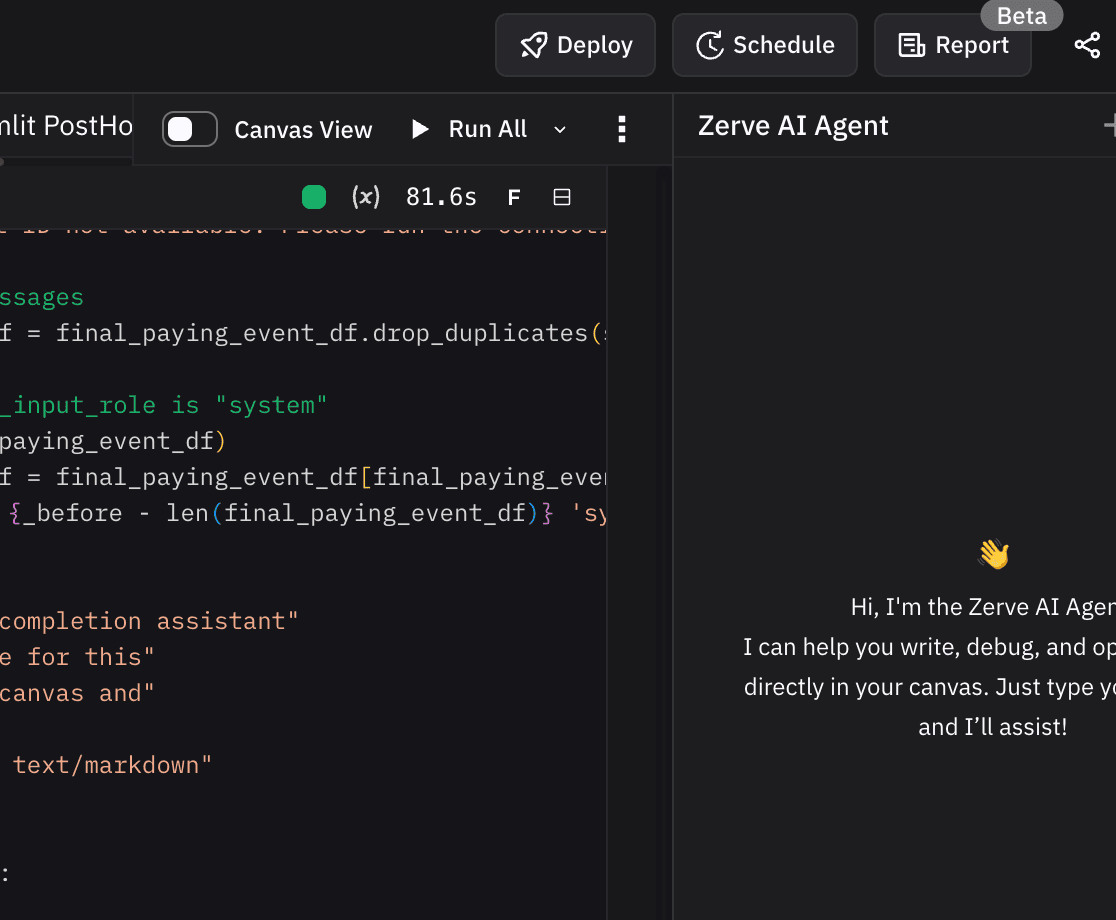
The difference is that your datasets live in the same environment as the code from the start, whether that is data stored directly in Zerve or connected from an external source like Snowflake or S3. There is no local sample standing in for the real data, no moment later where you find out the production dataset has a column formatted differently than the one you tested against. If you already have an existing Jupyter notebook, simply drag it into Zerve. Zerve will parse and import your notebook automatically. For a full breakdown of how the two environments compare, Zerve vs. Jupyter Notebooks covers the differences in detail.
Step 2: Decide the right deployment strategy and build
Once the analysis is complete, usually it’s obvious how your results should be deployed. Zerve provides flexibility in just how to surface your results. Some deployments are scheduled jobs. Some are interactive applications. Some are API’s or even static reports. In Zerve, you can produce all of these in the same environment without having to switch applications or manage cloud infrastructure.
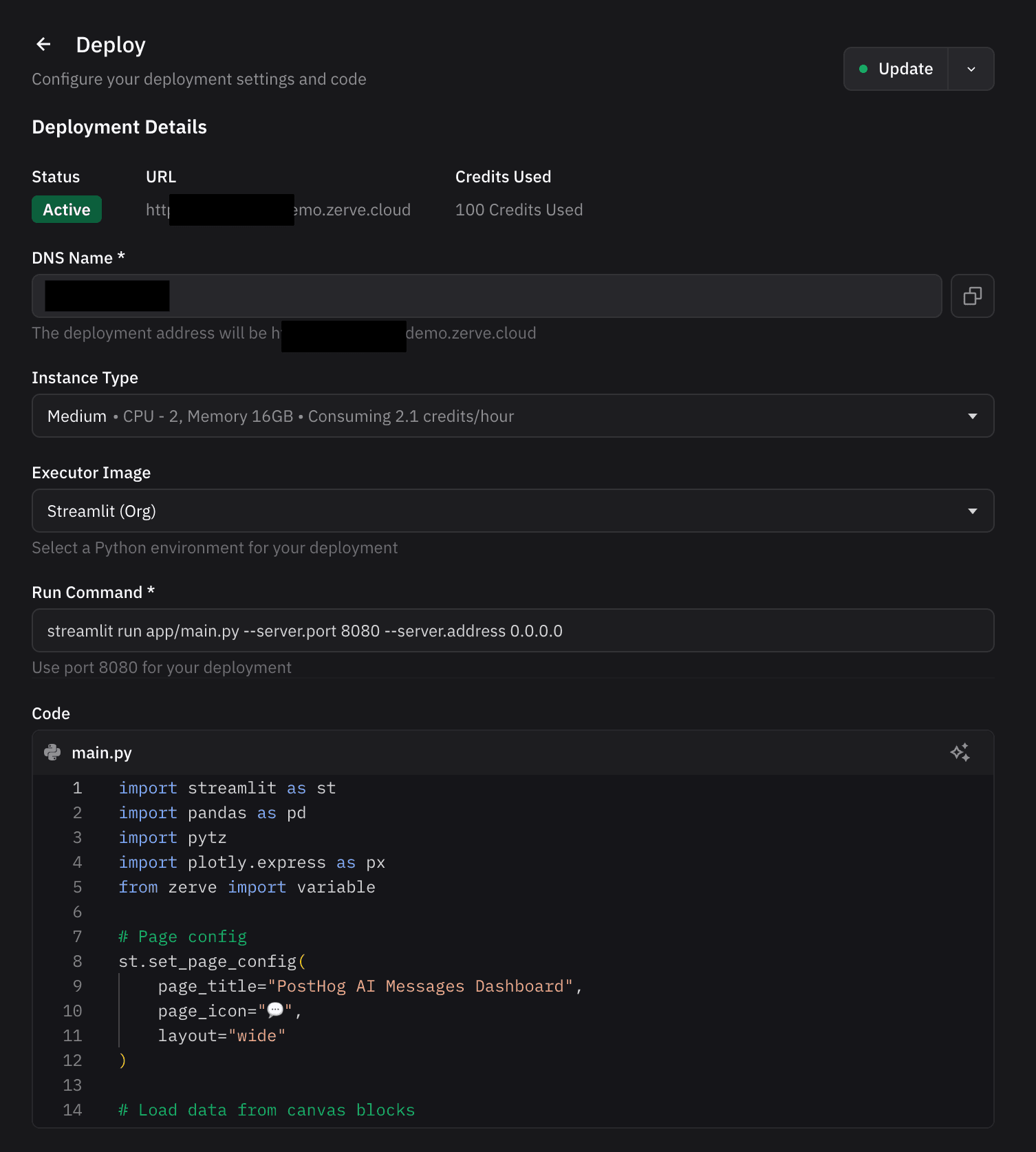
The Zerve agent is fully integrated into deployment capabilities, so the user can ask for a specific API to be automatically constructed or a report or application to be developed. The agent will generate the code and prompt the user to deploy what has been built.
Step 3: Deploy and share
Your APIs and applications can be built to be private or open. Once built and deployed, share with a friend or colleague. Instead of wasting time on infrastructure and recording, your results appear instantly.
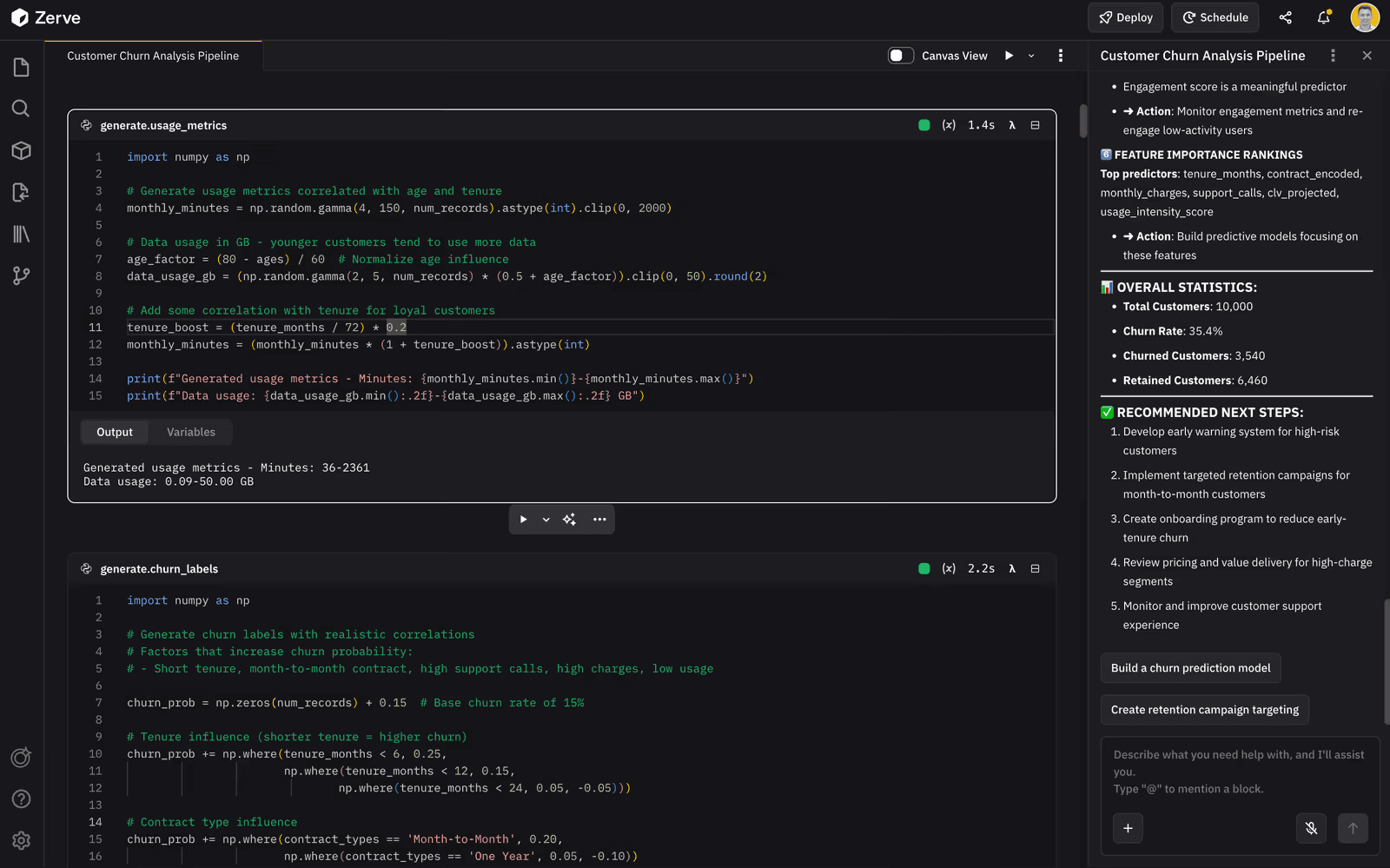
When something fails, the error surfaces with enough context to understand what happened, and there is a history of previous runs to diff against. In most traditional notebook setups, that history does not exist. You get a timestamp and whatever made it into the log before the process died.
Jupyter Notebook Deployment: Traditional Workflow vs Zerve
How to Get Started Deploying Your First Jupyter Notebook
Find a notebook your team actually uses, something that does real work but where a failed run costs you an hour, not a customer. Pull it into Zerve, connect the data source, run it through. If the outputs hold up, put it on a schedule.
The teams that get the most out of this are usually the ones where deployment has become someone else's problem: data scientists waiting on engineering queues, ML engineers spending most of their time as a handoff layer, analytics teams running pipelines across four different tools that were never meant to work together. Zerve's CPO, Greg Michaelson, covered the broader version of this in Automating the Hard Parts of Data Science. This hackathon recap shows what the deployment workflow looks like when the timeline is compressed to a weekend.
Try Zerve free and have your first notebook running in production before the end of the week.
FAQs
Yes. Zerve uses a block-based interactive environment that works similarly to a notebook but is built for production from the start. If the main reason you are in Jupyter is exploration and iteration, Zerve covers that. If the reason you are still in Jupyter is that getting out of it feels like a project, that is exactly the gap Zerve is designed to close.
The notebook never had to describe its own environment. Library versions, environment variables, cell execution order: none of that is in the file. It lived in the original author's setup, which is not what the server has.
Notebooks are built around having someone present. When a cell produces a weird result you rerun it, adjust an input, skip a section. That interactivity is useful for exploration and makes production harder, because the job eventually has to run on its own, catch its own errors, and produce results that hold up when someone compares them to last month's numbers without you in the room to explain the difference.
In most setups it means rebuilding: logic into a script, a web framework on top, containerized, deployed somewhere that takes requests. By the time it ships, the API version is usually maintained separately from the notebook, so changes to the model have to happen in two places.